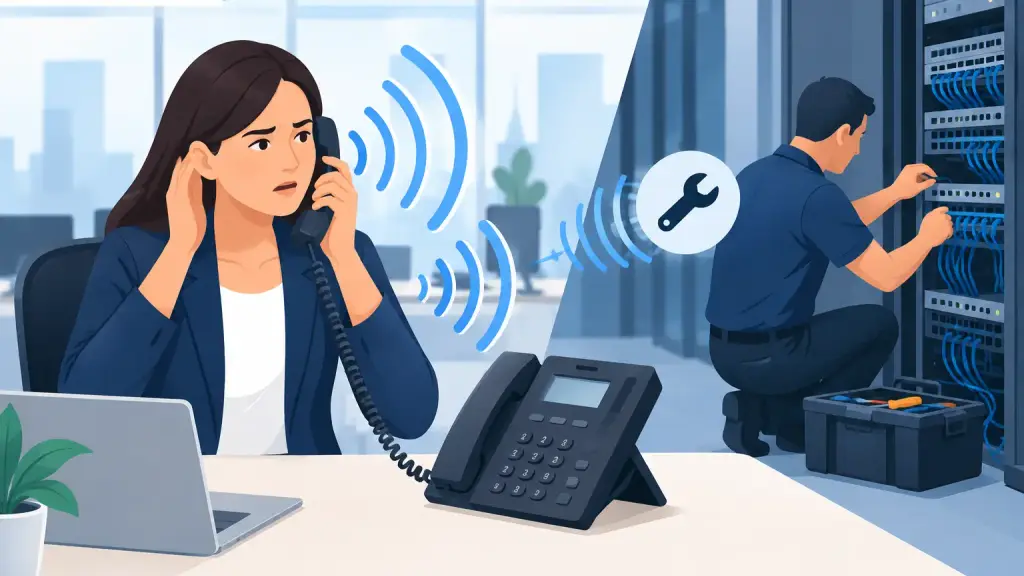
A customer hears their own voice come back a second later, the receptionist struggles through every transfer, and suddenly a routine call feels unprofessional. Understanding why office phones echo matters because echo is not just an annoyance. It can point to a failing handset, a station wiring problem, a PBX programming issue, or a connection problem between your office and the telephone network.
The most useful clue is where the echo occurs. Does it affect one phone, one department, every outside call, or only calls to a particular location? Those details help separate a quick equipment replacement from a system-level repair.
Why Office Phones Echo on Business Calls
Echo occurs when audio from a call is reflected back into the conversation. On a properly operating business phone system, the PBX, phone, and carrier connection manage those audio signals so callers hear each other clearly. When something is out of balance, delayed, damaged, or incorrectly configured, part of the voice signal can return to its source.
Not all echo has the same cause. A faint, immediate sidetone can be normal on some handsets. A noticeable repeat that arrives a fraction of a second later is not. The delay is what makes it disruptive, especially for staff members handling sales, appointment scheduling, dispatch, patient calls, or customer support.
A basic question helps narrow the issue: who hears the echo? If your employee hears their own voice, the cause may be on the far end of the call or somewhere in the carrier path. If customers consistently hear themselves when calling your office, the issue is more likely associated with your equipment, wiring, trunks, or system configuration. A technician still needs to test the call path before assigning blame, but this distinction is valuable.
A Faulty Handset, Cord, or Speakerphone
When echo occurs at only one extension, start with the equipment at that desk. A worn handset cord, damaged receiver, failing base unit, or speakerphone microphone can create feedback or poor audio isolation. This is especially common with older digital desk phones that have seen years of daily use.
Move the handset to a known-good phone of the same type, or test the affected extension with a working handset if your system permits it. If the echo follows the handset, the fix may be straightforward. If it stays with the extension, the issue could be the phone set itself, the station port, or the cabling behind the wall.
Speakerphone calls deserve separate attention. Open microphones, high speaker volume, and hard surfaces in a conference room can all make audio sound reflective. That is different from a true delayed network echo, but callers experience both as poor call quality. Lowering the speaker volume and testing with a handset can quickly identify whether the room or speakerphone mode is contributing.
Station Wiring and Cabling Problems
Office phone wiring is often overlooked because it is out of sight. Yet loose terminations, pinched cable, water damage, old punch-down blocks, electrical interference, and poorly labeled cross-connects can affect voice quality. In offices that have been remodeled, expanded, or relocated over the years, the current cable path may be far more complicated than anyone realizes.
A cabling issue may affect one phone or a small cluster of extensions. You may also see related symptoms: intermittent dial tone, static, calls dropping when a cord is moved, one-way audio, or a phone that works better after being unplugged and reconnected. Replacing a phone without testing the station cable can leave the real fault in place.
For legacy PBX systems, technicians should verify the station pair from the phone through the patch field and into the PBX card. Proper testing helps determine whether the problem is at the device, the cable run, a termination point, or the system hardware. That approach prevents unnecessary parts replacement and reduces repeat service calls.
PBX Cards, Trunks, and Echo Settings
If multiple extensions experience echo, particularly on outside calls, the problem may be beyond individual desk phones. Older PBX systems rely on line cards, trunk cards, processors, power supplies, and programmed settings that can wear, fail, or become mismatched over time.
For example, an analog trunk or interface card with a developing fault can introduce poor audio across several users. A problem with echo cancellation settings, impedance, gain levels, or a connected paging device can also affect call quality. These are not settings to change by trial and error. Incorrect programming can create new problems with call routing, caller ID, voicemail integration, or line access.
The pattern of affected calls is critical. If echo happens only on calls using a specific outside line, a technician can isolate that trunk. If it happens on every external call but not internal extension-to-extension calls, testing should focus on the connection between the PBX and the carrier service. If internal calls also echo, the PBX, station hardware, or internal cabling becomes more likely.
VoIP Latency and Network Configuration
Hosted VoIP and IP-enabled phone systems can produce echo when network performance is poor or voice traffic is not properly managed. Voice packets that arrive late, out of order, or with inconsistent timing create audio problems that users may describe as echo, delay, clipping, or robotic speech.
Common causes include overloaded internet connections, insufficient bandwidth during peak usage, poor quality of service configuration, outdated switches, duplex mismatches, and voice traffic sharing a congested network with large file transfers or cloud backups. A remote worker's connection can also be part of the issue, but a widespread office problem needs a broader network review.
True acoustic echo can occur in VoIP calls as well, particularly with speakerphones, conference devices, or improperly configured analog adapters. The repair depends on the source. Network adjustments will not solve a defective handset, and replacing a phone will not correct packet loss on a busy office network.
How to Troubleshoot Office Phone Echo Before Calling for Service
Do not ask employees to live with the issue until it becomes unbearable. Gather a few practical facts while the symptom is occurring. Note the extension number, the time of day, whether the call was internal or external, whether it involved a speakerphone, and whether the echo was heard by your employee or the outside caller. If the issue is repeatable, record which phone numbers or trunks are involved.
Then perform simple, low-risk checks. Confirm that handset and line cords are fully seated and not visibly damaged. Test the affected user with another handset or desk phone when compatible. Try a call from another extension. If speakerphone use is involved, repeat the same call with the handset. These checks give a service technician a much better starting point.
Avoid resetting PBX programming, moving unfamiliar cables, or changing voice gateway settings without documentation. Many business phone systems have been customized over years of operation. A quick change made under pressure can interrupt other users, disconnect voicemail, or alter call routing.
When Echo Requires a Business Phone Technician
Call for professional service promptly when echo affects multiple users, appears on important customer calls, occurs with static or dropped calls, follows a power event, or is limited to a specific group of outside lines. Those conditions usually require access to the PBX cabinet, carrier demarcation point, structured cabling, or network equipment.
A qualified technician should test calls at multiple points in the path rather than guessing. That may include the phone set, station cable, PBX port, trunk interface, carrier handoff, and, for IP systems, the network and voice gateway. This is particularly important for Panasonic, Nortel, Avaya, Vodavi, NEC, and other legacy platforms where compatible parts and experienced programming matter.
For Chicago-area businesses that depend on older systems, iTeleco provides fast-response PBX repair, cabling diagnostics, programming support, and 24/7 emergency service. The right repair may keep a dependable legacy system operating for years. In other cases, recurring audio problems can be a practical reason to plan a controlled move to hosted VoIP rather than waiting for a critical failure.
Echo is a useful warning sign when it is treated as a diagnostic clue instead of a nuisance. Document the pattern, protect your existing system settings, and have the full call path tested before a small audio problem turns into a missed customer or a larger phone outage.