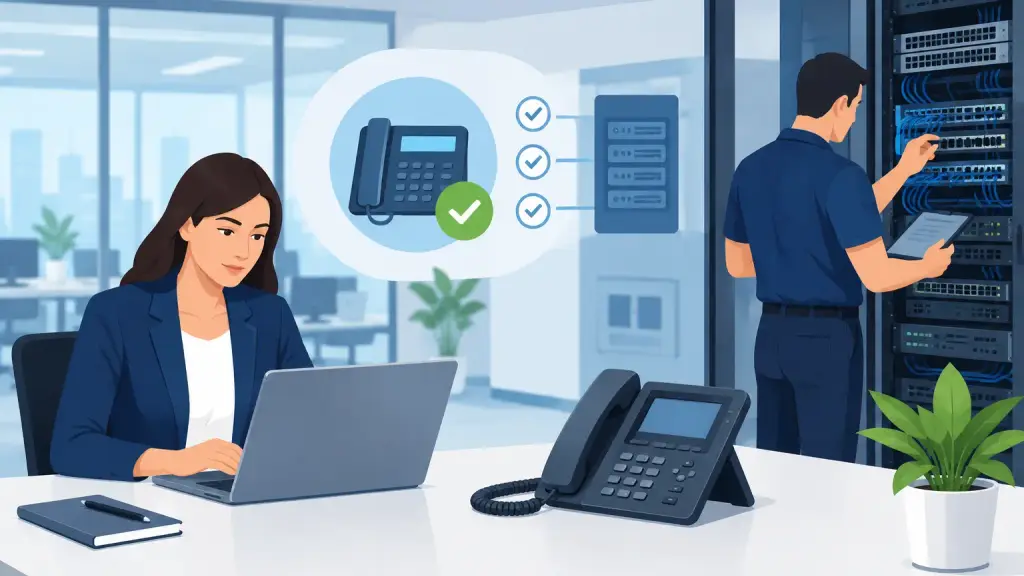
A PBX system audit is most valuable before employees start hearing dead air, callers reach the wrong department, or a critical phone card fails without a replacement in sight. For businesses that depend on legacy phone equipment, an audit turns an unclear risk into a documented action plan. It shows what is working, what is vulnerable, and whether repair, preventive maintenance, or a phased upgrade makes the most operational sense.
Aging PBX equipment does not automatically need to be replaced. Many Panasonic, Nortel, Avaya, Vodavi, and NEC systems can continue supporting a business when they are properly maintained and programmed. The issue is that years of moves, adds, changes, wiring work, and staff turnover can leave a system with hidden weaknesses. An audit identifies those weaknesses while there is time to address them on your schedule.
What a PBX System Audit Should Examine
A useful audit goes well beyond confirming that phones can make calls. Day-to-day calling may appear normal even when the system has no current backup, a failing power source, poorly labeled cabling, or programming that no one on staff can safely modify.
The process should start with the PBX itself. A technician identifies the manufacturer, model, software version, cabinet configuration, installed cards, trunk connections, voicemail equipment, power supplies, batteries, and available capacity. This creates an accurate record of what the business owns and what parts may be needed for future service.
The audit should also document how calls enter and leave the building. That includes carrier circuits, analog lines, PRI or SIP connections, fax or alarm lines, and any separate equipment connected to the phone system. A change made to one service can affect another. For example, replacing an older circuit without reviewing the PBX programming can interrupt inbound routing, caller ID, or emergency calling.
Physical infrastructure matters just as much. Technicians should inspect the telecom room, wall fields, cabling, patching, grounding, surge protection, and environmental conditions. A phone system installed in a crowded closet with poor ventilation, unmarked cables, and an overloaded power strip is more difficult to repair quickly during an outage.
The Risks Often Found in Older Phone Systems
The most serious PBX problems are not always the obvious ones. A phone set with no dial tone gets attention immediately. A voicemail backup that has not been tested in years may not be discovered until an employee accidentally deletes critical messages or the equipment fails.
Common findings include aging batteries, failed or undersized uninterruptible power supplies, unsupported voicemail hardware, unavailable replacement cards, and system programming that exists only in the memory of a former employee or outside vendor. Businesses also frequently have unused extensions, old employee names in directories, forwarding rules that no longer match operations, and call coverage settings that send customers to the wrong place.
Security should be reviewed as well. Remote administration access, voicemail passwords, toll restriction settings, and unused network connections can create avoidable exposure. The correct approach depends on the system and the business's needs. Some older PBX platforms have limited security options, which may make stronger operational controls or a migration plan more appropriate.
An audit can also reveal single points of failure. If one power supply, one carrier circuit, or one aging voicemail unit can take down the entire office, leadership can decide whether that risk is acceptable. Not every business needs full redundancy. A small office may prioritize a tested backup and fast repair response, while a busy medical office, dispatch operation, or multi-location business may need more protection.
Why Documentation Is a Business Continuity Issue
When an office manager or IT lead changes roles, phone system knowledge can leave with them. The business may still have a working PBX, but no current extension list, no programming records, no carrier account details, and no clear understanding of which lines support which departments.
An audit should produce documentation that can be used during a service call, an office move, or an emergency. At minimum, that record should identify the equipment, extension assignments, major call flows, voicemail setup, carrier services, system access requirements, and known concerns. It should also note where backups are stored and whether they can be restored.
This is particularly important for businesses with multiple locations or specialized call handling. A receptionist console, hunt group, auto attendant, paging adapter, door entry device, or overhead paging system may be essential to operations but easy to overlook during a change. Documenting those dependencies prevents surprises when repairs or upgrades are planned.
Test the Call Flows Your Customers Actually Use
Technical inventory alone is not enough. A PBX audit should test the customer and employee experience from the first ring through transfer, voicemail, and after-hours routing.
Start with the main number. Verify that it reaches the intended destination during business hours, after hours, and on holidays. Test auto attendant options, department transfers, operator coverage, call forwarding, voicemail greetings, message notification, and emergency routing. If the business receives high-value calls for appointments, service requests, orders, or support, test what happens when the first person does not answer.
Then review internal calling. Employees need reliable extension-to-extension dialing, paging, conference capability where applicable, and working phones in key areas. Reception, accounting, shipping, management, and front-line service teams often have different needs. A programming change that improves one workflow can complicate another, so operational input belongs in the audit.
Call quality should be investigated with specifics. Intermittent static, dropped calls, one-way audio, delayed ringing, and poor transfer performance can have different causes. The PBX may be part of the issue, but cabling, carrier service, handsets, power, or connected network equipment may also need attention. Accurate diagnosis prevents businesses from replacing equipment that is not actually the root cause.
Decide Between Maintenance, Repair, and Modernization
A complete audit does not begin with the assumption that every legacy PBX should be removed. If the system is stable, replacement parts remain available, capacity fits the business, and call handling meets current needs, preventive maintenance and better documentation may be the right next step.
Repair becomes the priority when equipment is failing, critical cards are unstable, wiring problems are affecting users, or the system has no dependable emergency support path. In those cases, addressing the immediate issue and securing commonly needed spare components can reduce the chance that a small failure turns into extended phone downtime.
Modernization deserves consideration when the system cannot support business requirements, parts are difficult to obtain, remote or multi-site needs have changed, or the cost and risk of continued repairs are rising. A hosted VoIP transition can provide flexibility, but it should be planned carefully. Existing numbers, call flows, overhead paging, faxing, alarm connections, internet readiness, and employee training all need review. A rushed conversion can replace one problem with several new ones.
For many organizations, the practical answer is a phased approach. Maintain the current PBX while documenting it, correcting urgent deficiencies, and building a migration plan around lease dates, office moves, growth plans, or equipment lifecycle. That approach protects daily operations while avoiding an unnecessary emergency replacement.
When to Schedule an Audit
A PBX review is especially timely after an office relocation, a merger, staff turnover, recurring call-quality complaints, carrier changes, or a major increase in headcount. It is also wise when no one can confidently answer basic questions about system backups, spare parts, after-hours call routing, or who to contact when the phones fail.
Chicago-area businesses with legacy phone equipment do not need to wait for an outage to get clarity. iTeleco provides hands-on PBX diagnostics, repair, maintenance, programming, cabling support, and 24/7 emergency service for organizations that need their phones operating reliably.
The best time to assess a phone system is when every line is still working. A clear audit gives your team the records, priorities, and repair or upgrade path needed to respond calmly when the next issue appears.