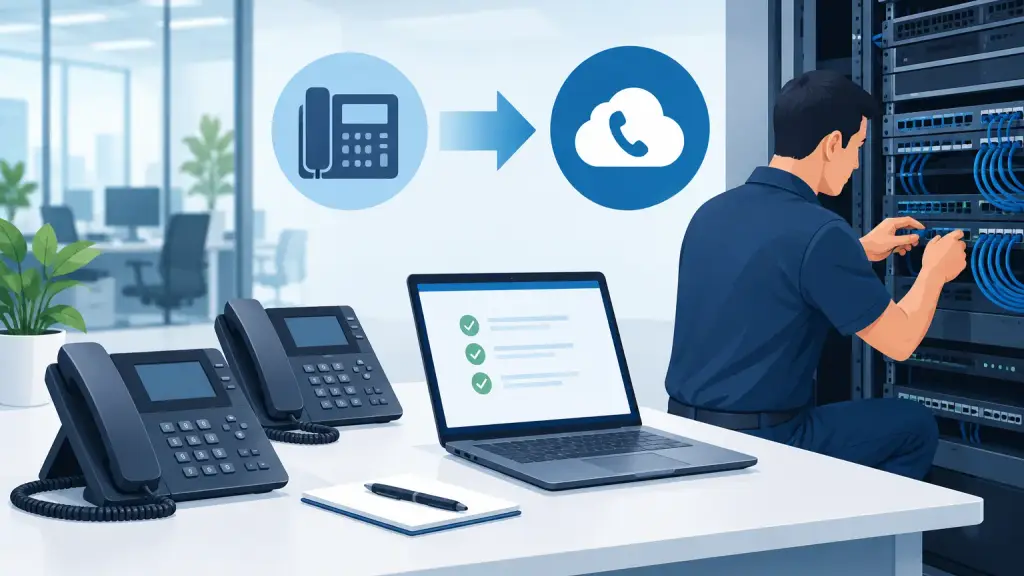
A phone system cutover is not simply a technician moving cables or activating new service. It is the point when your front desk, sales team, scheduling staff, remote users, and customers all depend on a new call path working correctly. To prepare phone system cutover work properly, treat it as an operational change with clear owners, tested contingencies, and a defined plan for the first business day after activation.
For Chicago-area businesses, the stakes are often immediate. A missed call can mean a lost appointment, an unserved customer, or an urgent vendor issue that never reaches the right person. Careful preparation reduces those risks whether you are replacing an aging PBX, moving offices, adding hosted VoIP, or changing carriers while keeping your existing numbers.
Start With a Complete Phone System Inventory
The cutover plan should begin well before the scheduled date. Document the phone system you have now, including the PBX model, connected handsets, voicemail platform, carrier circuits, network equipment, and any devices that rely on telephone lines.
Do not assume every extension belongs to an employee at a desk. Commonly overlooked connections include fax machines, alarm panels, elevator emergency phones, door entry systems, credit card terminals, overhead paging, analog cordless phones, and conference room equipment. These devices may need separate adapters, programming, cabling, or a decision to keep an existing analog line in place.
Your inventory should also identify every main number, direct-dial number, hunt group, and toll-free number in use. Note where each number currently rings, who owns it, and whether it must be ported or forwarded. If a number supports a marketing campaign, physician office, service department, or multi-location call queue, flag it as business-critical.
A qualified telecom technician can verify details that are often missing from internal records, especially on older Panasonic, Nortel, Avaya, NEC, and Vodavi systems. Legacy PBX environments may contain programming changes made years ago that no one documented. Finding them before cutover is far easier than explaining a broken call flow on Monday morning.
Build the Cutover Around Real Call Flows
A dial tone test is not enough. Your team needs to test the way customers and employees actually use the system.
Map the journey of an inbound call from the main number. Does it reach an automated attendant first? Does it ring a receptionist, a department group, an after-hours mailbox, or an on-call employee? Document each decision point, including holiday schedules, overflow rules, call forwarding, and voicemail greetings.
Then review outbound calling. Confirm which employees need direct-dial caller ID, which departments make international or long-distance calls, and whether any lines are used for emergency outbound calling. If staff members work from multiple offices or home, determine how their extensions, voicemail, and caller ID should operate after the change.
This step is where businesses uncover trade-offs. A new hosted platform may provide better remote access and easier administration, but its call routing must be intentionally programmed. A like-for-like PBX replacement may preserve familiar workflows, but it can still require changes to cabling, extension assignments, or carrier handoff. The right approach depends on the equipment, the building, and how the business handles calls.
Confirm Number Porting and Carrier Timing
Telephone number porting needs its own timeline. A port request can be delayed by inaccurate account information, an incorrect service address, a number mismatch, or an authorization issue. Verify the current carrier account number, service address, billing telephone number, and any required authorization details early in the project.
Do not cancel the existing service just because a port has been submitted. In many situations, disconnecting service before the port completes can create avoidable delays or cause numbers to be lost. The existing carrier service should remain active until the new provider confirms the transfer is complete and calls are routing as expected.
For a larger office or multi-location organization, ask for a precise cutover window. A planned evening or weekend cutover may limit disruption, but it also means the team must be available to test and make decisions outside standard hours. A daytime cutover can provide easier access to staff and vendors, but it exposes more live callers to the transition. There is no universal best window. The best choice is the one that gives your operation enough coverage and enough time to correct issues.
Prepare the Network, Power, and Physical Site
Hosted VoIP depends on the local network, and a new on-premises PBX also depends on reliable switching, power, and cabling. Before the cutover date, verify that the network has adequate capacity for voice traffic and that phones will be connected to properly configured switches. Voice quality problems are often traced to poor cabling, overloaded internet connections, incorrect network settings, or power equipment that was never evaluated for the new phone system.
Confirm where phones, servers, gateways, and network equipment will physically sit. If you are moving offices, inspect the new location before furniture arrives. Test data cabling at each intended workstation, confirm the telecom room has adequate power and cooling, and make sure access is available for the installation team.
Battery backup deserves attention as well. Traditional systems and hosted phones respond differently during a power outage. Determine which equipment is protected by an uninterruptible power supply, how long it can operate, and what alternative calling method employees should use if the site loses both power and internet service.
Create a Cutover Runbook
A cutover runbook turns a complicated project into a controlled sequence. It should name the person authorized to make decisions, list vendor and carrier contacts, identify the exact start time, and establish who will test each major function.
Include the actions required if something does not work as expected. For example, decide in advance whether inbound calls can be temporarily forwarded to a backup number, whether the existing PBX can remain connected during testing, and who is authorized to approve a rollback. A rollback plan is not a sign of weak planning. It is practical protection for a business that cannot afford to be unreachable.
The runbook should cover at least these critical checks:
- Inbound calls to the main number, direct numbers, and any toll-free numbers
- Reception, auto attendant, department queues, transfer functions, and after-hours routing
- Outbound local, long-distance, emergency, and caller ID testing
- Voicemail access, message notifications, greetings, and remote retrieval
- Fax, alarm, elevator, paging, door entry, and other connected equipment
Record who completed each test and the result. During a live cutover, written confirmation prevents repeated troubleshooting and helps the technical team isolate a problem quickly.
Train Employees Before the Switch
The first day of a new phone system should not be the first time employees see the phone. Even a well-configured system will generate confusion if staff do not know how to answer, transfer, park, retrieve, forward, or check voicemail.
Training should match each role. Receptionists and supervisors need deeper instruction on call handling and queue coverage. Most employees need a shorter session focused on daily tasks and the few changes that affect them. Provide a simple quick-reference guide at each workstation or electronically, with instructions for common functions and a direct escalation contact for problems.
It also helps to communicate what will not change. Tell employees whether their extension, direct number, voicemail PIN, desk location, or caller ID will remain the same. Clear expectations reduce unnecessary support calls during the transition.
Plan for the First Business Day
The cutover is not finished when calls begin ringing. Schedule active support for the first business day, especially during peak calling hours. Watch for issues such as missed voicemail notifications, incorrect caller ID, call queue overflow, a phone that cannot receive power, or an employee whose direct number routes to the wrong destination.
Ask department leaders to report issues through one internal point of contact rather than having multiple employees call different vendors. That contact can prioritize problems based on business impact and provide the technical team with consistent information.
For businesses operating older phone systems, keeping a knowledgeable local partner involved matters. iTeleco supports legacy PBX repair and maintenance alongside modern hosted VoIP options, so the recommendation can be based on what protects your operations rather than forcing a one-size-fits-all replacement.
Prepare Phone System Cutover Support Before You Need It
The best cutovers are quiet because the preparation happened early: numbers were verified, call flows were tested, staff knew what to do, and a recovery path was ready. If your business is planning a phone system move, office relocation, PBX replacement, or hosted VoIP transition, arrange a technical review before the final cutover date is locked in.
A phone system is part of how your business gets work done. Give the change the same discipline you would apply to a network upgrade, office move, or critical operations project, and your customers are far more likely to experience the transition as business as usual.