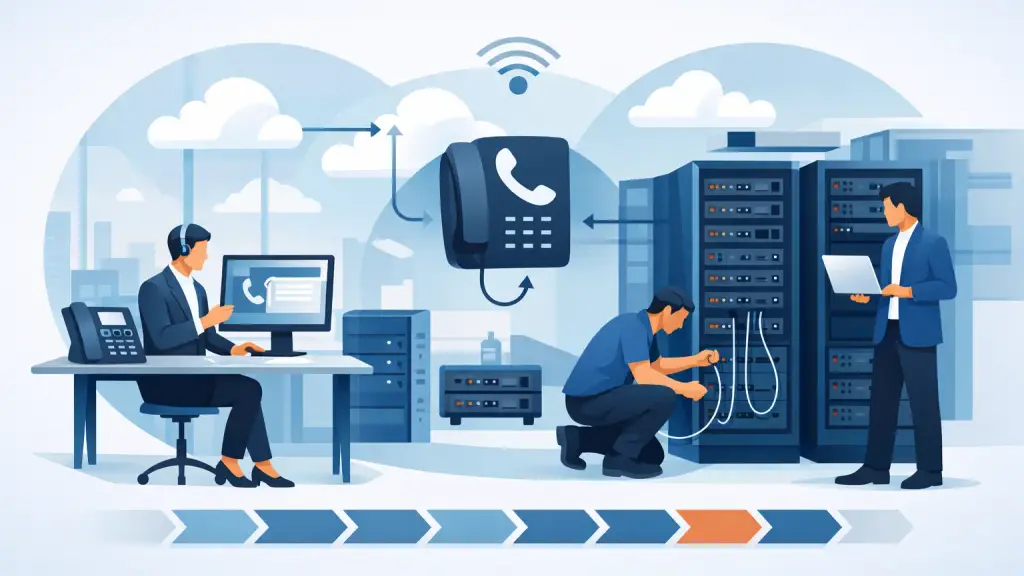
A phone system migration usually looks easy on a sales proposal and much harder on the week your numbers need to port, your receptionist needs new call flows, and your front office cannot miss a single customer call. That is why business VoIP migration steps matter. The difference between a clean cutover and a messy one usually comes down to planning details that get ignored too early.
For most businesses, the goal is not simply to replace old hardware. The goal is to preserve continuity while improving flexibility, supportability, and cost control. If you are moving from a legacy PBX, key system, or aging on-premise platform, the right approach starts with your current business operations, not with a product demo.
Start with an honest phone system audit
Before you price new service, document what your existing system actually does. Many companies know how many handsets they have, but not how many hunt groups, auto attendants, call forwarding rules, fax lines, conference phones, door phones, paging integrations, alarm lines, or analog devices are still active.
This step sounds basic, but it is where expensive mistakes are avoided. If your warehouse paging adapter, elevator line, credit card terminal, or analog fax workflow is still in use, it needs to be accounted for before the move. Legacy phone environments often include workarounds built over many years. Some are still mission-critical, even if only one person remembers why.
The audit should also identify peak call volumes, remote worker needs, departmental routing, after-hours handling, and any compliance or recording requirements. A business with a busy front desk has different priorities than a medical office, a law firm, or a multi-location service company. Good migration planning reflects those differences.
Assess your network before VoIP goes live
Voice quality depends on more than the VoIP platform. It depends on the network carrying those calls. If your internet circuit is unstable, your firewall is outdated, or your internal switching is poorly configured, call quality will suffer no matter how strong the hosted service may be.
Bandwidth is only one part of the picture. Jitter, latency, packet loss, and local network congestion matter just as much. Businesses often assume their current internet service is "fast enough" because web browsing feels fine. Voice traffic is less forgiving. A network that supports email and cloud apps adequately can still produce choppy audio or dropped calls.
This is also the stage to review VLANs, QoS settings, PoE switch capacity, Wi-Fi use, and any failover connection. If your staff will use softphones or mobile apps, the plan should account for that too. In some offices, desk phones remain the better choice for reliability and user consistency. In others, a mixed environment makes more sense.
Define what must stay the same and what should improve
Not every part of your existing call flow deserves to survive the migration. Some businesses carry over years of inefficient routing because nobody wants to touch it. A VoIP move is a good time to fix those problems, but only if you do it intentionally.
Separate the non-negotiables from the upgrade opportunities. Maybe your published phone numbers, ring groups, and emergency calling setup need to remain exactly as they are. At the same time, your voicemail-to-email delivery, call reporting, remote extension support, and after-hours menus may be overdue for improvement.
This is where business owners and operations teams should be realistic. If you change the platform, the phones, the call flow, and the user habits all at once, training demands go up and adoption usually slows down. Sometimes the better move is to keep the user experience familiar during phase one, then improve workflows after the system is stable.
Build the migration around number porting timelines
Number porting is often the most misunderstood part of business VoIP migration steps. Your main numbers cannot just be moved overnight because you want them moved. Porting depends on current carrier records, billing details, account accuracy, service address consistency, and lead times that are not always under your control.
That means the migration schedule should be built backward from the porting process, not the other way around. If a key billing address is wrong or an account number is outdated, a port request can be delayed. If your old carrier has contract obligations or service dependencies tied to those lines, disconnecting too early can create bigger problems.
A good plan includes temporary forwarding, staged cutovers where needed, and clear ownership of every carrier communication. Businesses with multiple numbers, departments, or locations should expect added complexity. The more lines and vendors involved, the more important it becomes to have one accountable migration lead.
Choose devices and deployment methods based on actual use
A migration should fit the way your staff works. That means deciding where desk phones are still necessary, where cordless or conference devices are needed, and where softphones make practical sense.
A front desk handling high call volume may need a physical phone with busy lamp fields and simple transfer controls. A hybrid salesperson may work best with a mobile app and laptop client. A warehouse, clinic, or service counter may need specialized endpoints or paging integration. Standardizing everything can simplify support, but over-standardizing can create frustration for teams with very different workflows.
This is also the time to plan physical installation. Existing cabling, switch locations, power availability, conference room layouts, and receptionist positions all affect how smooth the deployment will be. If your business is replacing old PBX handsets in an established office, the real-world install matters as much as the hosted configuration.
Configure call flows before training begins
Training goes better when the system is configured to reflect real business use. If users are trained on temporary menus, placeholder extensions, or incomplete call routing, they are likely to lose confidence before the migration is even finished.
Set up the auto attendant, ring groups, voicemail boxes, extension naming, business hours, holiday schedules, and escalation paths before broad user rollout. Receptionists, managers, and power users should test transfers, coverage rules, voicemail access, call pickup, and any call recording or reporting features.
This is where hidden gaps show up. Maybe the accounting line needs a direct inward number. Maybe after-hours calls need to route differently on weekends. Maybe one department still relies on a shared voicemail box. Better to catch those issues in testing than on your first Monday morning after cutover.
Pilot first if the environment is complex
Not every business needs a pilot, but many benefit from one. If you have multiple departments, several locations, a mix of analog devices, or an especially busy front office, a phased rollout can reduce risk.
A pilot group should include more than technically confident users. Include people who transfer calls constantly, rely on voicemail heavily, or work in customer-facing roles. They will expose practical problems quickly. If the pilot only includes light users, the feedback may be too limited to help.
The trade-off is time. A pilot can slow the overall timeline, but it often prevents larger disruptions later. For companies where phone downtime impacts scheduling, service dispatch, intake, or revenue, that trade is usually worth making.
Train by role, not with one generic session
Most phone training fails because it is too broad. The front desk, managers, everyday users, and remote employees do not all need the same instruction.
Keep training short, practical, and role-based. Show reception staff how to transfer, park, monitor, and reroute calls. Show managers how to adjust greetings, review reports, and handle coverage changes. Show regular users the handful of actions they will use every day. The goal is confidence, not feature overload.
Printed quick-reference sheets still help, especially during the first week after go-live. So does having a clear support path when users hit a problem. People adapt much faster when they know exactly where to call for help.
Plan cutover day like an operations event
Go-live day should not be treated as a simple install appointment. It should be managed like an operations event with timing, responsibilities, testing steps, and fallback options.
Decide in advance who confirms number port completion, who tests inbound and outbound calling, who checks main menus, who verifies voicemail, and who validates E911 details. Test every critical path, including direct numbers, hunt groups, conference phones, paging, and any analog adapters that remain in use.
You should also plan for what happens if one part of the move is delayed. Can calls be forwarded temporarily? Can the old system remain active for a short overlap? In some environments, a parallel setup for a limited time is worth the extra effort because it reduces business risk.
Review performance after the switch
The work is not finished when the phones turn on. The first two weeks after migration usually reveal the final adjustments. Users may request different ring timing, updated voicemail prompts, revised call routing, or changes to mobile app behavior.
Review call quality, missed call patterns, user feedback, and any support tickets. If one department is struggling, the issue may be training, call flow design, or local network conditions rather than the platform itself. This is where a migration becomes a stable operating system instead of a rushed replacement.
Some businesses also find that their legacy environment still has a place during the transition. A full rip-and-replace is not always the smartest move on day one. In some cases, phased modernization protects continuity better than forcing every change at once.
The best phone migration plans are not the most ambitious. They are the ones built around how your business actually answers calls, serves customers, and handles busy days when nothing can afford to go wrong.