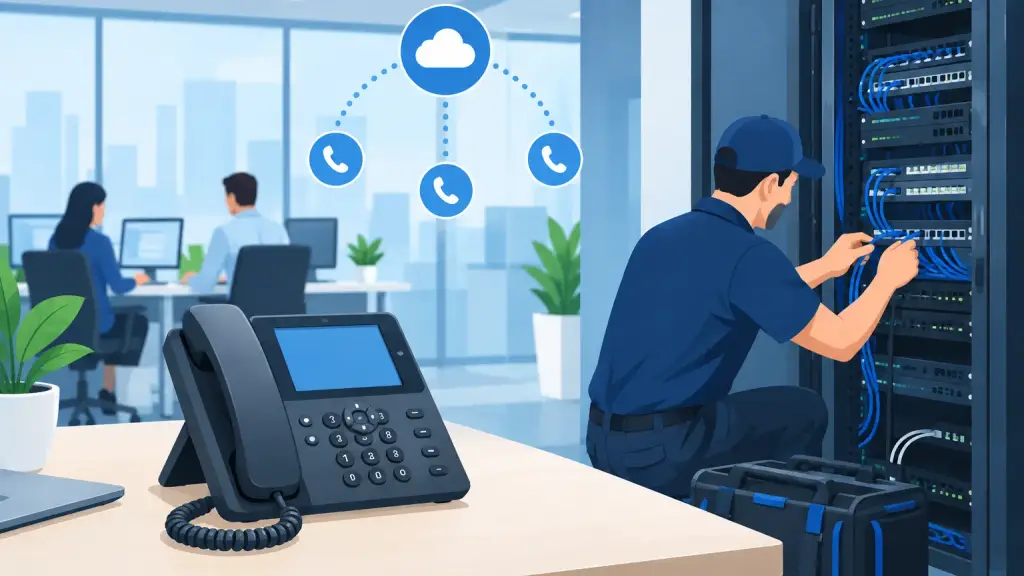
A VoIP installation is not simply a matter of plugging in new desk phones. For a business, it is a change to the system that handles customer calls, scheduling, sales inquiries, vendor coordination, and emergency communication. If the network, cabling, call routing, or user setup is overlooked, the result can be poor call quality, missed calls, and frustrated employees on the first day.
The right approach starts with the way your office actually operates. A medical office may need reliable call handling at a busy front desk. A warehouse may need phones in offices, loading areas, and remote locations. A multi-site company may need calls to reach the right department regardless of where employees are working. The installation should support those real requirements, not force the business into a generic configuration.
What a Professional VoIP Installation Includes
Business VoIP uses an internet connection to place and receive calls, but the phones are only one part of the system. A proper installation evaluates the network that carries voice traffic, prepares the physical connections, configures users and call flows, and tests every critical function before the system is put into regular use.
For many companies, this work also involves a decision about the existing phone system. A legacy PBX may still serve certain areas well, especially when there is functional equipment, specialized wiring, paging, door access, or analog devices in place. In other cases, a hosted VoIP platform is the better fit for remote users, simpler expansion, and centralized management. There is no one answer for every building or business.
A qualified telecom technician should first document the current environment: phone lines, extensions, network switches, cabling, internet service, voicemail requirements, call groups, and any devices that rely on the phone system. That assessment prevents a common mistake: removing an older system before confirming what else it supports.
The Network Must Be Ready for Voice
VoIP call quality depends heavily on the local network and internet connection. Sufficient speed matters, but consistency matters just as much. Voice calls are sensitive to delay, jitter, packet loss, and network congestion. An office can have fast internet browsing while still experiencing choppy or delayed calls if voice traffic competes with large file transfers, cloud backups, video meetings, or guest Wi-Fi.
Before installation, the network should be reviewed for switch capacity, available Power over Ethernet ports, router performance, firewall settings, and segmentation of voice traffic where appropriate. Power over Ethernet can simplify deployment by allowing compatible phones to receive power through the network cable. However, the switch must have enough power budget for every connected phone and other powered devices.
Businesses should also plan for power and internet interruptions. A hosted platform can often route calls to predetermined destinations during an outage, but that routing must be set up and tested in advance. Battery backup for essential network equipment can keep phones operating through short power events. For longer outages, a documented call-forwarding plan protects customer access.
Planning the VoIP Installation Around Daily Call Flow
The best phone configuration follows the way calls move through the organization. A receptionist may need visibility into several lines or departments. A service team may need a ring group so the next available employee can answer. Managers may need after-hours routing, voicemail alerts, or reports that show missed-call patterns.
This is the point where generic setups create problems. Putting every employee into one large ring group may seem simple, but it can cause confusion and slow response times. Routing every call to voicemail after a short delay can drive callers away when staff are available elsewhere. A good installation maps call handling to departments, schedules, escalation rules, and staffing levels.
During planning, determine who needs a direct number, which extensions should receive calls, how calls should transfer, and what happens if nobody answers. Include after-hours, holiday, lunch, and emergency routing rules. If the business has multiple locations, decide whether callers should reach a central receptionist, a local office, or the first available team member.
Porting existing phone numbers also requires careful timing. Businesses should not cancel current service before number transfer is complete. Keep the old service active until the port is confirmed and incoming and outgoing calls have been tested. A temporary forwarding plan can provide protection during the transition if the installation schedule requires it.
Cabling and Phone Placement Still Matter
Hosted VoIP reduces dependence on traditional phone lines, but it does not eliminate the need for professional on-site work. Desk phones require dependable network drops. Conference rooms, reception areas, executive offices, and workstations may need new cable runs, labeled wall jacks, or switch upgrades. Poorly terminated or undocumented cabling can create intermittent issues that appear to be a phone-system problem.
Phone placement should also reflect how people work. A lobby phone needs a clear purpose and simple dialing instructions. A conference room may require a dedicated device with appropriate microphone coverage. Shared spaces may need common-area phones rather than assigned extensions. Remote staff need an approved setup, clear support contacts, and security settings that match company policy.
Do not overlook equipment that may not connect directly to a VoIP phone. Fax machines, alarm panels, elevator phones, overhead paging, door entry systems, and analog cordless devices may require adapters, separate service arrangements, or a different migration plan. This is one of the strongest reasons to involve a telecom specialist early, particularly in facilities with an older PBX system.
Configuration Is Where Reliability Becomes Usability
Once the network and physical installation are ready, the system needs to be programmed for practical use. That includes user extensions, caller ID, voicemail, auto attendants, call groups, business hours, and emergency dialing information. Each setting may look minor on its own, but together they determine whether callers reach the right person quickly.
User names and extension labels should be consistent. Department menus should be brief and easy to understand. Voicemail greetings should identify the business and provide a useful next step. Call permissions should be set thoughtfully, especially for international dialing or administrative changes.
Security deserves the same attention. Phone systems can be targets for unauthorized use and toll fraud when passwords are weak or administration is left exposed. Use strong credentials, limit administrative access, keep equipment updated, and review unusual calling activity. For businesses with compliance requirements, confirm that call recording, retention, and access controls are configured appropriately before recording begins.
Test Before the Cutover, Not After Complaints Begin
A professional VoIP installation includes live testing from the user perspective. Test incoming calls, outbound calls, transfers, holds, voicemail, conference calling, auto-attendant selections, and after-hours routing. Verify caller ID and emergency calling information. If the business uses paging, door access, faxing, or analog equipment, test those functions too.
It is also wise to test from outside numbers and mobile devices, not only from internal extensions. A call path that appears correct inside the office may route differently for an outside caller. Document the results, correct issues, and give employees a short orientation before the system becomes their primary communication tool.
Training does not need to be lengthy, but it should be specific. Employees should know how to answer, transfer, park, retrieve, forward, and check voicemail. Reception and management staff may need additional training for call monitoring, schedules, and reporting. A few minutes of guided instruction can prevent days of avoidable support requests.
When to Keep Part of a Legacy PBX
Replacing every component at once is not always the safest or most cost-effective decision. A working Panasonic, Nortel, Avaya, Vodavi, or NEC system may still support a business reliably while the company plans a staged move to hosted VoIP. In some environments, retaining the PBX temporarily preserves specialized devices or avoids an unnecessary interruption to operations.
The trade-off is that older systems can become harder to maintain as parts, programming expertise, and compatible equipment become less available. A practical plan weighs the condition of the existing system, repair history, business growth, remote-work needs, and the cost of downtime. The goal is not modernization for its own sake. The goal is dependable communications with a clear support path.
For Chicago-area businesses, iTeleco can assess an existing PBX, install and program business VoIP, complete cabling work, and support the transition with on-site service. If a phone issue becomes urgent, 24/7 emergency support matters because a silent main line cannot wait for the next business day.
A successful installation leaves employees confident that they can answer the next call, transfer it correctly, and keep serving customers. Before making any change, make sure the plan accounts for your network, your call flow, your existing equipment, and the people who rely on the phones every day.