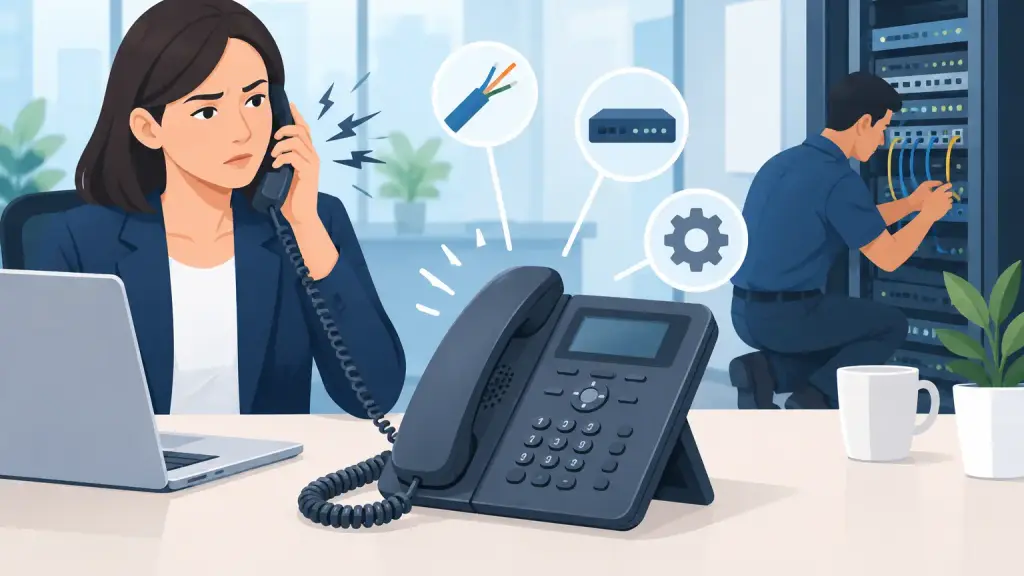
A crackling office phone is more than an annoyance when a customer is trying to place an order, schedule service, or reach your team. If you are asking, why do office phones crackle, the answer is usually found in the physical phone, station wiring, PBX equipment, network connection, or power environment. The right repair starts with isolating where the noise begins instead of replacing equipment blindly.
For businesses that depend on older phone infrastructure, intermittent static can be especially frustrating. A phone may work properly in the morning, then develop a loud crackle during a busy afternoon. That pattern often points to a connection, cable, power, or environmental issue rather than a failed phone system as a whole.
Why Do Office Phones Crackle on Business Calls?
Crackling occurs when the audio signal is disrupted, distorted, or affected by electrical interference. On a traditional PBX system, the problem can exist anywhere between the handset and the telephone company connection. With hosted VoIP, the voice path also includes your local network, internet connection, switches, routers, and power equipment.
The sound itself provides useful clues. Constant static on one extension suggests a local issue. Crackling heard by everyone may indicate a trunk, PBX, power, or network problem. Noise that appears only on outside calls may be related to carrier service or the incoming telephone line. A qualified technician will use those symptoms to narrow the diagnosis quickly.
The Most Common Causes of Crackling Office Phones
A worn handset cord or defective handset
Handset cords are moved, stretched, twisted, and caught under desk equipment every day. Over time, the small conductors inside can break or lose reliable contact. The result may be a crackle that changes when someone moves the cord, adjusts the handset, or presses the connector into the phone.
A defective handset can create the same symptom. Before assuming the PBX has failed, test the affected extension with a known-good handset and cord. If the crackling follows the handset, the repair is straightforward. If it stays with the desk location, the issue is farther back in the system.
Loose or damaged station wiring
Many offices still rely on station cabling installed years ago. Moves, furniture changes, remodeling, moisture, and previous repair work can all affect those cables. A loose punch-down connection, damaged wall jack, or corroded termination can create static, intermittent audio, or a phone that cuts in and out.
This is common in legacy environments using Panasonic, Nortel, Avaya, NEC, Vodavi, and similar PBX systems. The phone set may be functioning normally, while the cable between the phone and the control unit is no longer delivering a clean signal. Re-terminating or replacing a damaged run often resolves the issue without requiring a system replacement.
Electrical interference and grounding problems
Office phones and low-voltage cabling can be affected by nearby electrical equipment. Printers, copiers, fluorescent fixtures, motors, HVAC equipment, power strips, and poorly grounded devices can introduce interference. The problem may be worse at certain times of day, such as when machinery starts or lighting circuits are turned on.
Grounding issues deserve immediate attention. Beyond call quality, improper grounding can expose sensitive PBX cards, network equipment, and power supplies to damage. A technician should inspect the phone system's power source, surge protection, grounding path, and equipment room conditions rather than treating the noise as a handset problem alone.
A failing PBX card, port, or power supply
When several phones in the same area crackle, or when the noise follows a particular station port, the PBX itself may need service. Legacy systems use line cards, station cards, trunk cards, power supplies, and internal connections that can degrade with age.
A failing card does not always cause a complete outage. It may affect only a few extensions, one outside line, or calls made at certain times. This is why swapping phones without testing the port can waste time. An experienced PBX technician can test the extension at the cabinet, verify card behavior, and determine whether a repair, replacement component, or programming adjustment is needed.
Outside line or carrier trouble
If the crackling is heard only when calling outside numbers, the issue may be on an incoming analog line, PRI circuit, SIP trunk, or carrier connection. Test calls between internal extensions help separate an internal equipment issue from an outside-line issue.
For analog trunks, moisture, damaged demarcation wiring, and poor connections can add audible static. For digital and SIP services, the symptoms may sound like crackling but are sometimes caused by packet loss, jitter, or an unstable connection. The repair path depends on the service type, so documenting which calls are affected is valuable before contacting support.
VoIP network congestion or poor voice quality settings
Hosted VoIP phones do not use the same voice path as an older PBX, but they can still crackle, pop, distort, or break up. A saturated internet connection, failing network switch, bad Ethernet cable, incorrect quality-of-service settings, or insufficient power to a PoE switch can all affect call audio.
This is one area where the symptoms can be misleading. A user may report static, but the actual cause may be packet loss during cloud backups, large file transfers, or heavy guest Wi-Fi use. Checking call quality, network utilization, switch logs, and voice VLAN configuration can reveal whether the network needs correction.
How to Isolate the Problem Before Calling for Repair
You do not need to dismantle the phone system to collect useful information. Start by identifying whether one phone, one department, or the entire office is affected. Then make a few test calls between extensions and to outside numbers. Note whether the crackling is present on every call or only certain lines.
Next, exchange the handset and cord with a working phone of the same type, if one is available. If the issue moves with the parts, you have identified a local hardware problem. If it remains at the same desk or extension number, avoid repeatedly unplugging system cables or moving PBX cards. Those steps can create additional outages and make diagnosis more difficult.
It also helps to record when the noise occurs. Is it worse after rain, during HVAC operation, when a printer is active, or during peak internet use? Clear observations allow a technician to focus on the likely source and shorten the repair process.
When Crackling Signals a Larger Phone System Risk
One noisy extension may only require a cord or jack repair. Multiple affected phones, recurring static, dropped calls, or intermittent loss of dial tone are different. Those signs can indicate aging infrastructure, weak power protection, deteriorating cabling, or PBX hardware nearing failure.
That does not automatically mean your business must replace its system. Many legacy PBX platforms remain dependable when properly maintained, repaired, and supported with available parts. The practical decision depends on equipment condition, availability of replacement components, growth plans, remote-work needs, and the operational cost of downtime.
For some organizations, repairing the existing system is the fastest and most sensible option. For others, recurring hardware issues may justify a planned move to hosted VoIP. A good telecom partner should be able to support both paths, explain the trade-offs clearly, and keep the current system running while you decide.
Get Clear Calls Without Guesswork
Crackling calls should be addressed before they become missed customer conversations or a wider phone outage. For Chicago-area businesses with aging PBX equipment or unreliable office call quality, iTeleco provides fast-response diagnostics, legacy phone system repair, cabling service, and 24/7 emergency support.
Start with the symptoms you can confirm, then have the full voice path tested from the handset to the phone system, outside connection, and network where applicable. Clear calls are not a luxury for a working office. They are part of keeping your business available when customers need you.