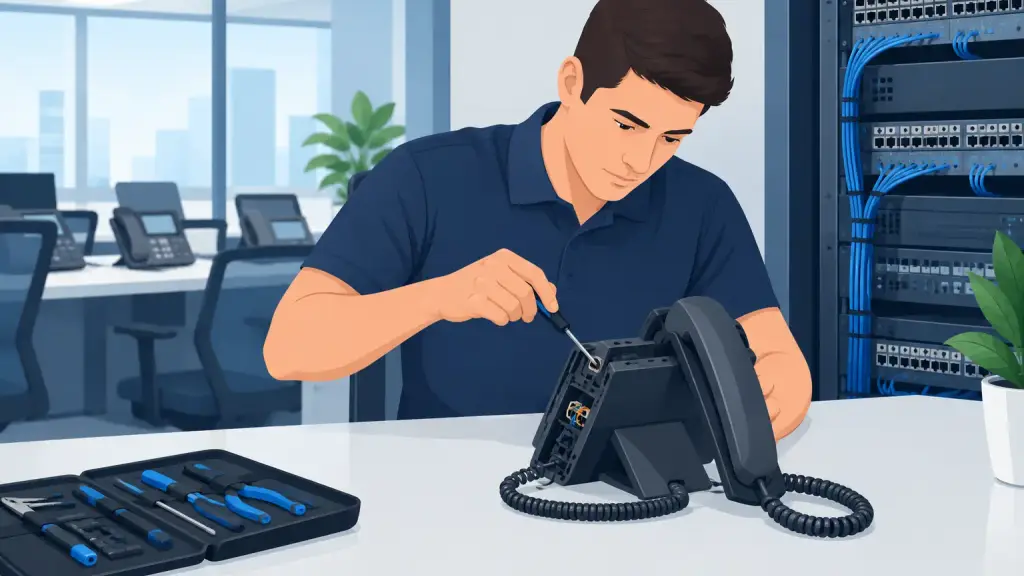
A failed extension can stop far more than one desk phone. When staff cannot answer calls, transfer customers, reach a warehouse, or page a department, daily operations slow down immediately. The right way to repair phone extensions is to identify whether the problem is isolated to one handset, one cable run, one PBX port, or the phone system itself - then correct the actual cause without creating a larger outage.
For businesses using legacy Panasonic, Nortel, Avaya, NEC, Vodavi, or similar PBX systems, extension issues are often repairable. The key is prompt diagnostics from a technician who understands both the hardware on the wall and the programming behind it.
What a Phone Extension Failure Can Look Like
An extension problem is not always a completely dead phone. A handset may have no dial tone, display an error, fail to ring, send calls directly to voicemail, lose its ability to transfer, or make calls but not receive them. In other cases, the extension works intermittently, which can be even more disruptive because the issue is difficult for staff to document and easy to dismiss.
The symptoms provide useful diagnostic clues. If one phone is affected while nearby phones operate normally, the cause may be the phone set, its line cord, the wall jack, or a single station port. If an entire department loses service, the issue may involve a shared cable path, PBX card, programming change, power condition, or system-wide fault.
Treating every issue as a handset replacement wastes time. Replacing a phone will not solve a damaged station port, a failed digital card, an incorrect class-of-service setting, or a cross-connect problem in the telecom room.
Common Reasons Businesses Need to Repair Phone Extensions
Physical connections are a frequent source of trouble. Desk moves, furniture installation, cleaning crews, construction work, and accidental pulls on cords can loosen or damage connections. A phone may look properly connected while the cable has an internal break or has been moved to the wrong jack.
Legacy PBX systems also rely on components that can fail after years of service. Station cards, power supplies, interface modules, punch-down blocks, and individual ports can develop faults. This does not necessarily mean the full phone system must be replaced. An experienced technician can isolate the failed component and determine whether repair, replacement, or reprogramming is the appropriate response.
Programming is another common factor. Extensions may be changed during employee turnover, office rearrangements, system updates, or after a power event. Ring assignments, call coverage, voicemail integration, button programming, extension numbering, and permissions can all affect how a phone behaves. A phone that does not ring may be functioning correctly from a hardware standpoint but no longer assigned to the proper incoming call group.
Network and power issues can affect newer IP endpoints as well. If an office uses a mix of legacy equipment and hosted VoIP, a switch port, power-over-Ethernet setting, VLAN configuration, or internet connection may be part of the diagnosis. The repair process depends on the phone platform in use, which is why brand-specific and system-specific expertise matters.
Smart First Checks Before Calling for Service
A few basic checks can help your team report the issue accurately and may restore service when the cause is simple. Do not reset, unplug, or move PBX equipment in the telecom room unless directed by a qualified technician. A well-intended reset can interrupt service for multiple users or erase information needed for diagnosis.
First, determine the scope. Is one extension affected, several extensions in the same area, or every phone? Check whether the phone has power or a display, whether it can place an internal call, and whether other phones can call that extension. Note the exact error message, if one appears.
Next, inspect only the accessible connection at the desk. Make sure the handset cord and line cord are firmly seated and not visibly crushed, stretched, or damaged. If your office has an identical known-working phone and the system permits it, a technician may use a controlled swap test to separate a phone-set failure from a wiring or port issue. Avoid moving cables between unknown wall jacks, as this can complicate the problem or place an extension in the wrong location.
It also helps to ask whether anything changed before the problem began. A recent office move, electrical outage, contractor visit, new employee setup, or phone-system programming request can dramatically narrow the diagnosis. Clear details allow a service provider to arrive with the likely parts and tools rather than starting from zero.
How Professionals Repair Phone Extensions
Professional PBX repair begins with verification, not guesswork. A technician tests the affected phone, cabling path, wall jack, cross-connect, and PBX station port while comparing results to a working extension. This process identifies where the signal or configuration is failing.
If the handset is defective, the repair may be as straightforward as replacing the set or a damaged cord. If wiring is the issue, the technician can repair the termination, correct the cross-connect, replace a faulty run where practical, or restore the extension at the proper outlet. When the PBX port or card is at fault, the technician evaluates the available hardware and performs the needed repair or replacement.
Programming-related issues require a different approach. The technician reviews extension assignments, incoming call routing, hunt groups, coverage paths, voicemail settings, permissions, and feature buttons. Restoring the original behavior may involve more than making the phone ring again. For example, a receptionist extension may need specific line appearances, transfer permissions, intercom access, and after-hours routing to support front-office operations.
After repairs are completed, the extension should be tested in real-world use. That means placing and receiving internal and external calls, checking transfers, confirming voicemail behavior where applicable, and verifying that the right staff members receive the right calls. A repair is not complete just because a dial tone returns.
When a Single Extension Problem Signals a Larger Issue
One failed extension does not always indicate a system-wide emergency, but repeated extension failures deserve attention. If phones in different departments fail intermittently, users report static or dropped calls, or the PBX requires frequent resets, the business may be dealing with aging hardware, unstable power, deteriorating cabling, or a capacity issue.
This is where maintenance has real value. A service review can document the system model, installed cards, extension inventory, common failure points, and available spare equipment. It also gives the business a practical plan for what happens if a critical component fails. For many organizations, maintaining a stable legacy PBX is the right near-term decision, especially when the system still supports daily operations and replacement would disrupt established workflows.
There are trade-offs. Older systems can remain dependable when properly maintained, but replacement parts may become harder to source and integration options may be limited. If repair needs become frequent or your business needs remote users, easier multi-location connectivity, or more flexible call handling, a staged move to hosted VoIP may make sense. The best choice is based on uptime requirements, current equipment condition, staffing needs, and future plans - not pressure to replace equipment that is still serving the business well.
Emergency Repair Phone Extensions Support
Call failure becomes urgent when it affects customer-facing teams, medical or professional offices, dispatch operations, scheduling, or any business that depends on immediate phone access. If multiple extensions are down, callers cannot reach your business, or a main line is not routing properly, involve a qualified telecom technician quickly.
For Chicago-area businesses, iTeleco provides 24/7 emergency support for legacy business phone systems and phone extension problems. Fast response matters, but accurate diagnosis matters just as much. The goal is to restore communications safely, protect the rest of the system, and give your team a clear explanation of what failed and what should be addressed next.
A phone extension is part of your operating infrastructure, not a minor office accessory. When it stops working, document the symptoms, avoid unnecessary resets, and get the right technical help before a small fault affects the people and calls your business depends on.