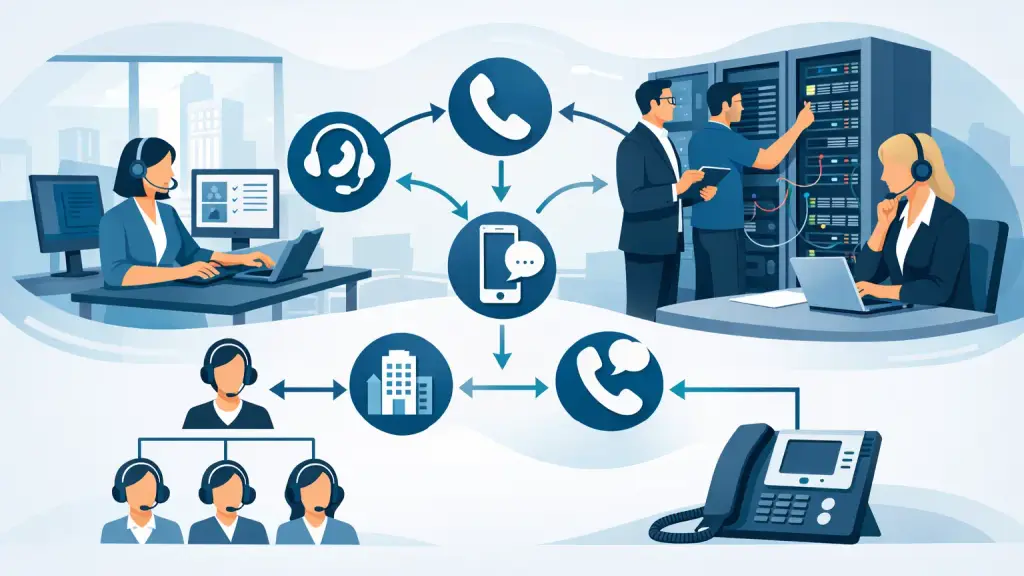
A caller reaching a general office number should not have to guess which extension to dial, wait through a dead-end transfer, or hear an unanswered line ring indefinitely. Program office call routing determines what happens after that first call hits your phone system. Done correctly, it gets customers, vendors, and employees to the appropriate person or department while giving your business a plan for absences, busy periods, and emergencies.
For offices that rely on legacy PBX equipment, call routing is often already available but underused, outdated, or incorrectly programmed. A small routing change can improve response times. A poorly planned change can send calls in circles or leave an essential department unreachable. The difference is careful programming, testing, and ongoing maintenance.
What program office call routing should accomplish
Call routing is the set of rules that directs an inbound call based on the number dialed, time of day, caller selection, department availability, or other conditions. Those rules may live in a legacy PBX, an auto attendant, a voicemail platform, or a hosted VoIP system. The technology varies, but the operational goal is the same: every legitimate caller needs a clear path to assistance.
For most businesses, effective routing should accomplish three things. It should make the first interaction simple, route calls to the people equipped to handle them, and provide a dependable fallback when the intended person is unavailable. That fallback may be a second employee, a department group, voicemail with notification, an after-hours mailbox, or an approved answering destination.
The right setup depends on how your organization works. A medical office may need prompt routing for appointment changes and urgent calls. A distributor may need separate options for orders, receiving, and customer service. A professional office may want callers to reach a receptionist first, with direct department options available for established clients. There is no single routing map that fits every business.
Start with the calls your office cannot afford to miss
Before changing phone programming, identify the calls that affect revenue, service, safety, and daily coordination. This is more useful than starting with phone features. Ask who answers new customer inquiries, where current clients go for support, who handles vendor deliveries, and what happens when the front desk is away from the phone.
A practical routing plan usually begins with the main business number. During normal hours, that number might ring a receptionist and then overflow to an administrative group after a defined number of rings. If no one answers, the system can send the caller to a general mailbox or another designated team. The objective is not to keep a caller in an endless ring group. It is to make sure the next step is useful.
Direct department numbers need the same attention. If a sales line routes only to one employee, a vacation or meeting can turn a live opportunity into a missed call. A better approach is often a short sequence: ring the primary extension, then a trained backup, then the department group or mailbox. The exact order should reflect responsibility, not merely the office hierarchy.
Use ring groups with a clear purpose
Ring groups are useful when more than one person can answer a call. They can ring several extensions at once, in a set order, or in a rotating pattern. Simultaneous ringing often works well for a busy reception or service desk where speed matters. Sequential routing can make more sense when one person owns the relationship but needs backup coverage.
There are trade-offs. Ringing too many phones at once can disrupt employees who should not be taking the call. Sending every call to a single extension first can create avoidable wait time. The best configuration matches the department's staffing, workload, and accountability.
Set realistic overflow rules
Overflow programming is where many office systems fail. The primary destination is configured, but nobody has decided what should occur when that person is already on a call, away from their desk, or unavailable for the day.
Set overflow rules for no-answer, busy, and after-hours conditions. These are separate situations and may need different destinations. A no-answer call might go to a backup employee after four rings. A busy call might go immediately to another team member. An after-hours call may need a message with business hours, an emergency option, or a monitored voicemail box.
Avoid routing calls to personal extensions without confirming that someone is responsible for monitoring them. A routing design is only as dependable as the people and processes behind it.
Design the auto attendant around real caller needs
An auto attendant can reduce front-desk workload, but only when the menu is concise and logical. Long menus frustrate callers, especially when they are trying to resolve a time-sensitive issue. Most offices do better with a short greeting and a limited number of well-labeled options.
The wording should use the language callers understand. “Press 1 for service” is clearer than an internal department name that means nothing outside the company. Keep the most common choices near the beginning. If callers frequently ask for billing, scheduling, technical support, or order status, those options should be easy to find.
Make sure there is a path for callers who do not know where they belong. Depending on office procedures, that may be an operator option, a general support group, or a message option that alerts the appropriate team. Leaving confused callers with no choice except to disconnect is a preventable service problem.
If your PBX has limited auto attendant capability, the system may still support practical solutions through programming, voicemail integration, or a carefully configured hosted VoIP option. Replacement is not always necessary just because the existing setup needs better call flow.
Account for time schedules and unexpected closures
Office phone programming should reflect when people are actually available. Day, night, lunch, holiday, and emergency schedules keep callers from reaching unanswered extensions during predictable coverage gaps. They also reduce the risk of an old holiday greeting playing weeks after your office has reopened.
Schedule changes need ownership. Assign one internal contact who can approve and communicate temporary updates, such as weather closures, staff meetings, seasonal hours, or construction-related access changes. That contact should know who to call when a message or routing rule needs immediate adjustment.
For critical operations, consider a separate emergency routing plan. This may direct urgent calls to an on-call group, a designated extension, or a monitored answering destination. It should be tested before it is needed. An emergency route that has never been verified is an assumption, not a plan.
Test routing from the caller's perspective
Phone programming is not complete when the settings are entered. It is complete when real test calls confirm that each route works as intended. Test from an outside number whenever possible, since some behavior differs between internal extension dialing and public inbound calls.
Verify the main number during business hours and after hours. Test each menu option, each direct department number, each overflow condition, and voicemail notifications. Confirm that transferred calls preserve the intended caller experience and that staff know how to retrieve messages promptly.
It is also wise to test after any carrier change, PBX repair, office relocation, cabling work, extension update, or staffing change. A phone system can be technically operational while still routing a key number to a former employee or disconnected mailbox.
When legacy PBX programming needs professional attention
Older systems from Panasonic, Nortel, Avaya, NEC, Vodavi, and similar manufacturers can provide reliable call routing for years when they are properly maintained. However, changes may require system-specific programming knowledge, access credentials, compatible software, and an understanding of how trunks, voicemail, extensions, and hunt groups interact.
This is where a quick change can create larger problems if it is not handled carefully. Incorrect programming can affect inbound lines, operator coverage, voicemail integration, caller ID behavior, or other departments that share the same system. Documentation may be incomplete, particularly if the system has been modified by multiple providers over time.
A qualified telecom technician can review the current call flow, identify failure points, make controlled programming changes, and document the final configuration. If the legacy system no longer supports the way your staff works, the review can also clarify whether a hosted VoIP migration is appropriate. The practical question is not whether newer technology exists. It is whether the change improves reliability, flexibility, and support for your specific office.
For businesses in Chicago and the surrounding suburbs, iTeleco provides PBX programming, repair, maintenance, and 24/7 emergency support for communication systems that cannot be left to chance. When a routing issue is affecting customer calls or daily operations, fast diagnosis matters.
Your phone system should direct callers with the same clarity your team brings to its work. Review your routing before the next staffing change, holiday schedule, or missed-call complaint turns a manageable programming task into a business interruption.