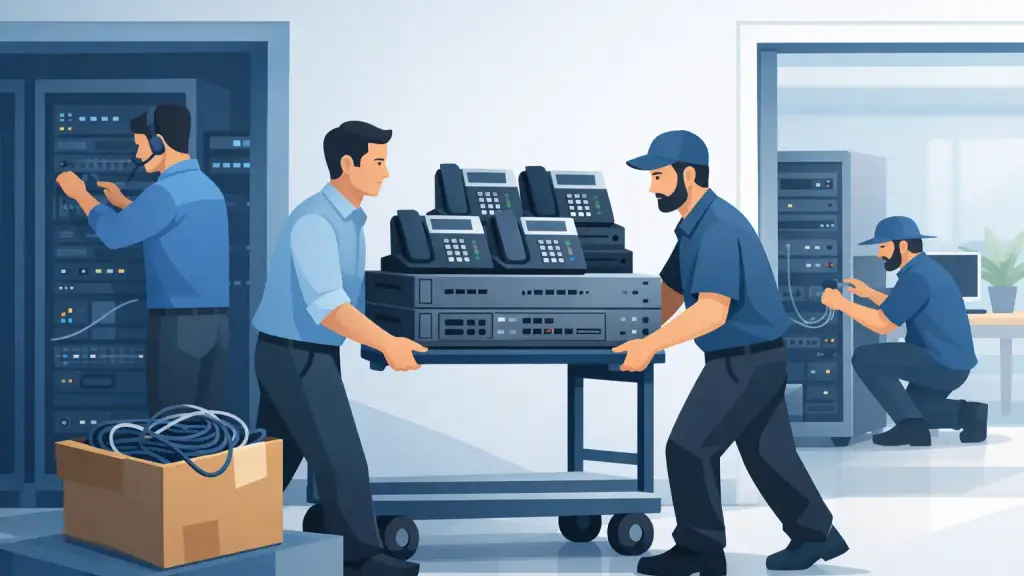
An office relocation can put a working phone system at risk long before the first desk is moved. To move PBX equipment safely, the equipment, programming, carrier services, cabling, and cutover schedule must be treated as one coordinated project. A PBX that is carefully boxed but disconnected from an unprepared network or incomplete wiring is still a phone system outage.
For businesses that rely on older phone infrastructure, the stakes are especially high. The system may support front-desk calls, customer service queues, paging, door access, fax lines, alarm connections, or analog devices that are easy to overlook until they stop working. A planned relocation protects the hardware and preserves the call flow your staff depends on.
Start With a PBX Relocation Assessment
Do not begin by unplugging equipment. Start with an on-site assessment of the current system and the new location. The goal is to document what exists, identify what must move, and confirm that the new space can support it.
A technician should inventory the PBX cabinet, processor, expansion cards, power supplies, batteries, voicemail hardware, network switches, patch panels, UPS units, paging interfaces, and any equipment connected to telephone lines. Each component should be labeled by cabinet position, port assignment, and destination. Taking photos before disconnection is useful, but photos are not a substitute for a written port map and configuration backup.
The assessment also needs to identify services that do not always appear on a standard phone list. Examples include elevator lines, fire and security panel connections, credit-card terminals, fax machines, analog conference phones, overhead paging, door intercoms, and dedicated lines used by specialty equipment. These connections often require separate coordination and testing.
At the new site, verify that there is a suitable telecom room or equipment area. It should have stable power, grounded outlets, ventilation, secure access, adequate wall or rack space, and a clear cable path. A PBX placed in a crowded closet without cooling, backup power, or proper grounding is more likely to fail after the move, even if the initial cutover appears successful.
Protect Programming Before You Move PBX Equipment Safely
The physical system is replaceable. Its programming may not be.
Before moving a legacy PBX, create and verify a current system backup. Save the database, voicemail greetings, call-routing settings, extension list, speed dials, auto-attendant schedules, class-of-service rules, and user profiles. If the system uses removable storage, make a protected copy and store it separately from the equipment being transported.
It is also smart to print or export the details that matter during an emergency restore: extension-to-location assignments, hunt groups, incoming call routing, voicemail access information, carrier circuit details, IP addressing, and administrator credentials. Older systems can have programming that was built over many years by several technicians. Assuming it can be recreated from memory after a problem is a costly mistake.
Check the health of the system before the move as well. Document active alarms, weak backup batteries, damaged cards, intermittent ports, and known call-quality issues. This provides a baseline. Without it, a pre-existing issue can be mistaken for relocation damage, delaying the repair process when time matters most.
Coordinate Carrier and Network Changes Early
A PBX move is not only an equipment move. Your phone numbers and inbound service must be available at the new address on the planned cutover date.
Coordinate with your phone carrier well in advance to determine whether existing lines, PRI circuits, SIP service, or other voice connections can be transferred. Lead times vary, particularly when construction, building access, circuit changes, or number-porting requirements are involved. Do not assume the carrier can complete a change on moving day.
If the PBX uses SIP trunks or hosted components, work with the network team to confirm the new internet connection, firewall configuration, VLANs, quality-of-service settings, public IP requirements, and bandwidth. Voice traffic may work poorly or fail entirely if the data network is unfinished, even though computers can browse the web.
A temporary forwarding plan is also worth considering. If a carrier activation is delayed or a final test uncovers a problem, forwarding main numbers to a backup destination can keep customer calls from going unanswered. The right backup approach depends on the business, but it should be decided before the relocation weekend, not during it.
Label, Disconnect, and Transport the Hardware Correctly
Once the new site and cutover plan are ready, the system can be disconnected in a controlled order. Shut down equipment according to the manufacturer’s procedure where applicable. Unplanned power removal can risk data loss, voicemail corruption, or configuration problems on some platforms.
Label every cable at both ends before removal. Use durable labels that identify the source, destination, port, and purpose. Generic labels such as “phone cable” create unnecessary troubleshooting later. Clear labeling allows the technician to restore trunk lines, station ports, paging, network connections, and patch-panel runs without guessing.
Sensitive electronics should be transported in anti-static packaging and padded containers. Circuit cards should not be stacked loose in a box, and cabinets should be secured to prevent vibration damage. Batteries deserve particular attention. Aging UPS or PBX batteries can leak, lose charge, or fail after transport, so they should be inspected and replaced when their condition is questionable.
Keep the PBX equipment with the technical move team, not mixed into general office furniture and supplies. A missing power cord, expansion card, license key, or voicemail drive can delay an otherwise complete installation.
Build and Test the New Phone Environment First
The safest cutovers happen when as much work as possible is completed before the existing site is taken offline. Install racks, backboards, patch panels, cable pathways, power protection, and network connections at the new location ahead of time. Test cable runs and label workstations before phones arrive.
If the schedule allows, install the PBX at the new office and perform staging tests before the final carrier cutover. Confirm that the system powers on, boots normally, recognizes installed cards, reaches voicemail, and communicates with the network. Test representative phones from departments with different needs, including reception, management, customer service, and any analog or specialty devices.
The final acceptance test should cover more than dial tone. Place inbound and outbound calls, transfer calls, test hold, voicemail, auto attendant, paging, emergency dialing, conference features, and failover or forwarding plans. Verify caller ID and direct inward dialing for key users. For multi-location businesses, test extension dialing and call routing between sites where applicable.
Schedule the Cutover Around Business Risk
A weekend or after-hours move can reduce disruption, but timing alone does not guarantee success. The best cutover window depends on when your business receives critical calls, whether staff can work temporarily from another location, and how quickly carrier changes can be completed.
Assign clear responsibilities for the move. Someone should own carrier coordination, someone should confirm building access and power, and an authorized business contact should be available to approve call-routing decisions. Employees should know when phones will be unavailable, where to report problems, and what temporary communication method to use if needed.
Plan for a post-move support period rather than declaring success after the first test call. Some issues appear only after staff begin using every extension and feature. Fast response from a qualified PBX technician is particularly valuable when a legacy system has an unexpected card fault, wiring issue, or programming conflict after relocation.
When Relocation Is Also a Modernization Decision
Moving an older PBX creates a practical decision point. If the system is stable, supported, and meets operational needs, relocating it may be the right choice. Businesses should not be pressured to replace dependable equipment solely because it is not new.
On the other hand, a move can reveal limits in capacity, remote-work support, voicemail integration, or replacement-part availability. In those situations, a phased transition to a hosted VoIP platform may reduce future hardware dependence while preserving critical phone numbers and call flows. The right choice depends on the condition of the current system, business requirements, timeline, and tolerance for change.
For Chicago-area businesses with legacy phone systems, iTeleco can assess the equipment, coordinate the relocation, protect system programming, and provide 24/7 emergency support if an issue threatens business communications. The most effective PBX move is not the one completed fastest on paper. It is the one where employees arrive at the new office, pick up their phones, and continue serving customers without interruption.