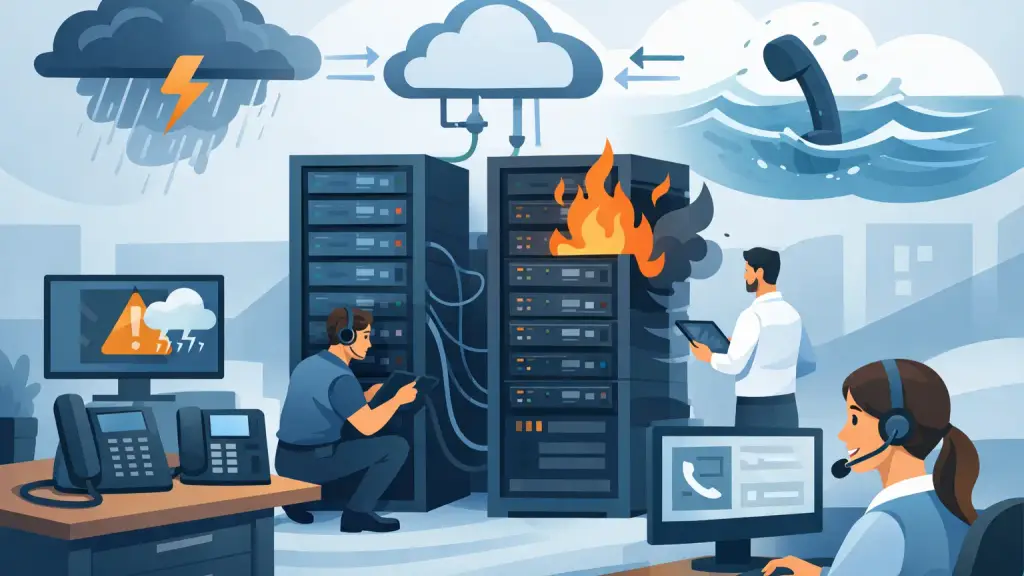
A phone outage at 8:10 a.m. can stop far more than incoming calls. Sales teams miss prospects, service departments cannot schedule work, and customers may assume the business is closed. Phone system disaster recovery is the practical plan that keeps those communications available - or restores them quickly - when equipment, power, connectivity, or an entire location fails.
For Chicago-area businesses still relying on a Panasonic, Nortel, Avaya, NEC, Vodavi, or other legacy PBX, recovery planning requires more than forwarding calls to a temporary number. The system may depend on on-site cabinets, carrier circuits, programmed extensions, voicemail hardware, and wiring that has been in place for years. Hosted VoIP systems have different failure points, but they still need intentional routing, internet continuity, and user procedures.
What Phone System Disaster Recovery Must Cover
A useful recovery plan begins with a direct question: if the primary phone system failed right now, how would customers reach the right people? The answer should account for the technology, the people responsible for acting, and the time it takes to restore normal service.
For an on-premises PBX, the plan should identify the main cabinet, expansion cards, voicemail equipment, carrier handoff, battery backup, network connections, and critical cabling. It should also document the system software version, programming backup, administrator credentials, extension list, hunt groups, call coverage settings, and voicemail configuration. A replacement part is not much help if no one knows how the system was programmed.
For a hosted VoIP deployment, the priorities shift. Calls may continue to route even if the office is unavailable, but only if the provider settings, emergency call routing, internet connection, desk phones, and user access have been planned and tested. A cloud platform reduces dependence on a single phone cabinet, but it does not eliminate dependence on power, bandwidth, credentials, and accurate call flows.
The goal is not to prepare for every unlikely event. It is to prevent a manageable failure from becoming a prolonged communications outage.
Identify the Failures That Actually Threaten Your Business
Not every disruption needs the same response. A failed handset, a damaged line card, a carrier outage, and a building power loss can all sound like “the phones are down,” yet each calls for a different action. Treating them as one problem wastes time during an emergency.
Power and building outages
When power fails, an older PBX may shut down immediately unless it has properly maintained battery backup or generator support. Even with backup power, supporting components may not be protected. The network switch feeding VoIP phones, the modem or router, and the internet circuit equipment must remain powered as well.
Review how long backup power will last under a real load. A small UPS may keep a cabinet on long enough for an orderly shutdown, but not for a four-hour outage. If your business needs phones to remain available during extended interruptions, define which extensions, departments, and network devices receive priority power.
Carrier and internet interruptions
A traditional phone circuit can fail outside the building, while the PBX remains fully operational. In that case, temporary call forwarding or carrier rerouting may be the fastest solution. Keep current carrier account information, circuit IDs, and escalation contacts where authorized staff can access them.
VoIP service depends on a working internet connection. A secondary connection, cellular failover, or preplanned call forwarding can protect essential inbound calling. The right choice depends on call volume and how long the business can operate with a reduced setup. A small office may manage with mobile call handling for a few hours; a busy medical, legal, manufacturing, or service operation usually needs a more structured alternative.
PBX hardware and programming failures
Legacy systems can provide years of dependable service, but hardware eventually fails. Power supplies, processor cards, trunk cards, voicemail modules, and station cards are common points of concern. In some cases, an issue that appears to be a failed system is actually a damaged cable, a bad port, or a programming change.
This is why current backups and accurate documentation matter. Recovery is faster when a qualified technician can identify the failed component, source the correct replacement, restore programming, and confirm that incoming, outgoing, transfer, voicemail, and emergency calling functions are working.
Damage to the office or telecom room
Water, fire, construction damage, vandalism, and HVAC failures can take out a telecom room without affecting the rest of the building. If the PBX cannot be safely powered or accessed, your plan should state where calls will go, who can make routing decisions, and how employees will be notified.
For multi-location organizations, another office may be able to take calls temporarily. For a single-site business, the best fallback may be call forwarding to designated staff or a hosted calling option that can be activated without waiting for a full equipment repair.
Build a Recovery Plan People Can Use Under Pressure
A disaster recovery document should be short enough that an office manager or operations leader can use it during a stressful morning. Technical detail belongs in supporting records, but the first page should clearly identify the immediate actions.
Assign a primary and secondary decision-maker who can authorize carrier changes, call forwarding, emergency repair, and communications to staff. Include after-hours contact numbers, account references, the location of system backups, and a list of priority departments. Reception, customer support, dispatch, scheduling, and billing may not all need the same recovery treatment.
Document your inbound call paths. Many organizations have a main number, direct department numbers, published direct-dial numbers, toll-free numbers, alarm lines, fax lines, and analog devices that were added over time. A recovery plan that only protects the main number may leave important callers unable to reach the business.
Also decide what message customers should hear if normal service is interrupted. A brief, professional announcement can direct callers to an alternate department, provide hours, or explain that a representative will return the call. Silence, endless ringing, or an outdated voicemail greeting creates unnecessary frustration.
Protect the Information Needed to Restore Service
Legacy PBX systems are often customized around the way an organization works. Extensions may be tied to paging zones, door access, overhead announcements, call groups, fax equipment, or specialized analog lines. That programming should be backed up whenever changes are made, not only after a major project.
Keep a current system inventory that includes phone system make and model, cabinet configuration, card types, software details, voicemail equipment, carrier service type, key phone locations, and any known replacement parts. Store a protected copy away from the telecom room. If the room is inaccessible, a binder beside the cabinet is not a recovery strategy.
For hosted systems, maintain an export or written record of users, numbers, call queues, auto attendants, business-hour rules, and forwarding destinations. Access credentials should be controlled, but they must not be known by only one employee who is unavailable during an incident.
Test Recovery Before an Emergency Makes the Test for You
A plan that has never been tested is only an assumption. Schedule a controlled review at least annually and after major office moves, carrier changes, system programming updates, or staffing changes. Test the actions without taking unnecessary risks to live operations.
Start by confirming that authorized staff can find the plan, reach the correct support contacts, and access carrier or system administration information. Then test a limited call-forwarding scenario, verify voicemail and after-hours routing, and confirm that priority users can place and receive calls from the planned alternate location or device.
For a PBX, periodic maintenance should also include checking backup power, cabinet condition, error logs, grounding, cooling, and cabling. These inspections often reveal small problems before they become an outage. For VoIP, test internet failover, power protection for network equipment, and the quality of calls during a secondary-connection event.
Testing can expose trade-offs. Forwarding every call to a small group of employees may preserve availability but overwhelm them. Sending calls to voicemail may protect staff capacity but delay urgent requests. The best approach reflects your real call volume, staffing model, and customer expectations.
Know When Repair Is the Right Move and When It Is Not
A disaster does not automatically mean a full system replacement. If a legacy PBX is properly sized, stable, and supported with available parts and programming backups, targeted repair may restore service quickly and protect an investment the business still relies on.
However, repeated hardware failures, unavailable parts, limited capacity, poor remote-work options, or an inability to create workable call-routing backups may justify a planned move to hosted VoIP. That decision should be made on operational needs, not during the pressure of a same-day outage whenever possible.
A qualified telecom partner can support both paths: stabilize and repair the existing system while helping leadership evaluate a practical modernization schedule. iTeleco provides 24/7 emergency phone system support for businesses in Chicago and surrounding suburbs that need experienced help with legacy PBX repair, recovery planning, and VoIP transitions.
When your phones are working, set aside time to document what would happen if they were not. A current backup, a tested call-routing plan, and the right emergency support contact can turn a disruptive outage into a controlled response.