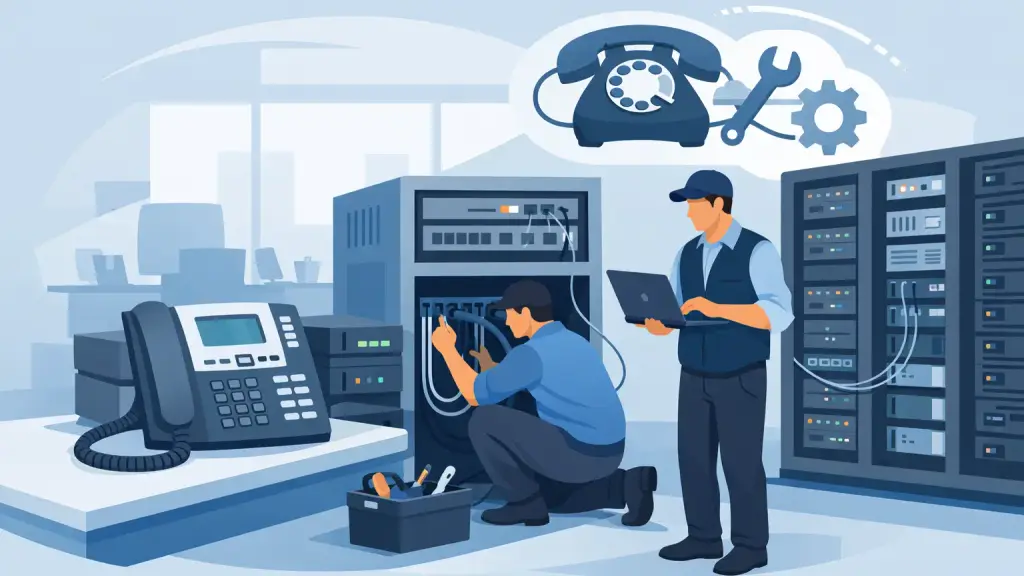
A legacy phone system can run reliably for years, but it rarely gives much warning before a small issue becomes a business interruption. A failed power supply, aging voicemail drive, damaged station port, or carrier connection problem can leave staff unable to answer customers, transfer calls, or reach emergency services. This legacy PBX maintenance guide explains how businesses can reduce that risk and make informed decisions about repair, ongoing support, and future upgrades.
For offices that depend on Panasonic, Nortel, Avaya, Vodavi, NEC, or similar business phone systems, maintenance is not about keeping old equipment alive at any cost. It is about protecting communication continuity while deciding when a repair is sensible and when a migration should be planned.
Start With a Complete PBX System Record
The most useful maintenance document is often the one a business does not have. When an office manager inherits a phone system, critical details may be limited to a label on the main cabinet and a few old extension lists. That makes routine changes slower and emergency repairs more difficult.
Create a current record of the PBX, including the system manufacturer and model, cabinet location, software version if known, extension and department assignments, voicemail equipment, carrier circuit details, and the contact information for your telecom support provider. Include a simple floor plan showing major cable routes, telecom closets, and remote office connections.
Keep a copy of the current programming configuration when the system supports a backup. Programming contains more than extension names. It may include incoming call routing, hunt groups, voicemail coverage, time schedules, paging, door phones, caller ID settings, and emergency calling configuration. If a control processor fails or a system must be replaced, an available backup can save substantial recovery time.
This record should be updated after moves, adds, changes, cabling work, or carrier changes. A system diagram from five years ago is better than nothing, but it should not be treated as an emergency plan.
Legacy PBX Maintenance: What to Check Regularly
A maintenance schedule should match the age, condition, and importance of the system. A busy medical office, property management company, law office, or multi-location business may need more frequent preventive attention than a small office with light call volume. Either way, waiting until the phones fail is the most expensive maintenance strategy.
Inspect power, grounding, and environmental conditions
PBX hardware depends on clean, stable power. Check that the system is connected to an appropriately sized battery backup or uninterruptible power supply where applicable, and test the backup equipment according to its service schedule. Batteries wear out quietly. A UPS that powers on may still provide little or no runtime during an outage.
The phone cabinet and related equipment should be kept dry, reasonably clean, and free from blocked ventilation. Overheated closets, water exposure, loose power connections, and poor grounding can cause intermittent issues that look like programming problems. If the PBX shares a closet with network switches, internet equipment, alarm panels, or electrical equipment, make sure changes by other vendors do not disturb phone connections.
Test the functions people assume will work
A dial tone is not a complete system test. Periodically verify inbound calling, outbound dialing, transfers, hold, voicemail deposit and retrieval, auto-attendant routing, paging, conference features, and calls to key extensions. Test main numbers and after-hours routing as well as internal calls.
This is also the right time to review emergency calling behavior. Confirm that the address information, outbound dialing permissions, and notification procedures reflect the current office layout and carrier setup. Any move, circuit change, or system reprogramming should trigger another review.
Review physical phones and cabling
Not every phone problem begins in the PBX cabinet. Handsets, line cords, patch cords, wall jacks, cross-connects, and damaged horizontal cabling can all create intermittent audio, dead extensions, ringing failures, or dropped calls. A technician can isolate whether the issue follows the phone, the port, or the cable run before replacing system hardware unnecessarily.
Pay close attention to recurring complaints. One extension that loses dial tone twice a month may point to a failing station card, a loose connection, or a cable problem that will eventually affect more users. Document the extension, time of day, symptom, and any recent construction or electrical work. Specific details help speed diagnosis.
Know the Warning Signs Before a Failure Becomes an Outage
Legacy systems often provide early signs of trouble, but busy offices may work around them until service stops completely. Reboots that become more frequent, voicemail delays, random extension resets, static on multiple phones, inconsistent caller ID, and calls that fail only at certain times deserve investigation.
A sudden increase in trouble tickets after a power event, office remodel, carrier change, or internet equipment replacement should also be taken seriously. The timing may be coincidence, but it may reveal a changed connection, a grounding issue, or a configuration conflict.
Do not assume every call-quality issue belongs to the phone system. Carrier circuits, analog lines, SIP gateways, cabling, network equipment, and individual handsets can produce similar symptoms. Effective PBX maintenance starts with disciplined diagnosis rather than replacing parts based on a guess.
Keep Spare Parts and Support Information Within Reach
The availability of replacement cards, processors, power supplies, and compatible phones varies by manufacturer and model. For a business with a mission-critical legacy PBX, maintaining a small inventory of high-risk spare components can be worthwhile, especially when the system uses equipment that is no longer widely stocked.
The right spare strategy depends on the system. A second handset may be enough for a small office, while a larger site may benefit from a tested backup power supply, station card, or key interface component. Spare equipment must be compatible with the installed software and hardware revision. An untested part pulled from storage may not solve an outage.
Equally important is having a current support contact and a clear escalation path. Employees should know who is authorized to request service, where the PBX is located, and how to report the issue. During an outage, avoid repeated reboot attempts or random cable moves. Those actions can erase useful evidence and extend recovery time.
Make Moves, Adds, and Changes Part of Maintenance
Every employee move, department change, office expansion, and new phone installation affects the health of a legacy system. Unrecorded programming changes create confusion later, particularly with shared lines, call coverage, hunt groups, and voicemail routing.
Use a consistent process for changes. Confirm the employee’s extension, device location, calling permissions, voicemail needs, and call-routing role before work begins. After the change, test inbound and outbound calling along with transfer and voicemail functions. Update the system record immediately, not when someone has time later.
This approach matters when an office relocates or remodels. Telephone cabling and PBX equipment should be assessed early in the project, alongside electrical and network planning. Moving a cabinet, reusing old cabling, or adding phones without a site review can create avoidable problems on move-in day.
Decide When Repair Is the Right Choice
Older PBX systems are not automatically liabilities. If the system is stable, supported with available parts, sized correctly for the business, and meeting daily calling needs, targeted repair and maintenance may be the most practical option. Many organizations rely on legacy systems because their staff knows the phones, the features fit their workflow, and the equipment has proven dependable.
The decision changes when failures become recurring, replacement parts are difficult to source, capacity limits block growth, or a company needs capabilities the PBX cannot reasonably provide. Multi-location connectivity, remote users, advanced call reporting, and simplified administration may justify a hosted VoIP plan.
A migration does not have to be rushed because a system is old. In many cases, the better path is to stabilize the existing PBX, document its programming, and plan the transition around business operations. That gives leadership time to select features, prepare users, and avoid converting during an emergency.
Prepare an Emergency Phone-Outage Procedure
Even well-maintained systems can fail. A short, written response plan helps staff act quickly when service is affected. It should identify the main service contact, the PBX and telecom closet locations, the carrier account details, a designated person to communicate with employees, and a temporary call-handling plan.
The first step is to define the scope. Are all phones down, only one department, only inbound calls, or only voicemail? Next, check for a building power issue, visible alarms on the phone equipment, and recent work near cabling or electrical systems. Record the time the issue started and any error messages or unusual indicators.
For Chicago-area businesses that cannot wait until normal business hours, 24/7 emergency repair support can make the difference between a brief disruption and a lost day of calls. iTeleco provides hands-on legacy PBX diagnostics, repair, programming, cabling, and support for businesses that need a fast response.
A well-maintained PBX gives your business options. Keep the current system dependable, fix problems before they spread, and make modernization decisions on your schedule rather than in the middle of a phone outage.