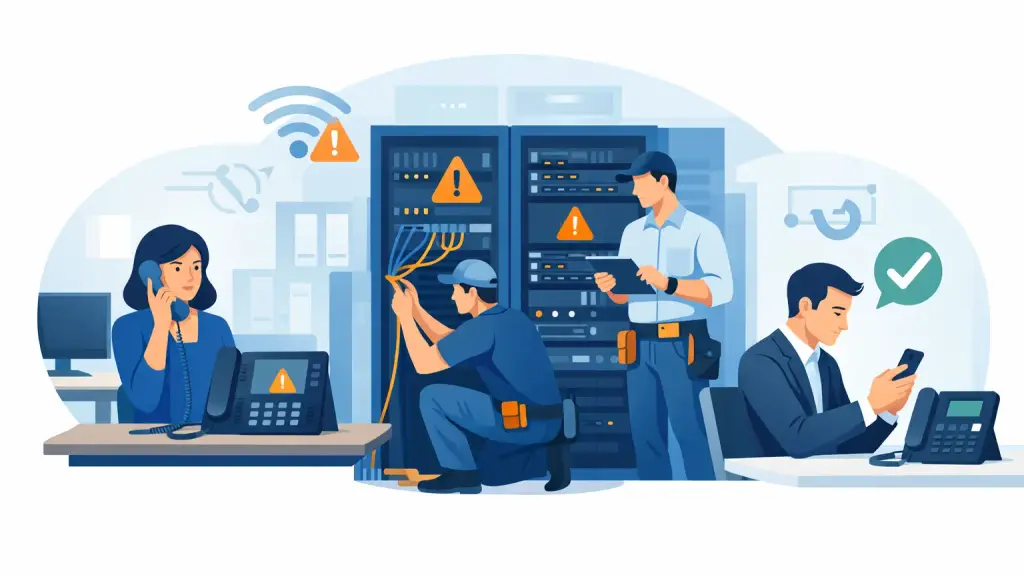
A business phone outage rarely starts with a clear warning. A receptionist notices there is no dial tone. A caller says every extension rings busy. A department can call internally but cannot reach customers. These business phone outage causes may look similar from the user’s desk, but the repair path changes completely depending on whether the fault is in the carrier service, building wiring, PBX hardware, power supply, or a connected network service.
For a business that depends on incoming calls for sales, scheduling, service, or patient and client communication, guessing is expensive. The first priority is to identify the scope of the outage, protect the system from further damage, and get qualified help when the issue reaches the carrier demarcation point, telephone room, or PBX cabinet.
The Most Common Business Phone Outage Causes
Carrier service and outside line failures
If every incoming and outgoing call has stopped working, the problem may be outside the building. Damaged utility lines, a carrier equipment failure, local construction, water intrusion in an exterior connection, or a service provisioning issue can interrupt trunks serving the PBX.
A quick test can help narrow this down. If a technician can test service at the network interface or demarcation point and there is no usable dial tone there, the issue is likely on the carrier side. If service is present at the demarcation point but absent at extensions, the fault is more likely inside the building.
Carrier outages can affect only certain call paths. For example, local calls may work while long-distance calls fail, or inbound calls may be affected while outbound calling still works. Do not assume partial service means the PBX is healthy. Partial trunk failure is common and can leave a business missing calls without realizing the full extent of the problem.
PBX hardware failure
Legacy PBX systems are dependable when maintained, but their critical components do not last forever. A failed power supply, processor card, trunk card, station card, cabinet fan, or hard drive can take down one department or the entire phone system.
Symptoms often provide useful clues. A dead display on multiple phones, flashing alarm lights, unusual rebooting, loss of several extensions, or a cabinet that feels excessively hot can point to a PBX equipment issue. A single failed card may affect only one group of phones or outside lines, while a power or processor problem can affect the entire office.
This is where brand-specific experience matters. Panasonic, Nortel, Avaya, Vodavi, NEC, and similar systems use different card layouts, programming methods, alarm indicators, and replacement procedures. Restarting equipment without checking the condition of the system can erase diagnostics or briefly restore service while hiding a failing component.
Power problems, surges, and failed backup equipment
Phone equipment needs stable power, even when individual desk phones appear to have their own displays and buttons. A power interruption, failed UPS battery, tripped breaker, loose power connection, or electrical surge can disable the PBX, voicemail equipment, network switches, or fiber and cable interfaces.
After a storm or building power event, check whether the outage affects other equipment in the telephone room. If the PBX has no lights, fans, or display activity, do not repeatedly cycle the power. Confirm that the electrical supply is stable first. Repeated power cycling can create additional problems, especially on older systems with aging power supplies or storage media.
Backup batteries are also frequently overlooked. A UPS may appear functional but may no longer provide runtime when utility power drops. In a short outage, that can cause the phone system to shut down while computers on a separate backup remain online, creating confusion about the source of the failure.
Damaged cabling and building wiring
Not every outage is a system-wide emergency. When one phone, office, floor, or department loses service, damaged station wiring is a common suspect. Renovation work, furniture moves, pest damage, moisture, loose patch connections, and mislabeled cross-connects can all interrupt a phone extension.
Cabling faults can be intermittent. A phone may work in the morning, fail after a conference room is rearranged, and return after someone moves a cable. That pattern should not be dismissed as a handset issue. A technician needs to test the station, patch field, and cable run to determine whether the problem follows the phone, port, or location.
For multi-location offices and facilities with older wiring, accurate labeling is a major advantage during an outage. Clear records of extensions, ports, trunks, and closet locations reduce diagnostic time and prevent a rushed repair from disrupting a working line.
Configuration errors and changes to connected services
Phone outages can occur after a change that seemed routine. A carrier circuit change, internet service adjustment, PBX programming update, call-routing change, voicemail modification, or move of a user to another office can affect call handling.
Hosted VoIP and hybrid environments introduce another layer of dependency. The phones may be powered and the internet may be working, yet calls can fail because of a router rule, session border setting, DNS issue, account configuration, or an interrupted connection between on-site equipment and the hosted platform. The right diagnosis starts by determining what changed and which services are actually affected.
How to Narrow Down the Cause Before Calling for Repair
The goal is not to perform a major repair in-house. It is to collect the details that help a technician respond with the right tools, parts, and next steps.
Start with scope. Determine whether the problem affects one extension, a group of extensions, all inbound calls, all outbound calls, voicemail, paging, door access, or every phone in the building. Then note the exact time the problem began and whether there was a power event, construction activity, weather event, carrier work notice, network change, or office move beforehand.
Next, test a few controlled call paths. Try calling between two internal extensions. Make an outbound call from more than one phone. Call the main business number from an outside line. If possible, test a known working phone at the affected location. These simple checks can distinguish a station issue from a trunk, routing, or system problem.
Avoid moving cards, disconnecting unidentified cables, or changing PBX programming during an active outage. Those actions can turn a limited issue into a wider one. Document alarm lights, error messages, and affected extension numbers instead. Photos of the PBX display, cabinet lights, and patch field can be useful for a remote triage discussion.
When an Outage Requires Immediate Professional Support
A full loss of incoming calls, repeated system reboots, smoke or heat from telephone equipment, water near the PBX, a failed power supply, or an alarm condition in the cabinet should be treated as an emergency. So should a partial failure that blocks a call center, front desk, medical office, dispatch team, or any department that relies on a specific set of lines.
The trade-off is simple: a brief pause to isolate the issue can save time, but delaying a qualified repair while staff repeatedly reboot equipment can extend downtime. For legacy systems, replacement parts and specialized programming knowledge may be required. An experienced field technician can test the carrier handoff, PBX cabinet, cards, wiring, and endpoints in the proper order instead of replacing components based on symptoms alone.
Preventing the Next Phone Outage
Most outages cannot be eliminated, but their impact can be reduced. Schedule periodic inspection of PBX power supplies, batteries, fans, cabinet condition, wiring, and trunk performance. Keep current documentation for extensions, call routing, carrier information, voicemail administration, and system programming. Review whether aging hardware has a practical repair path or whether a phased move to hosted VoIP would provide better recovery options.
There is no single answer for every business. A well-maintained legacy PBX may remain the right fit for years, particularly when it supports specialized equipment or a large installed base of phones. Other businesses benefit from a gradual modernization plan that preserves operational continuity while reducing dependence on aging components.
When phone service fails, the fastest resolution comes from disciplined diagnosis, not guesswork. For 24/7 emergency PBX repair, on-site service, or guidance on maintaining and upgrading an older business phone system in Chicago and the surrounding suburbs, call iTeleco at 773-340-7777 before a manageable fault becomes a longer interruption.