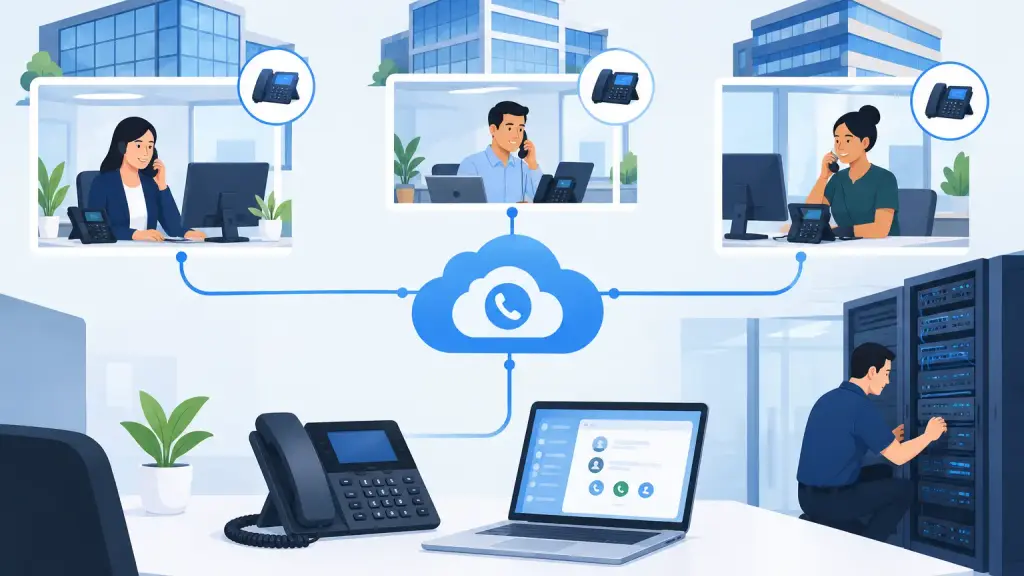
A multi office VoIP conversion example is most useful when it reflects the real risks managers face: a main number that cannot go down, different office schedules, older phone equipment, and employees who need to answer calls correctly on day one. For a growing business with offices in Chicago and the suburbs, the goal is not simply replacing phones. It is preserving customer access while giving every location a system that is easier to manage.
Consider a realistic scenario: a 90-person professional services company operates from a Chicago headquarters, a Schaumburg office, and a smaller Naperville location. Its headquarters still uses an aging on-premises PBX. The branch offices have separate phone arrangements, inconsistent call handling, and no reliable way to transfer calls between locations without confusion. Reception staff frequently take messages because they cannot see who is available at another office.
The company decides to move to a hosted VoIP platform. The conversion is planned around business continuity, not around a convenient installation date.
Multi Office VoIP Conversion Example: The Starting Point
The company has three primary problems. First, each office has its own call flow. A customer calling the main number may reach headquarters, even when the right department works from Schaumburg that day. Second, the older PBX is still operational but becoming harder to support and expand. Third, leadership wants remote and hybrid employees to use the business number without giving out personal mobile numbers.
A rushed replacement would create avoidable problems. Disconnecting the old PBX before the new call routing is tested can strand callers. Moving every number at once without a porting plan can interrupt inbound service. Installing new desk phones without explaining call pickup, transfers, and voicemail can leave employees less productive than they were before.
The better approach begins with an inventory. That includes every published phone number, direct extension, main line, fax-dependent process if one remains, door or paging connection, conference room, analog device, and current carrier circuit. The technical team also documents who answers calls, how calls are routed after hours, and which teams need local numbers or shared lines.
This discovery stage often reveals that the business does not need to duplicate its old configuration exactly. Some call paths were created years ago for employees or departments that no longer exist. Others are essential, such as an emergency line, a front-desk overflow route, or a dedicated number used in printed marketing materials. The difference matters. A conversion should retain business-critical functions while removing needless complexity.
Designing One Call Flow Across Three Offices
For this company, the new design keeps a single primary business number while allowing calls to reach employees at any office. During business hours, callers hear a short greeting and select the department they need. Calls to sales ring a shared group that includes staff in Chicago and Schaumburg. Calls to billing go directly to the Naperville team. The receptionist can see presence information and transfer a caller to an available person rather than guessing who is at a desk.
The system also establishes consistent rules for direct extensions. Every employee receives an extension that follows the same numbering plan, regardless of location. A Chicago employee can transfer a call to Schaumburg by extension, just as easily as transferring to someone nearby. Departments that need a physical desk phone receive one. Employees who split time between offices can use an approved VoIP desktop or mobile application with their business identity.
After-hours handling is equally deliberate. The main line follows a schedule, then routes to an appropriate voicemail box or on-call group. Holiday rules are loaded before launch, not after the first missed call. If the company has an urgent after-hours function, that team can receive calls according to a separate rule rather than relying on someone to manually forward a line at closing time.
There is a trade-off. A complex auto attendant with too many menu choices can frustrate customers. A simple design with a live receptionist option usually works better for organizations where callers need help reaching the right department. The call flow should match how customers actually contact the business, not how the phone system looks on an organizational chart.
The Conversion Plan That Avoids Phone Downtime
The conversion is staged. Network readiness is addressed first, because hosted voice depends on a stable connection and a properly configured local network. The team confirms available bandwidth, reviews firewall and switch settings, verifies Power over Ethernet where desk phones will be used, and identifies whether an internet backup connection is needed for the business's risk level.
Next, phones are preconfigured and labeled before arriving at each office. Extensions, user names, call groups, and voicemail settings are loaded in advance. This prevents technicians and employees from trying to build the system while callers are waiting.
Number porting receives its own schedule. The existing carrier remains active until the authorized port date. Meanwhile, the new VoIP system is tested with temporary numbers. Receptionists place and receive calls, department managers test ring groups, and staff confirm that transfers, voicemail notifications, caller ID, and emergency dialing work as intended.
On the cutover day, the company moves the main and direct numbers during a controlled window. A technician monitors calls, confirms that each office can place outbound calls, and verifies inbound routing from outside numbers. The old PBX is not removed immediately. Where practical, it remains available as a short-term contingency while the new environment is confirmed stable.
That overlap is particularly valuable for businesses moving from legacy equipment. An older system may still support paging, entry access, alarm lines, or other connections that require separate planning. Replacing a PBX does not automatically solve every device connected to it. Each item needs a decision: retain it, adapt it, replace it, or move it to a separate service.
Training Is Part of the Technical Work
A successful migration is measured by what employees can do after the technicians leave. In this example, reception staff receive focused training on parked calls, transfers, call queues, presence indicators, and changing the after-hours greeting. Managers learn how to review their team voicemail and update schedules. General users practice placing calls, checking voicemail, transferring, and using their assigned application.
Training should be role-based and brief enough to retain. A receptionist needs more detail than an employee who only answers a few calls each day. Written quick-reference instructions at each desk reduce repeated questions during the first week.
The company also names an internal point person for routine questions. That person does not need to become a phone technician. They simply know how to gather useful details, such as the extension involved, time of the problem, caller number, and whether the issue affects one user or an entire office. Clear information speeds up support when a real issue occurs.
What Changed After the Move
Once the conversion is complete, the company no longer treats each office as a separate phone island. Customers reach the correct team based on purpose and availability, not physical location. New employees can be added without buying expansion cards for an aging PBX. When an employee changes offices, their extension and voicemail can move with them.
The business also gains a cleaner path for future changes. A new branch can be added to the same dialing plan. A temporary remote worker can use the business phone identity without changing the public number. Call routing can be adjusted as departments grow or schedules change.
Hosted VoIP is not automatically the right answer for every organization. A business with a well-maintained legacy PBX, specialized integrations, or limited internet resilience may need to repair and stabilize its existing equipment first. In other cases, a hybrid transition makes sense while older hardware and new VoIP services operate side by side.
For multi-location businesses, the key is having a conversion plan built around how calls move through the company, not just which phones sit on desks. iTeleco helps Chicago-area organizations assess legacy PBX equipment, plan hosted VoIP migrations, install and program systems, and respond when communication problems cannot wait. The most useful next step is a clear inventory of numbers, devices, call flows, and the operational consequences of getting any of them wrong.