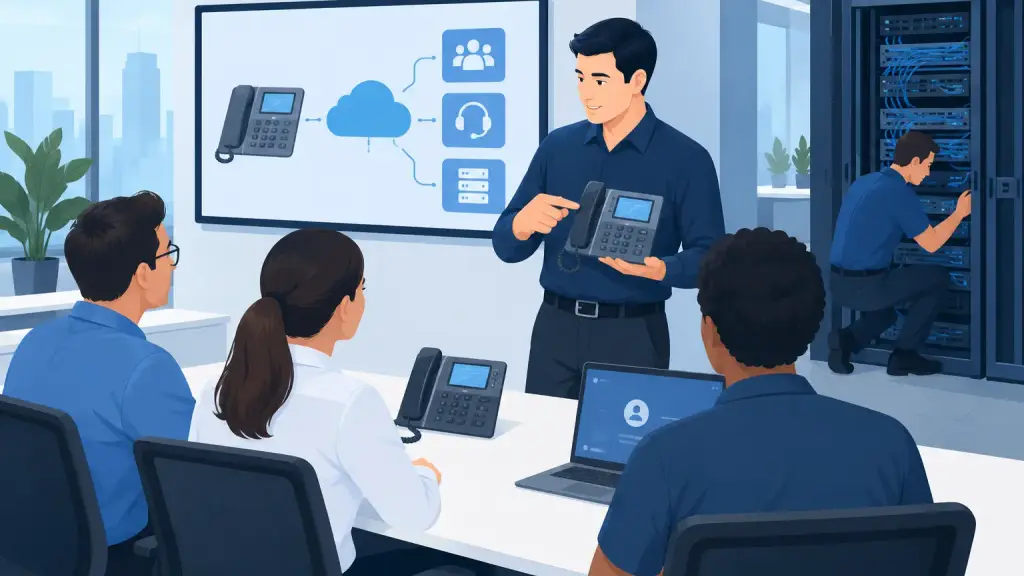
A phone system can be fully operational and still create a bad customer experience if the people using it do not know how to handle calls. A receptionist who cannot transfer a caller, a manager who misses voicemail alerts, or an employee who forwards calls to the wrong extension can turn a routine workday into lost business. Effective business phone system training prevents those avoidable problems before they reach customers.
For Chicago-area businesses that rely on legacy PBX equipment, training is not a one-time handoff after installation. It is an operational requirement. Employees change, office layouts shift, departments grow, and older systems may use features that are unfamiliar to new staff. Clear, practical training keeps the system useful and keeps calls moving when the business is busy.
Why Business Phone System Training Matters
Your phone system supports more than inbound calls. It may direct customer inquiries, route service requests, support scheduling, provide after-hours coverage, connect remote staff, and deliver urgent messages. When users are unsure how to use basic features, the result is often unnecessary delays, repeat calls, abandoned calls, and internal frustration.
Training also reduces the number of service calls caused by user error. A technician should be called when there is a genuine issue with the PBX, wiring, handset, voicemail platform, or programming. But many apparent failures are actually settings problems: Do Not Disturb was activated, calls are forwarded to an old extension, voicemail is full, or a user is signed into the wrong call group.
A well-trained team can recognize the difference between a simple user issue and a system-level failure. That makes support faster when a real emergency occurs.
Start With the Calls Your Team Handles Every Day
The best training is based on actual work, not a generic list of phone buttons. A medical office, warehouse, legal office, property manager, and professional services firm may all use the same PBX platform differently. Training should reflect the situations employees face most often.
Front-desk staff typically need confident call handling: answering on the correct line, placing callers on hold, announcing transfers, transferring directly to an extension, and recovering a call when a transfer fails. They should also know how to locate an employee, use a directory, and follow the company’s procedure when the intended contact is unavailable.
Department staff often need a different set of skills. They may need to retrieve and delete voicemail, set personal call forwarding, use speed dial, join a conference call, or change their greeting before an extended absence. Supervisors may need access to group settings, coverage rules, call reports, or night-mode procedures.
Training is most useful when each group learns only the features needed to do its job well. Giving every employee a long technical manual usually creates confusion, not confidence.
The core skills every user should know
Every employee who answers a business line should be able to answer, hold, transfer, retrieve, and end a call correctly. They should know how to check voicemail, adjust volume and ringer settings, and identify whether their phone is set to forward calls or Do Not Disturb.
They should also know what to do when something does not work. That means checking basic items first: Is there dial tone? Is the handset cord secure? Is the display showing a forwarding or Do Not Disturb indicator? Is the issue limited to one phone, one department, or the entire office? These details help determine whether the problem is local or requires immediate technical support.
Train for the Situations That Cause Missed Calls
Routine features are only part of the job. Businesses need staff who can respond correctly during the moments when calls are most likely to be mishandled.
For example, employees should know the procedure for handling an unexpected call surge. If several lines ring at once, which calls should be answered first? Can staff retrieve calls from a shared hold position? Who is responsible for taking messages when the reception desk is unattended?
They should also understand after-hours and holiday coverage. On many legacy systems, changes to night service, automated attendants, call forwarding, and ringing assignments require specific steps. A wrong setting can send every after-hours call to an empty desk or an outdated voicemail box. These procedures should be documented and assigned to a limited number of authorized employees.
Power interruptions and internet outages require their own plan. A traditional on-premises PBX may continue to support certain functions differently than a hosted VoIP system, depending on the equipment, carrier setup, and backup power available. Employees do not need to diagnose the underlying technology, but they do need to know whom to notify, how to communicate internally, and what alternative process to follow until service is restored.
Make Training Easy to Retain
One lengthy training session rarely produces lasting results. People remember phone-system functions when they use them immediately and when the instructions match their desk phone.
A practical approach is to provide short role-specific sessions during installation, relocation, or programming changes. Follow that training with a simple reference sheet at each workstation or in a shared office location. The reference should use plain language and the exact button labels employees see on their phones.
For example, a receptionist’s guide can explain how to park, transfer, page, and retrieve a call. A standard user guide can focus on voicemail, forwarding, and basic call handling. A manager’s guide can cover emergency routing, coverage changes, and escalation procedures. This is more effective than expecting all users to search through a large manufacturer manual during a busy shift.
New-hire training matters just as much. When a new employee receives a phone extension, voicemail box, or replacement handset, add a brief training session to the onboarding process. Ten focused minutes can prevent weeks of missed voicemails and incorrect transfers.
Legacy PBX Systems Need Brand-Specific Instruction
Older PBX systems remain dependable in many offices, but their features are not always intuitive to someone who has only used mobile devices or cloud calling apps. Button layouts, feature codes, display prompts, and voicemail access can vary significantly by system and handset model.
That is why generic phone training has limits. A user who learns a feature code from an online video may accidentally change a setting that does not apply to the office’s programming. In some cases, the same button can behave differently based on how the system was configured for that extension.
Brand-specific training accounts for the actual system, installed phones, call flow, and business rules in place. It also identifies which features employees can safely manage themselves and which changes should be handled by an authorized administrator or telecom technician.
For businesses using Panasonic, Nortel, Avaya, Vodavi, NEC, or other legacy platforms, this distinction can save substantial time. The goal is not to make every employee a PBX expert. The goal is to give every user enough confidence to handle calls correctly and enough awareness to report issues accurately.
Include Administrators in Business Phone System Training
Most offices need at least one or two designated system contacts. These individuals do not have to perform repairs, but they should understand the office’s basic telecom setup and escalation process.
An administrator should know where the main PBX equipment is located, which extensions are critical, who has authority to request programming changes, and how to describe a problem to support personnel. They should keep an updated list of extensions, department coverage assignments, voicemail ownership, and emergency contacts.
They also need to know the boundaries of their role. Moving cables, resetting PBX hardware, changing unknown programming, or unplugging equipment during an outage can make a problem harder to resolve. A good training program gives administrators useful control without asking them to take on technical tasks outside their expertise.
Review Training After Changes, Not Just Failures
Training should be revisited after an office move, expansion, department reorganization, phone replacement, or change in call routing. These are the moments when outdated instructions cause trouble.
A short refresher is also worthwhile after a recurring issue. If calls regularly go unanswered during lunch, voicemail messages are being missed, or staff are confused about transfers, the answer may be clearer procedures rather than new equipment. On the other hand, recurring limitations may indicate that the current legacy system no longer fits the business’s needs and that hosted VoIP should be considered.
That decision depends on the office’s call volume, locations, existing equipment, reliability requirements, and desired features. Maintaining a legacy system can be the right choice when it continues to serve the business well. Modernization makes sense when it solves a clear operational problem, not simply because the technology is newer.
For businesses in Chicago and the surrounding suburbs, iTeleco provides hands-on training alongside PBX repair, programming, installation, and system transition support. If a phone issue affects your ability to serve customers, 24/7 emergency support is available at 773-340-7777.
The most useful phone system is one your team can operate calmly when the office is at its busiest. Give employees clear instructions, refresh those skills when the business changes, and keep a qualified telecom partner ready for the issues that require technical expertise.