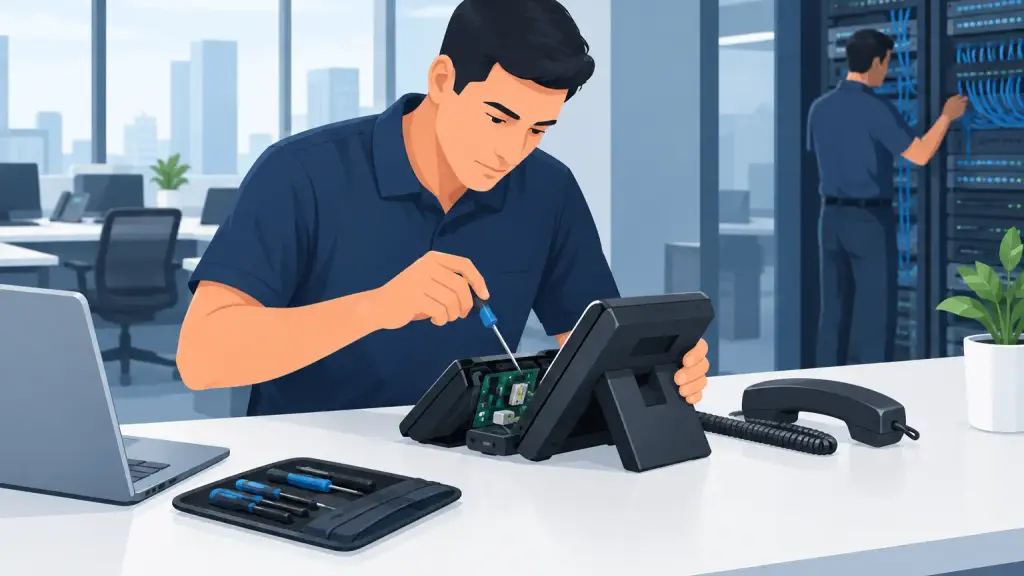
When a business phone system fails, the first few minutes can determine whether the issue becomes a brief interruption or a day of missed calls, delayed service, and frustrated customers. The best emergency phone repair steps are not about guessing at a fix. They are about protecting service, narrowing down the cause, and getting the right technical help involved before a small fault affects the entire operation.
For businesses running legacy PBX equipment, an outage may involve a carrier circuit, a power issue, a failing phone system card, damaged cabling, programming changes, or a problem affecting only a specific department. A disciplined response keeps staff focused and gives the repair technician the information needed to resolve the problem faster.
Start by Defining the Scope of the Outage
Before anyone resets equipment, determine exactly what has stopped working. Ask whether all inbound and outbound calls are affected, whether only certain extensions are down, or whether the issue is limited to voicemail, paging, cordless handsets, or one location.
A complete system outage points to different causes than a single dead extension. If every phone has lost dial tone, check for a widespread power or carrier problem. If callers can reach the main number but cannot transfer to departments, the PBX may be operating while a programming, trunk, or routing issue needs attention. If one employee cannot make calls while everyone else can, the problem may be isolated to that phone, its port, or its cable run.
This distinction matters because it prevents an unnecessary full-system restart. Rebooting a working PBX without a clear reason can interrupt active calls, erase useful diagnostic clues, and extend downtime.
Document What Changed Before the Failure
Recent changes are often the fastest path to an answer. Note any electrical work, office moves, construction, network changes, carrier work, storms, software adjustments, new handsets, or changes to call routing. Even a recently unplugged patch cable or relocated desk can affect a legacy system in ways that are not immediately obvious.
Write down the time the issue began, the extensions involved, any error messages, and the lights or alarms visible on the system cabinet. If callers hear a specific recording, busy signal, or fast busy tone, record that detail as well. A technician can use those symptoms to separate a line problem from a station, card, or programming fault.
Best Emergency Phone Repair Steps to Take First
The immediate objective is to preserve safe operation and restore a usable call path. Assign one person, ideally an office manager, IT lead, or facilities contact, to coordinate the response. Multiple people making changes at once creates confusion and can make a repair harder to diagnose.
Take these actions in order:
- Confirm whether the building has power and whether the PBX, network switches, internet equipment, and carrier demarcation equipment have power indicators on.
- Test calls from more than one extension and, if possible, test both inbound and outbound calling.
- Check whether a known working phone operates when connected to the affected desk cable or port.
- Notify staff of the outage and provide a temporary call-handling plan before customers begin reporting missed calls.
Do not open the PBX cabinet, move system cards, disconnect unfamiliar wiring, or repeatedly cycle power unless directed by a qualified technician. Legacy Panasonic, Nortel, Avaya, Vodavi, and NEC systems can contain components that require specific shutdown and startup sequences. Improper handling can turn an isolated problem into a broader service interruption.
Protect Customer Calls While Repairs Are Underway
Phone downtime is not only a technical issue. It is a customer-service and revenue issue. While diagnostics are underway, decide how your business will handle active callers, new inquiries, appointment requests, and urgent service calls.
If your main number is reachable but internal extensions are unavailable, assign a person to answer calls from a working station and take messages. If inbound calls are not reaching the office, contact the service provider or repair team promptly to determine whether temporary call forwarding is available. Businesses with multiple locations may be able to route priority calls to another staffed office until the primary system is restored.
The right contingency depends on how the system is configured. A company with analog lines, PRI circuits, SIP trunks, or hosted call paths will have different recovery options. The key is to make decisions early, before the call backlog grows.
Avoid the Common Reset Mistake
A power reset can occasionally restore a locked-up device, but it is not a universal repair method. It should be a controlled step, not a reflex. A PBX may rely on batteries, voicemail servers, external paging equipment, programmed time settings, and network-connected components that do not always return to service cleanly after an abrupt shutdown.
If the system has recently experienced a power event, check the uninterruptible power supply and any surge protection equipment. A PBX may appear powered on while individual modules, voicemail equipment, or network components have not recovered properly. Photographing indicator lights before changes are made gives the technician a useful baseline.
Separate Carrier, Cabling, and PBX Problems
An experienced repair provider will typically isolate the fault by testing from the outside in. The process starts with the carrier connection, then the building entry point, cabling, PBX trunks, system cards, and individual stations. This prevents costly guesswork and avoids replacing equipment that is not actually defective.
For example, a lack of dial tone may originate with the carrier, but it may also be caused by a failed trunk card or disconnected cross-connect. Static on one phone could be a handset issue, damaged station wiring, or interference from nearby electrical equipment. Calls that drop after a set amount of time may involve carrier signaling, programming, or an unstable network connection.
Your role during an emergency is not to diagnose every technical layer. It is to provide accurate symptoms, preserve the system’s current state when possible, and make the site accessible for repair. Clear access to the telecom room, PBX cabinet, MDF, IDF, and affected work areas can save significant time during an on-site service call.
Know When an On-Site Technician Is Necessary
Remote troubleshooting is useful for certain programming, routing, and hosted service issues. However, many legacy phone system emergencies require an on-site technician with the ability to test wiring, inspect hardware, replace components, and verify service at the physical connection points.
On-site support is especially appropriate when there are no working lines, repeated system alarms, damaged cabling, water exposure, electrical events, a failed system cabinet, or a problem affecting a business-critical department. It is also the right choice when a system has been moved, expanded, or altered without complete documentation.
For Chicago-area businesses that depend on older PBX equipment, iTeleco provides 24/7 emergency repair support for legacy systems and related business phone infrastructure. The goal is not simply to get a dial tone back. It is to identify the actual point of failure, restore reliable operation, and help prevent the same disruption from returning.
Turn the Emergency Into a Maintenance Plan
Once service is restored, schedule time to review why the failure occurred and what would reduce risk next time. That may mean labeling cabling, documenting extension assignments, replacing an aging battery backup, keeping spare handsets available, updating system programming records, or arranging routine PBX maintenance.
There is also a practical modernization question. If a legacy system remains reliable and meets operational needs, professional maintenance may be the most sensible path. If replacement parts are becoming difficult to source, offices are expanding, or remote and multi-location calling needs have changed, a phased move to hosted VoIP may offer a better long-term fit. The right answer depends on the condition of the existing system, business workflow, and tolerance for future downtime.
A phone emergency is easier to manage when your team knows who can authorize repairs, where key equipment is located, and how priority calls will be handled. Put that plan in place before the next interruption, and your business will be positioned to respond with control rather than urgency alone.