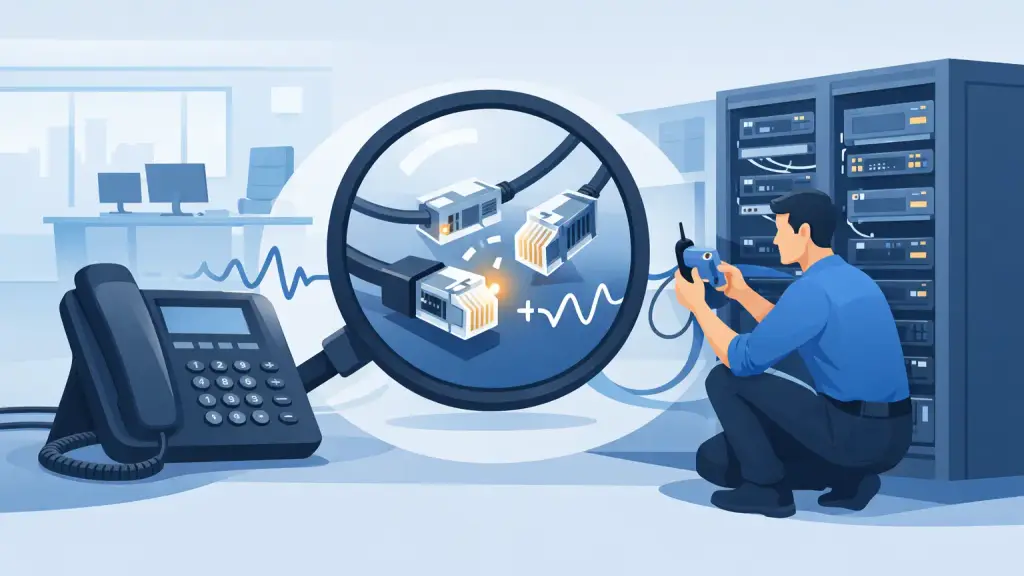
A phone that goes dead at one desk is an inconvenience. A group of dead phones, static on incoming calls, or a main number that will not ring can stop scheduling, sales, dispatch, and customer service immediately. Knowing how to test office phone lines helps you identify whether the trouble is local to one phone, a wiring issue, a PBX programming problem, or an outside carrier circuit.
For offices with older Panasonic, Nortel, Avaya, NEC, Vodavi, or similar PBX equipment, the most important rule is simple: do not treat every wall jack like a standard analog phone line. A basic test performed on the wrong port can create more confusion and, in some cases, damage equipment. Start with safe, non-invasive checks, document what you find, and bring in a qualified PBX technician when the fault points back to the system or incoming service.
Start by Defining the Phone Problem
Before unplugging anything, determine the scope of the outage. Ask whether one extension is affected, whether an entire department is down, or whether the issue only happens on incoming or outgoing calls. This distinction saves time because each symptom points to a different part of the system.
If one phone has no display, no dial tone, or poor audio while nearby extensions work normally, the likely causes are the handset, line cord, station cable, jack, or that individual PBX port. If every phone is down, the issue may involve system power, a PBX processor, incoming trunks, carrier service, or a facility-wide cabling problem.
Also note what changed before the failure. A furniture move, remodeling work, electrical outage, network changes, storm activity, or a recent system adjustment can be relevant. Older phone systems often remain reliable for years, but a loose cross-connect, failed power supply, damaged cable pair, or programming change can create a sudden service interruption.
Safety Comes First With Office Telephone Testing
Traditional phone circuits carry electrical voltage even when they appear inactive. An analog line commonly has approximately 48 volts DC when idle, and ring voltage can be much higher. Avoid touching exposed conductors, testing damaged wiring, or working on telecom circuits during lightning activity.
More importantly, many PBX desk phones use proprietary digital or hybrid station ports. These are not the same as standard analog lines. Do not plug a basic analog telephone, residential-style tester, modem, or unapproved device into a digital PBX extension port. It may not produce useful results, and it can risk damage to the phone or system port.
If you are unsure whether a connection is analog, digital, or IP-based, stop before connecting test equipment. Check the PBX documentation, label the port, or have a telecom technician verify it. The goal is to isolate the fault, not introduce a second one.
How to Test Office Phone Lines Step by Step
The most dependable first test is substitution. Replace one known variable at a time and observe whether the problem follows the device, the cord, the jack, or the extension number.
Test the handset and line cord first
For a single affected phone, inspect the handset cord and the cable from the phone to the wall jack or system port. Look for pinched cable, loose modular plugs, bent connector tabs, or cords stretched under desks and furniture. Reseat both ends firmly.
If an identical working phone is available, move it temporarily to the affected location using the same cable and jack. If the replacement phone works, the original phone or its cord is likely at fault. If the replacement has the same problem, move to the next stage.
On a proprietary PBX system, use a known-good phone of the same compatible type. Different phone families may use different signaling and should not be assumed interchangeable.
Test the location with a known-good extension
When possible, take a confirmed working extension phone to the suspect desk location. If that known-good phone fails at the location, the issue is likely in the station wiring, jack, patch field, or PBX port assignment rather than the original handset.
Then test the affected phone at a location where another compatible phone is working. This helps separate a device failure from a cable-path failure. Keep notes as you move equipment. A simple record of phone location, extension number, result, and time of test prevents repeated work and gives a technician useful diagnostic evidence.
Check the wall jack, patch field, and cross-connects
A large percentage of office phone problems come down to physical connections. Inspect the station jack and visible cabling for looseness, damage, moisture, or recent disturbance. In a telecom room, verify that patch cords and cross-connects are seated and properly labeled.
Do not randomly move pairs on a punch-down block or patch panel. Legacy PBX wiring is often organized by extension blocks, cable pairs, and port numbers. Moving one connection can take down another user or send calls to the wrong extension. If a cross-connect is unlabeled or the cable path is unclear, that is the point to call a telecom professional.
Separate internal extension trouble from incoming line trouble
A phone system may have working internal calling even when incoming or outgoing calls fail. Test an internal call between two functioning extensions first. If internal dialing works but outside calls fail, the PBX may be operating normally while its trunk lines, SIP service, PRI, or carrier connection is unavailable.
Next, test the symptoms carefully. Can users place outside calls? Can callers reach the main number? Do calls ring briefly and then drop? Is there a recorded carrier message, static, one-way audio, or no dial tone on all lines? These details help determine whether the problem is with the PBX, a specific trunk, carrier service, or call routing programming.
For analog incoming lines, a qualified technician may test at the network interface or designated demarcation point to determine whether dial tone is present before the building wiring. That boundary matters. Service present at the demarcation but absent at the PBX usually indicates an internal equipment or cabling issue. No service at the demarcation points toward the carrier circuit.
Check PBX indicators and system power
If multiple phones are affected, inspect the PBX cabinet or control unit without opening energized equipment. Look for alarm lights, power indicators, error messages, unusual beeping, or a system that has restarted after an outage. Confirm that the system and any external power supply or battery backup have power.
Do not repeatedly power-cycle a PBX in an attempt to restore service. A reboot can interrupt active calls, affect voicemail integration, and temporarily make a programming or hardware problem harder to diagnose. It also will not correct a failed trunk card, damaged cable pair, or outside carrier outage.
What Your Results Usually Mean
A few patterns are especially useful. If the problem follows a phone from desk to desk, replace or repair that phone. If every compatible phone fails at one location, inspect the station cable, jack, and cross-connect path. If several adjacent desks fail together, look for a shared cable bundle, card, or PBX port group.
When all extensions can call each other but no one can call out or receive calls, focus on incoming trunks, carrier service, and PBX routing. When phones have power and displays but calls have static, intermittent disconnects, or one-way audio, the fault may be a deteriorating cable pair, loose connector, trunk issue, or a system interface problem. Those conditions usually require proper test tools and experience with the system architecture.
When to Call for PBX Repair
Call for professional service promptly when multiple extensions fail, the main number is unreachable, a PBX shows alarms, cabling damage is suspected, or testing points to a trunk or system card. The same applies when the system uses proprietary digital phones, since standard analog testing methods are not appropriate for those ports.
For Chicago-area businesses, iTeleco provides 24/7 emergency support for legacy PBX systems, phone cabling, repairs, programming, and hosted VoIP transitions when a modernization path makes more operational sense. A technician can trace the fault from the desk phone through the cabling and PBX to the incoming service, then correct the actual source rather than replacing equipment based on guesswork.
The best phone-line test is one that narrows the problem without disrupting the rest of the office. Start with the phone, cord, and location, document the symptoms, and stop when the issue reaches system wiring, PBX hardware, or carrier circuits. Fast, accurate escalation protects the calls your business cannot afford to miss.