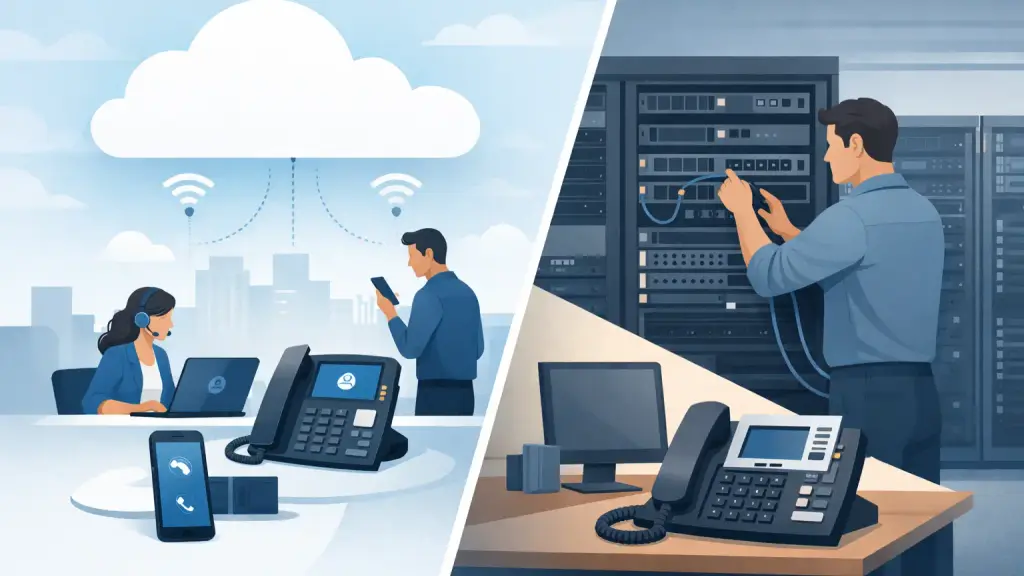
A phone system decision usually becomes urgent when something stops working: an aging control cabinet fails, a carrier change is coming, an office is moving, or employees need to answer calls from more than one location. When comparing cloud phones versus PBX, the right answer is not automatically the newest option. It is the system that keeps your employees reachable, supports daily operations, and gives your business a realistic path forward.
For Chicago-area businesses with a working legacy system, replacing everything overnight can create unnecessary disruption. For companies opening locations, supporting hybrid staff, or struggling to find parts and support, a hosted platform may be the practical next step. The details matter.
Cloud Phones Versus PBX: The Core Difference
A traditional PBX is business phone equipment located at your office. It routes extensions, voicemail, call groups, and outside lines through a central system. Depending on its age and configuration, it may use analog, digital, PRI, or SIP connections. Many established offices still rely on PBX platforms from Panasonic, Nortel, Avaya, NEC, Vodavi, and other manufacturers.
Cloud phones, often called hosted VoIP, move the phone system's call control to a provider-managed platform. Desk phones, mobile applications, and computers connect through the internet. Instead of maintaining a phone cabinet at every location, the business manages users and features through an online administrative portal.
That basic difference changes who maintains the equipment, how easily the system expands, what happens during an outage, and how much control remains inside your building.
When a PBX Still Makes Sense
A properly maintained PBX can remain a dependable business asset. If your existing phones, wiring, and system programming meet operational needs, there may be no business case for a rushed replacement. A legacy system is familiar to staff, often has stable call quality, and can keep operating locally even when an internet service problem affects VoIP calling.
This is especially relevant for offices that depend on specialized call handling, paging, door access integration, analog devices, or established workflows. Some organizations have invested heavily in cabling and digital handsets that are still in good condition. Repairing a failed card, replacing a power supply, correcting programming, or relocating the system can be far less disruptive than changing every phone and process at once.
A PBX also provides direct control. Your organization owns the hardware, and a qualified technician can diagnose the physical system on-site. That control is valuable when phone service is mission-critical and the business wants a local specialist accountable for repairs.
The trade-off is that older hardware eventually becomes harder to support. Replacement parts may be limited, manufacturer support may have ended, and fewer technicians may understand the system. Expansion can also require specific cards, licensing, compatible phones, and on-site programming. A PBX is a sound choice when it is stable and supported, not when it is becoming a recurring source of operational risk.
Where Cloud Phones Have an Advantage
Cloud phones are built for businesses that need flexibility across locations and devices. Adding a new employee, moving an extension, changing call routing, or supporting a remote worker is typically easier than it is on a hardware-based system. A user can often answer their business number from a desk phone, laptop, or mobile app without changing how customers reach the company.
For a multi-location office, hosted VoIP can create one shared phone environment. Receptionists can transfer calls between sites, departments can share call queues, and management can apply consistent call handling rules across the business. This is useful when teams work from Chicago, the suburbs, job sites, or satellite offices.
Cloud platforms also reduce the amount of telecom hardware that must be housed, cooled, powered, and maintained at the office. There is no large PBX cabinet to move during every office relocation. For businesses without in-house telecom staff, provider-managed administration can simplify day-to-day changes.
However, cloud calling depends on more than the phones. It depends on reliable internet, properly configured network equipment, adequate bandwidth, and a plan for power failures. Poor network design can cause choppy audio, dropped calls, or one-way voice. Before migrating, the business should assess its connection, internal network, firewall settings, Wi-Fi use, and backup connectivity. Hosted VoIP is highly capable, but it is not immune to infrastructure problems.
Reliability Is About the Whole Environment
Business owners often ask which system is more reliable. The honest answer is that reliability depends on how each system is designed and supported.
A PBX can continue handling internal calls and may retain certain local functions during an internet outage, but it still relies on power, carrier connections, and working hardware. An unmaintained system with no spare parts or documented programming is not reliable simply because it is on-premises.
Cloud phones avoid a single PBX cabinet failure at the office, and calls can often be redirected to other devices or locations when a site is inaccessible. But a cloud phone deployment without backup internet, power protection, and network monitoring can leave employees unable to place or receive calls from that location.
The strongest approach is to identify likely failure points before choosing a system. Ask what happens if the internet goes down, if the building loses power, if a phone fails, if the main office is closed, or if the person who knows the phone programming is unavailable. Those answers matter more than a feature checklist.
Compare Operational Needs Before Features
Features are easy to compare. Operational requirements are more useful. Start with how calls enter the business and where they need to go. A medical office may need reliable front-desk routing and after-hours coverage. A property management company may need calls distributed between office staff and field personnel. A manufacturer may need paging, overhead announcements, and shop-floor extensions. A professional office may need staff to answer business calls from multiple locations.
Then consider the equipment around the phone system. Fax machines, alarm panels, elevator lines, door entry systems, paging adapters, and analog devices can affect a migration plan. Some equipment can remain in place with the right configuration, while other devices may need adapters, replacement, or separate service arrangements. Ignoring these details is how otherwise routine phone upgrades create surprise problems on installation day.
Call volume and growth plans also matter. A stable single-site office with a well-maintained PBX has different needs than a company planning to open two branches next year. Hosted VoIP generally makes growth easier. A PBX may be the better fit when the business has stable staffing, specialized local integrations, and functioning hardware that can be professionally maintained.
A Hybrid Path Can Reduce Risk
The choice does not always have to be all cloud or all PBX. Many businesses benefit from a phased transition. They may retain a working PBX while improving carrier connectivity, updating cabling, documenting programming, or moving selected users and locations to hosted VoIP. This lets leadership test new workflows before committing the entire organization.
A phased approach is also useful when certain departments rely on legacy phones or integrations that cannot be moved immediately. The goal is not to preserve old equipment forever. It is to avoid turning a communications upgrade into a preventable interruption to customer service, scheduling, sales, or internal coordination.
Before any migration, document extensions, call flows, voicemail requirements, hunt groups, auto attendants, emergency calling information, and connected devices. Test number porting and failover procedures. Train users before cutover, not after frustrated callers report a problem. A phone system is only successful when employees know how to use it under normal conditions and during an outage.
Know When to Repair and When to Replace
Repair is appropriate when a system has a clear, fixable fault and still supports business needs. A dead extension card, damaged cabling, failed handset, programming issue, or move-related problem does not automatically justify a complete replacement. Fast diagnostics and qualified on-site service can restore operations and buy the business time to make a thoughtful decision.
Replacement deserves serious consideration when failures are recurring, parts are difficult to source, expansion is no longer practical, critical knowledge has been lost, or the business needs capabilities the current system cannot provide. The question is not whether legacy technology is old. The question is whether it creates unacceptable risk or limits the way your business needs to operate.
For businesses that need help evaluating both options, iTeleco provides legacy PBX repair and maintenance as well as hosted VoIP guidance throughout Chicago and surrounding suburbs. The right starting point is a technical assessment of the system, wiring, carrier service, call flow, and business continuity requirements.
Choose the system that your team can support, your network can carry, and your customers can depend on when the unexpected happens.