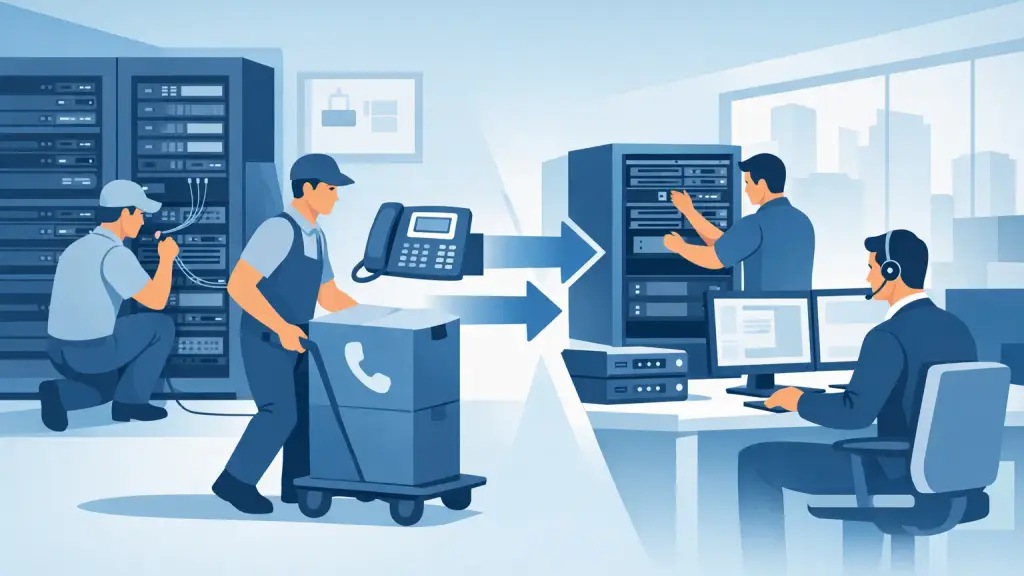
A PBX relocation is not a matter of unplugging a cabinet, loading it onto a truck, and reconnecting it at the new office. Knowing how to move PBX equipment correctly means protecting the call flow, programming, extensions, voicemail, carrier services, and cabling that keep your business reachable. One missed cross-connect or unrecorded setting can leave staff without dial tone when the doors open.
For Chicago-area businesses still operating Panasonic, Nortel, Avaya, NEC, Vodavi, or another legacy phone system, the safest approach is to treat the move as a communications cutover project. The goal is simple: preserve what works, identify risks before moving day, and have qualified support available if the unexpected happens.
Start With a PBX Relocation Assessment
Before anyone disconnects equipment, document the existing system and the requirements at the new location. This is where many costly relocation problems can be avoided. A PBX may look self-contained, but it depends on a network of components that can include processor cards, power supplies, trunk cards, station cards, voicemail hardware, batteries, carrier handoffs, patch panels, paging interfaces, fax lines, and door or alarm connections.
A proper assessment confirms the PBX manufacturer and model, software version, installed cards, extension count, and active trunk types. It should also identify every device tied to the system, including reception consoles, cordless phones, analog devices, conference units, overhead paging, and call accounting equipment.
Do not assume the new office is ready because it has wall jacks and an internet connection. Legacy PBX systems often require specific cable pairs, dedicated electrical circuits, grounding, demarcation access, and adequate rack or wall-mount space. If the new site has been remodeled, the old extension numbering and jack locations may no longer make sense for the way teams will work.
Document Programming Before the Move
The programming database is as valuable as the hardware. Obtain a current backup whenever the system supports one, then record critical settings outside the PBX as well. That includes extension assignments, hunt groups, auto attendant menus, call forwarding rules, speed dials, class-of-service permissions, voicemail routing, and inbound call paths.
A backup is not a substitute for documentation. Older systems may use proprietary software, an aging laptop, or specialized connection cables to access programming. If a backup cannot be restored because the correct tool is unavailable, a written record of the configuration gives the technician a path to recovery.
Coordinate Carrier Service and Call Routing Early
Phone service does not automatically follow the PBX to a new address. Carrier lead times, number portability requirements, and building access rules can affect the timeline. Start this work well before the physical move, especially if the business uses PRI, analog trunks, SIP service, dedicated circuits, or multiple phone numbers across locations.
Confirm whether existing numbers can be retained, when service will be activated at the new location, and whether temporary call forwarding is needed during the transition. For a business that receives appointment calls, customer service requests, or urgent field dispatches, a short period of poor routing can have an immediate operational cost.
Ask for the carrier handoff details at the new site and make sure the PBX technician has them before installation. This may include circuit type, demarcation location, network details for SIP service, and the party responsible for access to the telecom room. A carrier technician arriving after the PBX installer has left is a common and avoidable delay.
Prepare the New Site Before Moving PBX Equipment
The new location should be inspected and prepared before the old PBX is powered down. The system needs a clean, secure home with sufficient ventilation, reliable power, and room for service access. Equipment crammed into a closet without grounding, cooling, or cable management creates problems that may not appear until weeks after the move.
Verify that station cabling has been tested and labeled. Each cable run should be mapped to the intended desk, office, lobby phone, or common area device. If the company is adding employees, changing floor plans, or consolidating departments, this is the right time to update extension assignments rather than recreating an outdated layout.
A practical pre-move checklist should confirm these four items:
- Adequate power, battery backup, grounding, and ventilation for the PBX and related equipment.
- Tested, labeled voice and data cabling from the telecom room to every planned workstation.
- Carrier service activation, demarcation access, and required network information.
- Secure rack, backboard, or cabinet space with room for future service and expansion.
If the business is keeping its legacy PBX, reuse compatible cabling and phones where appropriate. If cabling is damaged, poorly labeled, or no longer supports the desired layout, replace or correct it before cutover. Moving a known problem to a new office only transfers the downtime risk.
How to Move PBX Equipment Safely
Once the new location is ready, schedule the physical move during the lowest-impact window possible. A weekend or after-hours cutover is often preferable, but the right timing depends on staffing, customer call volume, carrier availability, and the complexity of the system. Do not schedule a move when no one can answer key testing questions or approve changes.
Before shutdown, verify backups and take photos of the PBX cabinet, card positions, patch fields, and labeling. Label every cable at both ends. Mark each cabinet slot and card clearly before removal. Many legacy PBX cards look similar but serve very different functions, and installing a card in the wrong position can delay restoration or cause damage.
Power the system down according to manufacturer procedures. Remove cards and components carefully, using anti-static protection where appropriate. Pack equipment in protective materials, and keep cards, power supplies, hard drives, and documented configuration records together. Avoid leaving sensitive electronics in an unconditioned truck for extended periods, particularly during Chicago-area winter cold or summer heat.
At the new site, install the cabinet or rack first, then rebuild the system methodically. Restore cards to their documented positions, reconnect power and grounding, attach trunk and station cabling, and only then begin controlled power-up. Rushing this stage is where unlabeled cables and assumed connections create long troubleshooting sessions.
Test Calls Before Declaring the Move Complete
A PBX that powers on is not necessarily ready for business. Testing must follow the actual paths your callers and employees use. Confirm inbound and outbound calls, direct inward dialing numbers, receptionist operation, transfers, hold, voicemail, paging, emergency calling configuration, fax or analog devices, and any remote extensions or branch connections.
Test more than one type of call. For example, call the main number from an outside line, navigate the auto attendant, transfer to several extensions, leave a voicemail, and confirm that the message notification works. Test outbound local and long-distance calls according to company policy. If the system supports failover or alternate routing, confirm what happens when a primary service path is unavailable.
Keep the old location service active, when possible, until the new system has passed testing. This overlap may not always be available, but it provides a valuable fallback during a complex cutover. At minimum, establish a temporary call-routing plan so customers can reach a live person if an issue develops after hours.
Train Staff on What Changed
Even a successful technical relocation can create confusion if employees do not know their new extension, voicemail access method, or transfer procedure. Provide a short orientation before the first full business day. Reception and administrative staff should know the new call flow, any changed line appearances, and who to contact if a phone does not work.
Relocation is also a useful decision point. If replacement cards are difficult to source, the office needs greater flexibility, or the existing system cannot meet current needs, a hosted VoIP migration may be worth evaluating. That does not mean every legacy PBX should be replaced. A well-maintained system can remain a practical option, but the decision should be based on reliability, growth plans, and supportability rather than pressure to replace equipment prematurely.
For businesses that cannot risk communication downtime, professional PBX relocation support provides accountability from the site assessment through post-move testing. iTeleco supports legacy business phone systems across Chicago and surrounding suburbs, with 24/7 emergency service available when a phone system issue cannot wait.
The best move is one your customers never notice. Plan early, document carefully, test every call path, and keep experienced PBX support available until the new office is fully operational.