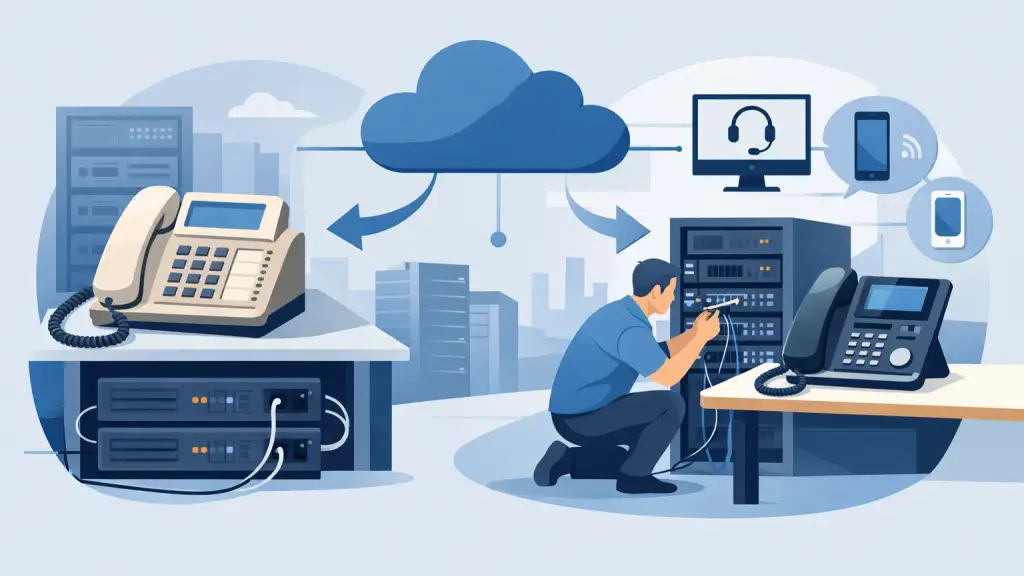
A receptionist answers on a familiar desk phone, extensions still transfer correctly, and the paging system works. Then the phone carrier announces changes, analog lines become harder to support, or the business needs remote employees. The question becomes urgent: can old PBX use VoIP without replacing every phone, port, and process overnight?
Often, yes. But the right answer depends on the age and condition of the PBX, the type of phone lines it uses, available interface cards, cabling, and what the business needs from its phone system next year, not just this month. A VoIP gateway can extend the useful life of some legacy systems. In other cases, a staged migration or hosted VoIP replacement is the more dependable business decision.
For Chicago-area businesses that rely on phones for scheduling, sales, dispatch, patient calls, or customer service, the priority is continuity. The goal is not to force a technology change. It is to keep communications working while building a practical path forward.
Can an Old PBX Use VoIP Through a Gateway?
A legacy PBX was designed to connect desk extensions to traditional phone service. Depending on its configuration, it may use analog trunk lines, digital PRI circuits, or older business line interfaces. VoIP sends voice calls over an internet connection using SIP technology rather than conventional phone circuits.
A gateway sits between those two environments. It converts calls between the PBX's existing trunk connection and a SIP-based VoIP service. In the right installation, employees can keep using their current phones and extension dialing while the business moves its outside call traffic to VoIP.
This approach is often a good fit when the PBX is stable, parts are still available, and the company has a reason to preserve its existing equipment. It may also make sense when specialized devices are attached to the phone system, such as door entry units, overhead paging, fax equipment, alarm interfaces, or analog lines for specific operational needs.
A gateway is not a universal fix. Older systems may have proprietary hardware requirements, limited trunk capacity, unsupported software, or unreliable station cards. If the PBX has recurring failures, poor call quality, no available spare parts, or limited programming flexibility, putting a VoIP gateway in front of it can postpone a larger problem rather than solve it.
What Must Be Checked Before Connecting VoIP
The question is not simply whether a PBX can place a VoIP call. Most businesses need to know whether it can do so reliably during busy periods and whether the configuration will remain supportable when something fails.
A proper assessment begins with the PBX model, software version, cabinet configuration, and current line type. Systems from Panasonic, Nortel, Avaya, Vodavi, NEC, and other major legacy manufacturers can differ significantly in their available interfaces and programming options. A technician must identify the exact cards installed, the number of incoming and outgoing call paths required, and whether the system can support the needed trunk connection.
The network also matters. Voice traffic is sensitive to delay, packet loss, and inconsistent bandwidth. A general internet speed test does not prove that a network is ready for business VoIP. The office network should be reviewed for adequate bandwidth, router capacity, traffic prioritization, switch configuration, and Wi-Fi or cabling issues that could affect voice quality.
Power planning deserves equal attention. Traditional phone infrastructure and hosted VoIP have different failure points. If the internet connection, network equipment, or gateway loses power, outside calling can be affected even if the PBX itself remains operational. Battery backup, backup internet options, and call-forwarding plans should be considered before deployment.
When Keeping the Existing PBX Makes Sense
Keeping a legacy PBX while adding VoIP can be a measured, business-friendly decision. It is not automatically a temporary compromise. A well-maintained system can continue serving an office effectively when it meets current operational needs and has a clear support plan.
This option is particularly practical when staff are accustomed to existing phones and call handling procedures. Training costs and disruption stay low because the daily user experience may change very little. The company can retain internal extension dialing, existing handset investments, and familiar features while changing how outside calls reach the system.
It can also help organizations phase their investment. A business may move inbound and outbound calling to SIP service first, then replace departments, locations, or aging components over time. That approach avoids treating every telecom decision as an all-at-once project.
However, maintenance needs should be realistic. Older phone systems eventually require replacement handsets, power supplies, station cards, programming support, and technicians who understand the platform. If the business depends on a system that cannot be repaired quickly after a failure, the apparent savings of keeping it may disappear during an outage.
Signs a Full Hosted VoIP Migration Is the Better Move
A hosted VoIP platform is often the stronger long-term choice when a business needs more flexibility than its existing PBX can provide. That includes remote and hybrid work, easy expansion across multiple locations, mobile access for employees, more detailed call routing, and simplified administration.
Replacement may also be advisable when the legacy system has become a source of operational risk. Repeated service calls, failing cards, unavailable parts, poor voicemail performance, capacity limits, or difficulty adding users are clear warning signs. A PBX that works only because one aging component has not failed yet is not a dependable foundation for customer-facing communications.
Hosted VoIP can reduce the dependence on a single on-site cabinet, but it does not eliminate the need for planning. Existing cabling may need review. Old desk phones may not be compatible. Fax, paging, door access, credit card terminals, alarm connections, and other analog devices need to be identified before cutover. A professional migration accounts for these details before the new service goes live.
The best migration plans also protect the business from avoidable downtime. Numbers should be ported in a coordinated sequence, call routing should be tested, and users should receive practical training on transfers, voicemail, conferencing, and any new features they will use daily.
A Staged Approach Can Reduce Risk
Businesses do not have to choose between preserving every piece of old equipment forever and replacing everything in one weekend. A staged transition often gives decision-makers more control.
For example, a company can keep the PBX operational while moving selected call paths to VoIP. It can upgrade one office or department first, validate call quality and workflows, then expand the deployment after staff are comfortable. Multi-location businesses can use this method to standardize communications without forcing each location into the same timeline.
The key is to avoid creating an unsupported patchwork. Temporary connections have a habit of becoming permanent when they are not documented. Every phase should include accurate programming records, labeling, network documentation, and a clear plan for who supports both the legacy equipment and the VoIP service.
A single provider that understands legacy PBX repair and modern hosted VoIP can make this transition easier to manage. Instead of assigning one vendor to the old system and another to the new platform, the business has a technician who can diagnose the full call path, from handset and PBX programming to network connection and VoIP service.
Questions to Ask Before You Decide
Before approving a gateway installation or a complete replacement, ask whether the current PBX is reliable enough to keep for another several years. Confirm whether replacement parts and qualified service remain available. Determine which business functions rely on the system beyond ordinary desk phones, and identify what happens to incoming calls during an internet or power outage.
Also ask what the business expects from communications going forward. If employees need to answer office calls from different locations, add users quickly, or manage calls across several sites, hosted VoIP may deliver capabilities that a legacy PBX cannot provide efficiently. If the current system is stable and staff need proven, familiar operation, integrating VoIP may be the right near-term move.
There is no value in replacing equipment merely because it is old. There is also no value in keeping aging hardware when it puts customer calls and daily operations at risk. The decision should be based on supportability, reliability, workflow requirements, and a realistic recovery plan.
For businesses in Chicago and the surrounding suburbs, iTeleco can assess legacy PBX equipment, diagnose existing phone issues, and recommend a practical repair, VoIP integration, or migration path. If a phone problem cannot wait, 24/7 emergency support is available at 773-340-7777. The best next step is a clear evaluation of what your system can still do well, what it cannot, and how to protect every call while you make the right change.