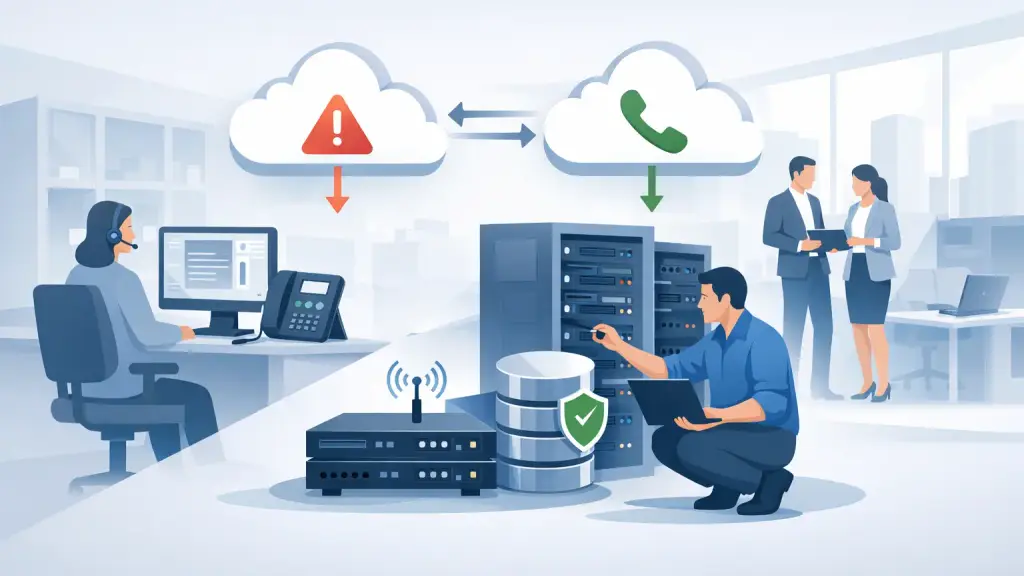
A phone outage rarely begins with a warning. An internet circuit drops during the morning rush, a construction crew damages a line, or a power event takes down equipment that has worked reliably for years. This VoIP failover guide explains how businesses can keep inbound calls reachable and maintain critical communication when their primary phone service is unavailable.
For offices that still operate a Panasonic, Nortel, Avaya, NEC, Vodavi, or other on-site PBX, failover planning requires extra care. Hosted VoIP systems can redirect calls quickly, but an older PBX may depend on specific trunks, handsets, cabling, power supplies, and programming. The right plan protects the customer experience now while giving the business a realistic path to modernize when it makes operational sense.
What VoIP Failover Actually Does
VoIP failover is the process of moving calls to an alternate destination when the normal calling path cannot be used. The goal is not necessarily to make an outage invisible. The goal is to prevent callers from reaching a dead line, receiving a busy signal, or assuming the business is closed.
A properly configured plan can send main-number calls to another office, a reception group, a designated employee, or a temporary answering location. Depending on the system and the cause of the interruption, outbound calling may also continue through an alternate connection or platform.
Failover is not the same as a backup internet connection. A secondary circuit can keep a hosted phone system online when the primary internet provider fails, but it does not solve every problem. A building-wide power outage, failed network switch, damaged PBX cabinet, or misconfigured call routing may require a different response. The best approach accounts for the specific points where your communications can fail.
Identify the Calls Your Business Cannot Miss
Start with the calls that directly affect revenue, safety, scheduling, or customer service. A medical office may need appointment and after-hours routing. A property management company may need emergency maintenance calls answered immediately. A manufacturer may need its receiving desk and dispatch team available during operating hours.
Do not treat every extension as equally critical. Identify your published main number, sales lines, service lines, after-hours line, fax or alarm-related connections where applicable, and any direct numbers used by key departments. Then decide where each one should go if the primary system is unreachable.
This exercise often reveals gaps that are easy to overlook. For example, calls may be forwarded to a single employee who is on vacation, or a multi-location company may have no documented rule for which office handles calls when one site loses service. A failover plan should name primary and secondary destinations, along with the person authorized to make routing changes.
Choose the Right Failover Method
There is no single failover design that fits every Chicago-area business. The appropriate solution depends on whether calls are delivered through a legacy PBX, SIP trunks, a hosted VoIP platform, traditional carrier lines, or a combination of services.
Common options include:
- Carrier-level call forwarding: Incoming calls are redirected before they reach the building. This is valuable when the office loses power, internet, or access to its phone equipment.
- Hosted auto attendant routing: A cloud-based menu directs callers to alternate users, departments, or locations when a site is unavailable.
- Secondary internet connectivity: A backup circuit or cellular connection keeps hosted phones and critical network equipment connected after a primary internet failure.
- Multi-site routing: Calls to one location roll to another staffed office, giving customers a live answer without relying on one person to handle every redirected call.
Carrier-level forwarding is often the most dependable protection against a complete site outage because the calls do not need to reach the affected office first. Hosted routing offers greater flexibility, such as menus, schedules, call queues, and different instructions for business hours. A secondary internet connection can reduce disruption, but it only works if the firewall, switches, wireless equipment, and phones also have power and are configured to use the backup path.
For a business with an older PBX, a hybrid design may be the right answer. The existing system can continue serving internal users and established workflows while key published numbers have a defined emergency forwarding plan. This avoids forcing a rushed replacement simply because continuity planning was overlooked.
Build a VoIP Failover Guide Around Real Failure Scenarios
A documented plan should be specific enough that an office manager, IT leader, or on-call technician can act without guessing. Avoid vague instructions such as “forward calls if the phones go down.” State who confirms the outage, who contacts the provider, where calls should be routed, and how staff will know the plan is active.
Consider three common scenarios. First, a primary internet outage may leave hosted desk phones offline while internet service at another site remains available. In that case, calls can route to the other office or a remote team. Second, a power outage may affect the entire building. Desk phones, network equipment, and a legacy PBX may all be unavailable, so carrier-level forwarding becomes more useful than an on-site backup connection. Third, a PBX or trunk failure may affect calling even though internet and power remain available. A qualified technician may need to diagnose the equipment while incoming calls are temporarily redirected.
Document the trigger for each scenario. Is failover automatic after a service failure is detected, or does a designated employee request it? Automatic routing is faster, but manual control may be preferable when a temporary network issue could resolve in minutes. The trade-off is operational: automation reduces response time, while human approval can prevent calls from being sent to an unprepared location.
Your guide should also include the exact numbers or groups receiving redirected calls, the business hours schedule, after-hours instructions, and a process for returning calls to normal service. Reverting service matters. Calls that remain forwarded after repairs can create confusion, missed transfers, and inconsistent caller experience.
Protect the Equipment Behind the Phones
Failover planning is not only about call routing. The equipment at the office must be protected well enough to support the plan you selected. Network switches, routers, firewalls, modem or gateway equipment, hosted VoIP phones, and legacy PBX components can all be affected by a brief power event.
Battery backup units can keep essential equipment running during short outages, but their capacity is limited. They should be sized for the equipment load and tested regularly. A backup internet circuit is also only useful if the network is configured to fail over properly and the critical devices remain powered.
For legacy PBX environments, inspect the cabinet, power supplies, trunk interfaces, voicemail equipment, and station wiring. Older systems can remain dependable when maintained, yet a failed card or aging power component can interrupt service without any warning from the internet provider. Keeping accurate programming records, extension assignments, and carrier information makes emergency troubleshooting much faster.
Test Before an Outage Tests You
A failover plan that has never been tested is an assumption, not a safeguard. Test incoming call routing at least twice a year and after any major change to phone service, internet service, office locations, staffing, or call flow.
During a test, place calls from an outside number to every critical published line. Confirm that the call reaches the intended backup destination, that the correct greeting or instructions play, and that staff can answer and return calls using an appropriate business number. If calls should route by schedule, test both open and closed conditions.
Also test the operational side. Do the people receiving overflow calls know what to say? Can they access customer records, calendars, dispatch information, or support tickets from the backup location? Technical routing is only half the solution. A call that reaches an unprepared employee can still create a poor customer experience.
Record the results, including the date, the numbers tested, the outcome, and any corrections required. This creates accountability and gives management a clear record that communications continuity is being maintained.
Know When a Legacy System Needs Added Protection
A legacy PBX does not automatically require replacement. Many businesses continue using established systems because the phones, features, wiring, and staff workflows are familiar and effective. However, it may need additional protection if replacement parts are difficult to obtain, carrier service has changed, the system lacks current programming documentation, or the business has grown beyond its original call capacity.
In those cases, the practical choice may be PBX repair and maintenance paired with a hosted VoIP failover path for critical numbers. This can provide continuity without disrupting every user at once. For organizations ready to move further, a staged migration can transition departments or locations while keeping the business reachable throughout the process.
For Chicago businesses that need hands-on help with legacy phone systems, hosted VoIP, or emergency call-routing issues, iTeleco provides 24/7 emergency support at 773-340-7777. The most effective time to define failover routing is before callers discover that your main number is unavailable.