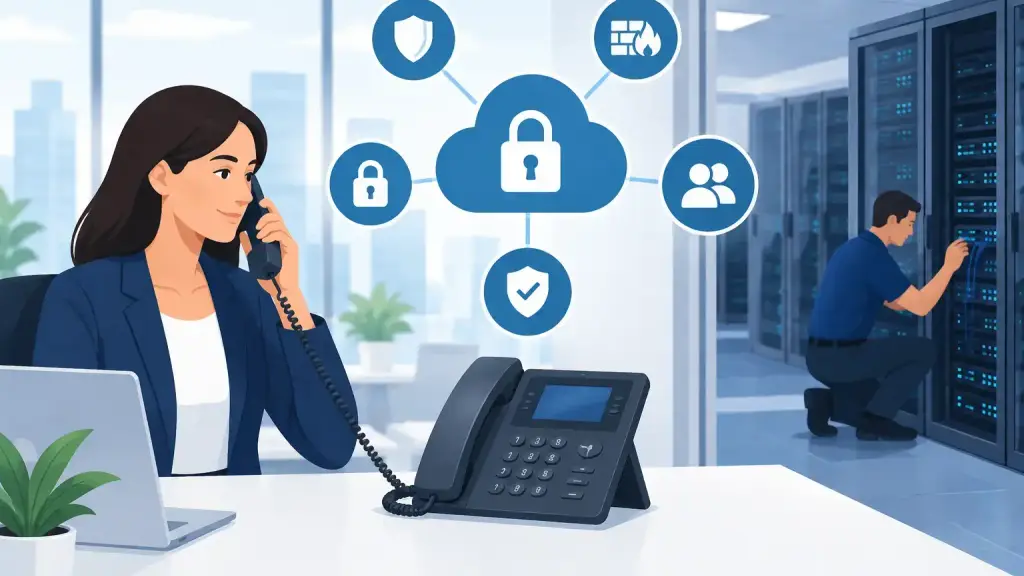
A spoofed caller ID, a compromised voicemail box, or unauthorized international dialing can become an expensive business problem before the first support ticket is opened. The top hosted calling security features are not just technical specifications. They determine who can access your phone system, what they can change, and how quickly your business can identify suspicious activity.
For Chicago-area businesses moving from an aging PBX to hosted calling, security should be evaluated alongside call quality, reliability, and support. A hosted platform can reduce the burden of maintaining on-site hardware, but it also changes the security model. Your phones, users, call records, administrators, and network connection must all be managed with clear controls.
Top Hosted Calling Security Features to Require
The right platform should give your business practical protections without making daily calling difficult for employees. The goal is controlled access, limited exposure, and fast response when something does not look right.
Multi-factor authentication for administrators
An administrator account can add users, reset passwords, change call routing, access recordings, and modify outbound dialing rules. That level of access should never rely on a password alone.
Multi-factor authentication requires an additional verification step, such as an authentication app or security key. If an administrator's password is exposed through phishing, password reuse, or a compromised device, the second factor can prevent an intruder from taking control of the phone environment.
Ask whether multi-factor authentication is available for all users, not only system administrators. At a minimum, it should be mandatory for anyone who manages call routing, billing, users, recordings, or system-wide settings.
Role-based access controls
Not every employee needs the ability to change a call queue, create a new extension, listen to recordings, or export call data. Role-based access control lets a business assign permissions based on job responsibilities.
An office manager may need to update greetings and review basic reports. A department supervisor may need access to their team's call queue. An IT manager may need broader administration. Those are different roles and should have different permissions.
This control limits the impact of an accidental change or compromised account. It also creates accountability. When each administrator uses an individual account instead of a shared login, you can determine who made a system change and when it happened.
Encryption for calls, signaling, and stored data
Hosted calling security should protect more than the voice conversation itself. Signaling data tells the system how to set up and route calls. Call detail records, voicemails, recordings, contact information, and system logs may also contain sensitive business information.
Look for encryption in transit for voice traffic and signaling, plus appropriate protections for stored recordings and voicemail. Encryption does not solve every security problem. It will not stop an authorized user from sharing a recording improperly, for example. But it reduces the risk of interception while information moves across networks and protects data if storage systems are accessed without authorization.
The practical question is whether the provider can clearly explain what is encrypted, where recordings are stored, who can access them, and how long they are retained. Vague answers are a concern, especially for businesses handling customer, patient, financial, or legal information.
Outbound calling controls that reduce toll fraud
Toll fraud occurs when someone gains access to a phone system and uses it to make unauthorized calls, often to high-cost destinations. It can affect both traditional PBX systems and hosted platforms. The difference is how quickly the platform can recognize and stop unusual activity.
A secure hosted calling system should allow administrators to limit international dialing, block unnecessary destination types, set spending or usage alerts, and restrict outbound permissions by user, department, or location. A front-desk extension may need local and domestic calling. It may not need the same calling rights as an executive or international sales team.
Businesses should also ask about after-hours fraud monitoring. Unauthorized activity frequently occurs outside normal business hours, when nobody is watching call reports. Automated alerts and provider-side detection are valuable, but they work best when paired with sensible dialing policies on the customer side.
Session border protection and network controls
A session border controller, often called an SBC, helps control how voice traffic enters and leaves a business network. It can enforce security rules, manage connections, and help protect against certain malicious or malformed traffic. For organizations with on-site equipment, multiple locations, or a phased transition from legacy PBX to hosted calling, this layer can be especially relevant.
Network configuration matters just as much. Phones and calling equipment should operate on a properly configured business network, ideally separated from general guest traffic. Firewalls should be reviewed for voice requirements, and remote users should follow secure connection practices.
Hosted calling does not eliminate the need for local network discipline. If the office network is poorly configured, employees can still experience call disruption, degraded quality, or exposure from unsecured devices. Before a migration, a professional assessment should consider the existing cabling, switches, internet connection, firewall settings, and any remaining PBX equipment.
Monitoring, audit logs, and real-time alerts
Security controls are more useful when someone can see whether they are working. Detailed audit logs record actions such as login attempts, password changes, extension updates, forwarding changes, and administrative configuration changes.
For a business owner or IT manager, logs provide a way to investigate a problem after the fact. For a support team, they can speed up diagnosis when calls begin routing incorrectly or a user reports unexpected changes. Real-time alerts add another layer by notifying the right person when unusual login behavior, abnormal call volumes, or administrative changes occur.
The trade-off is alert fatigue. If every minor event triggers an email or text message, meaningful warnings get ignored. Configure alerts around events that require action: a new administrator account, an international dialing spike, repeated failed login attempts, call forwarding changes, or an unexpected change to emergency calling information.
Secure voicemail, recordings, and call data
Voicemail and recordings are easy to overlook because they feel like routine phone features. Yet they can contain customer names, order details, account information, staffing discussions, and other sensitive material.
Good security controls include individual mailbox passwords, forced password changes when appropriate, access limits for recordings, and defined retention settings. A business should decide how long it truly needs recordings and voicemails. Keeping everything forever increases exposure and makes administration harder.
Recording policies also need to match operational and legal requirements. Some teams need recordings for quality assurance, documentation, or training. Others may be better served by shorter retention periods or recordings limited to specific queues. The right approach depends on your industry, internal policies, and how your staff handles customer information.
Security Depends on Implementation, Not Just Features
A hosted calling provider may offer every major security feature, but the configuration is what protects the business. Multi-factor authentication is ineffective if it is optional and nobody enables it. Permission controls do little good when several people share one administrator login. Fraud controls cannot help if every extension is allowed unrestricted international dialing.
This is where a planned deployment matters. Before moving users, document extensions, call queues, auto attendants, forwarding rules, emergency locations, voicemail needs, and administrative responsibilities. Identify which features are necessary for each department rather than applying the same settings everywhere.
Businesses with older Panasonic, Nortel, Avaya, NEC, Vodavi, or other legacy systems should pay particular attention to the transition period. Hybrid environments can be practical when equipment must remain active while a new platform is deployed in stages. They can also create confusion if call routing, user permissions, and support responsibilities are not documented clearly.
Questions to Ask Before Selecting Hosted Calling
Security conversations should be specific. Ask who owns user provisioning and offboarding, how quickly access can be disabled when an employee leaves, and whether audit logs are available to your administrators. Ask how the provider detects fraudulent calling, what restrictions can be placed on outbound traffic, and what happens when suspicious activity is found overnight.
Also ask about support. A technical feature is only part of the answer when a business loses phone service or suspects unauthorized changes. You need a defined path to knowledgeable assistance, especially when calls affect sales, scheduling, customer service, and emergency coordination.
For businesses that need to keep legacy phone equipment operating while planning a secure move to hosted calling, iTeleco provides hands-on support for system assessment, PBX maintenance, programming, and modern phone system deployments. A clear security plan should be part of the conversation from the first extension through the final cutover.
Choose a hosted calling system that gives your business control without creating unnecessary work for employees. When access, dialing rights, network configuration, and monitoring are set correctly from the start, your phone system is better prepared to support the work that depends on it every day.