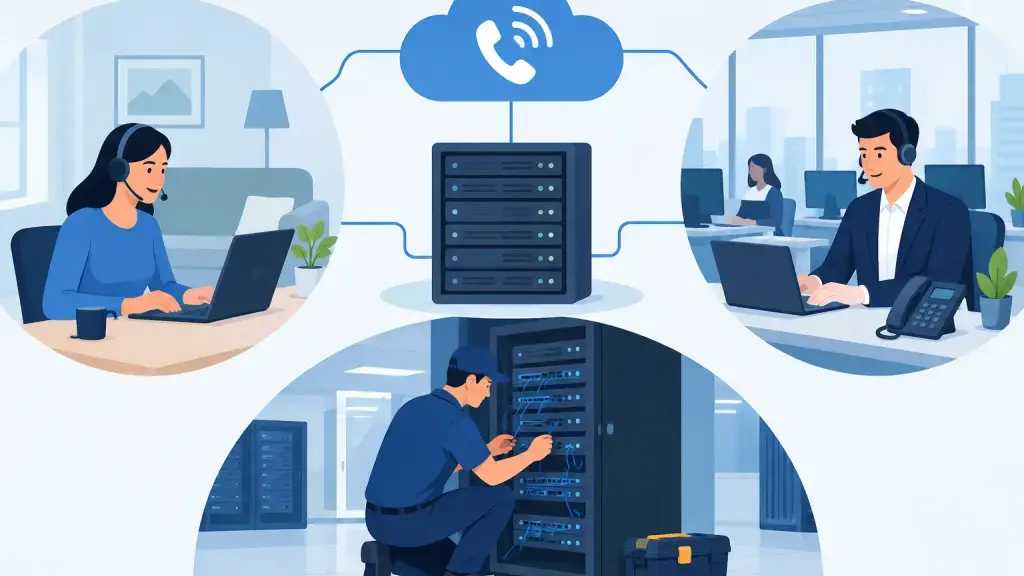
A receptionist is working from home, a sales manager is visiting clients, and the main office still depends on its existing phone system. The practical question is: can PBX support remote workers without forcing the business to replace equipment that still works? In many cases, yes. But the answer depends on the PBX model, its available features, the company’s internet setup, and how much remote access the business actually needs.
For Chicago-area businesses with legacy phone systems, the goal is usually not to chase new technology for its own sake. It is to keep employees reachable, preserve established business numbers and call flows, and avoid downtime while supporting a more flexible workforce. A qualified PBX technician can determine whether the current system can be extended, whether it needs an add-on or programming change, or whether a hosted VoIP option is the more practical long-term fit.
Can PBX Support Remote Workers Securely?
A PBX can support remote workers when it has a reliable way to extend business calling beyond the office. That may involve remote extensions, softphone applications, SIP connectivity, call forwarding, mobile twinning, or a hosted VoIP layer. The right method is not the same for every system.
Modern IP PBX platforms are generally built with remote connectivity in mind. Employees can use an approved desk phone at home, a computer-based softphone, or a business calling application. Calls to the office number can ring wherever the employee is working, while outbound calls can still display the company’s main number rather than a personal number.
Older systems can also support remote work, but often with more limits. A traditional Panasonic, Nortel, Avaya, NEC, Vodavi, or similar legacy PBX may not natively provide every remote feature expected from a current cloud platform. That does not make the system obsolete. It means the configuration needs to be evaluated carefully. In some cases, call forwarding and remote voicemail access are enough. In others, an external VoIP gateway, SIP service, or phased migration is the better route.
Security matters as much as convenience. Remote extensions and softphones should not be added casually to an internet connection. Poorly configured remote access can expose the system to toll fraud, unauthorized use, dropped calls, and inconsistent voice quality. A business should use secure credentials, restrict administrative access, keep PBX software current where possible, and make sure its internet firewall is set up for voice traffic.
What Remote Employees Need From the Phone System
Remote work support is more than forwarding calls to an employee’s cell phone. Forwarding may be appropriate for a small team or temporary situation, but it can create gaps in customer service if calls cannot be transferred, tracked, or returned from the company number.
A properly planned remote setup should preserve the functions employees use every day. That usually includes direct extensions, voicemail, call transfer, hold, caller ID, conference calling, and access to an auto attendant or live receptionist. For customer-facing teams, the system should also maintain consistent call routing. A customer calling the main number should reach the correct department whether that employee is in the office, at a branch location, or working from home.
The internet connection at each remote location is also part of the phone system. Voice calls need enough stable upload bandwidth and low enough latency to avoid choppy audio, delays, and dropped calls. A remote employee sharing a weak connection with video meetings, large file transfers, and other household traffic may have a poor calling experience even when the PBX itself is configured correctly.
For employees who handle high call volume, a managed desk phone or business-grade headset can be more dependable than relying solely on a personal device. It gives staff a familiar experience and makes call handling faster. For occasional remote users, a softphone may be sufficient. The best choice comes down to each employee’s role, call volume, and need for advanced functions.
Common Ways a PBX Extends to Remote Staff
Businesses typically choose one of several approaches. The simplest is call forwarding from an office extension to another number. It is quick to implement and may work well during a short-term office closure or for a limited number of users. The trade-off is reduced control over transfers, caller ID behavior, voicemail, and reporting.
A more capable option is remote extension service through an IP-capable PBX or VoIP connection. The employee can use a desk phone or softphone that behaves much like an office extension. This approach is often a strong fit for staff who regularly answer inbound calls, transfer customers between departments, or need a consistent business identity.
Some organizations keep their existing PBX for the office while adding hosted VoIP for remote users or future growth. This hybrid approach can protect the investment in working legacy equipment while giving distributed employees newer calling tools. It can be especially useful when a business has a stable main office but expects to add locations, remote sales staff, or flexible schedules over time.
A full hosted VoIP migration may make more sense when the existing PBX is difficult to maintain, lacks supported parts, cannot provide needed remote features, or has become a source of repeated operational issues. That decision should be based on business requirements and system condition, not pressure to replace equipment prematurely.
Questions to Answer Before Changing Your Setup
Before adding remote workers to a PBX, map the actual calling workflow. Identify who answers the main line, who needs a direct extension, which employees transfer calls, and what happens after hours. A solution that works for three administrative users may not work for a dispatch team, medical office, service department, or multi-location business.
It also helps to answer these questions early:
- Do remote employees need to make outbound calls using the company caller ID?
- Must staff transfer live calls to office extensions, outside numbers, or other remote employees?
- Are calls recorded, queued, or routed by department?
- Does the current PBX have supported remote-access capabilities or available expansion options?
- Can each remote location provide a stable, business-appropriate internet connection?
- Who will troubleshoot a phone, network, or call-routing issue when a remote user cannot receive calls?
These details affect the design, the equipment needed, and the level of ongoing support. They also prevent a common problem: remote calling is added quickly, but no one has documented how calls should route when an employee is unavailable or an internet connection goes down.
Why Professional PBX Programming Matters
Remote access touches more than one setting. Extension programming, voicemail, inbound call routing, caller ID, network configuration, and emergency calling requirements all need attention. Changes made without a full understanding of the existing system can disrupt office users who were not part of the remote-work project.
This is particularly true for legacy PBX systems. Many established businesses have customized call flows that were built around their staffing, departments, and customer service process. The phone system may have years of programming behind it, including hunt groups, paging, door access, analog lines, fax equipment, alarms, or specialized devices. A technician should assess these dependencies before changing trunks, extensions, or call-routing rules.
Professional testing is just as important as installation. Test inbound calls, outbound dialing, transfers, voicemail, after-hours routing, and caller ID from each remote setup. Test what happens if an employee’s internet goes offline. Confirm that staff know how to sign in, use their extension, and report a problem. User training reduces avoidable support calls and helps employees provide a consistent experience to customers.
When to Keep the PBX and When to Upgrade
Keeping a legacy PBX is sensible when it is reliable, supported, meets the business’s core calling needs, and can be adapted for the remote team. A repair, maintenance plan, programming update, or targeted VoIP addition may provide the needed flexibility without a disruptive replacement.
An upgrade deserves consideration when remote work has become permanent, employees need features the current system cannot safely deliver, replacement parts are difficult to obtain, or the business needs easier management across several locations. Hosted VoIP can simplify administration and make it easier to add or move users, but it also makes internet reliability a central operational dependency. The transition should be planned around business continuity, not treated as a quick equipment swap.
For businesses in Chicago and the surrounding suburbs, iTeleco can assess an existing PBX, diagnose limitations, and recommend a practical route that protects phone service. That may mean maintaining and extending the system you have, or creating a controlled path to hosted VoIP when it is the right operational decision.
Remote workers should not have to choose between flexibility and professional call handling. With the right PBX assessment, careful programming, secure connectivity, and responsive support, employees can work where they are needed while customers continue reaching the business without interruption.