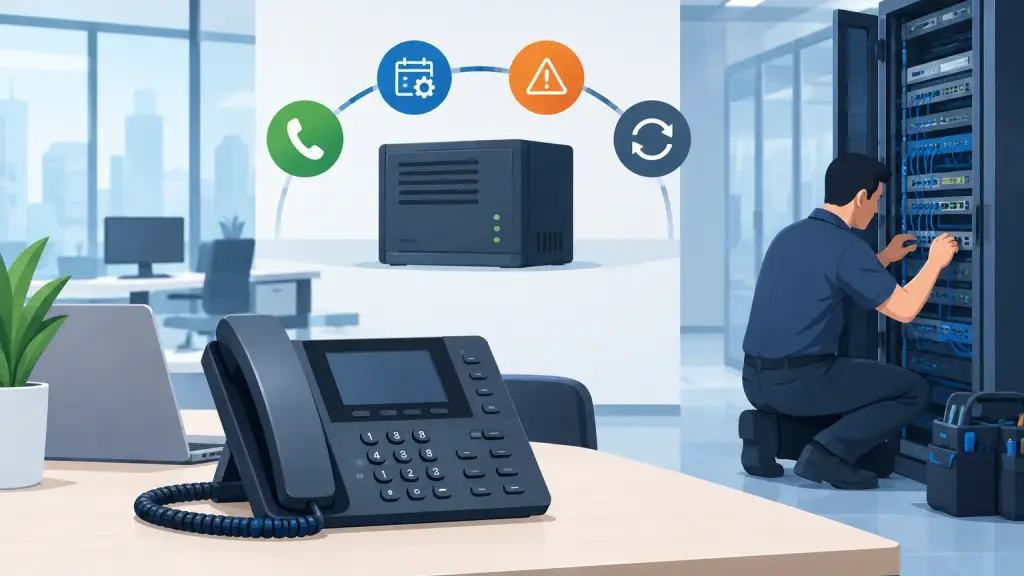
A receptionist cannot answer a caller because the main cabinet has failed. A medical office loses its scheduling line. A warehouse cannot reach drivers. Those are the moments when business owners ask, how long does PBX last - often after an aging system has already become a business risk.
The short answer is that a well-maintained on-premises PBX can commonly provide 10 to 20 years of useful service, and some legacy systems remain operational longer. But age alone does not decide whether a PBX should be repaired, maintained, or replaced. The availability of parts, condition of the wiring, reliability of the software and carrier connections, and your business's operational needs matter just as much.
For Chicago-area businesses still using Panasonic, Nortel, Avaya, NEC, Vodavi, and similar business phone systems, the right decision is usually not "replace everything" or "keep it forever." It is a practical plan that protects phone service now while preparing for the future.
How Long Does a PBX Last in a Business Environment?
A commercial PBX is built for continuous use. The main control unit, station cards, power supply, voicemail components, and handsets can outlast many other office technology investments when they are installed correctly and supported by qualified technicians.
A typical life expectancy looks like this:
- 10 to 15 years is a reasonable planning range for many PBX systems with normal maintenance.
- 15 to 20 years or more is possible when the equipment is in a clean environment, has stable power, and receives prompt repair when issues appear.
- Less than 10 years can happen when systems face electrical events, poor ventilation, water exposure, neglected batteries, damaged cabling, or repeated makeshift repairs.
A legacy PBX does not automatically fail because it reaches a certain birthday. Plenty of older systems continue to serve offices, schools, clinics, manufacturers, and multi-location businesses reliably. The greater concern is whether a failure can be repaired quickly and whether the system still supports the way your team communicates.
What Determines PBX System Life?
The cabinet on the wall or in the telecom room is only one part of the equation. A PBX depends on power, programming, wiring, network or carrier connections, and compatible phones. A weakness in any of those areas can look like a PBX failure.
Power quality and backup protection
Power supplies are among the most important components in a PBX. Electrical surges, frequent outages, failing batteries, and inadequate surge protection can shorten the life of processors and cards. If a system has no properly maintained battery backup, even a brief outage can interrupt operations and expose equipment to avoidable stress.
A technician should check the system's power supply, grounding, backup battery condition, and shutdown behavior as part of routine maintenance. This is especially valuable for businesses where every missed call affects revenue, dispatch, appointments, or customer service.
Environment and physical condition
PBX hardware does not need a showroom, but it does need a suitable equipment area. Excess heat, dust buildup, moisture, pest activity, and poor airflow can cause intermittent problems that become harder to diagnose over time. Telecom rooms also tend to collect miscellaneous equipment, extension cords, and unmarked cabling, making a future repair slower than it should be.
A clean, labeled, accessible installation helps protect equipment and gives a service technician a faster path to the actual problem during an emergency call.
Parts availability
A PBX can be technically functional while becoming difficult to support. Manufacturers eventually discontinue platforms, phones, cards, voicemail units, and software. Quality replacement parts may still be available, but sourcing them can take more effort as a system gets older.
That does not mean an older PBX is a lost cause. It means businesses should know which components are critical, which spare parts are worth keeping on hand, and whether a qualified provider can obtain and install replacement hardware when needed. A proactive assessment is far less disruptive than finding out during a Monday-morning outage that a critical card is no longer readily available.
Programming and documentation
A PBX is not just hardware. Its programming controls extensions, call routing, voicemail, after-hours coverage, hunt groups, caller ID, and other daily functions. If nobody has current records of the programming, passwords, circuit details, or cable layout, a manageable repair can turn into a longer service event.
Documentation also matters when employees change roles, offices move, or the business adds locations. Keeping an accurate record of system configuration extends the practical life of the PBX because changes can be made correctly instead of patched together over years.
Signs Your PBX Needs Service Before It Fails
Most PBX systems give warning signs before a major outage. Static, dropped calls, extensions that intermittently fail, voicemail problems, no dial tone on a group of phones, and calls routing to the wrong destination all deserve prompt attention.
Other signs are less obvious. The system may reboot unexpectedly, phones may lose time and date settings, users may report one-way audio, or certain departments may have recurring call transfer problems. These issues can stem from a failing card, power supply instability, damaged station wiring, programming errors, carrier trouble, or network equipment. Guessing wastes time. Proper diagnostics identify the actual source.
Do not wait until all phones are down to schedule maintenance. A fast response is valuable during an emergency, but planned service gives your business more options and reduces the chance of a rushed replacement decision.
When PBX Repair Still Makes Business Sense
Repair is often the right choice when the system is stable overall, replacement parts are available, and the phone system continues to meet operational needs. For example, a failed power supply, damaged phone, bad extension card, or programming issue does not automatically justify replacing an entire PBX.
Keeping a legacy system can also make sense when employees know the phones, the current call flow works well, and there is no immediate need for remote users, advanced reporting, or broader platform integration. The goal is not to replace dependable equipment simply because it is older. The goal is to maintain reliable communications with a realistic support plan.
A qualified PBX technician can inspect the system, isolate the failure, verify the condition of critical components, and explain whether the repair is a sensible long-term move. That assessment should be based on evidence, not pressure.
When to Plan a PBX Upgrade or Hosted VoIP Move
There comes a point when repairs become reactive rather than strategic. If outages are recurring, parts are increasingly difficult to obtain, system capacity is limited, or the business needs capabilities the current platform cannot provide, it is time to evaluate an upgrade.
Hosted VoIP can be a practical next step for businesses that need easier expansion, support for multiple locations, flexible call routing, remote employee connectivity, or less dependence on aging on-site hardware. However, migration should be planned carefully. Existing cabling, internet reliability, network readiness, emergency calling requirements, call flows, and user training all affect the result.
A rushed conversion after a complete PBX failure creates unnecessary pressure. A planned migration allows the business to review what is working, retain useful processes, train users, and move at a pace that protects day-to-day operations.
Build a Practical PBX Continuity Plan
The best answer to how long a PBX will last is not a number on a spreadsheet. It is a service plan. Keep the telecom room accessible, maintain power protection, document programming and carrier information, address intermittent problems early, and schedule periodic inspections of the system and cabling.
Businesses should also identify their most critical communication functions: main number routing, receptionist coverage, emergency lines, door access phones, paging, fax or alarm connections, and department call groups. Knowing what must stay operational helps prioritize repair work and makes any future upgrade far more controlled.
For organizations in Chicago and the surrounding suburbs, iTeleco provides legacy PBX repair, maintenance, programming, cabling, relocation, and 24/7 emergency support, along with a practical path to hosted VoIP when the time is right. The useful question is not whether an older PBX is fashionable. It is whether your team can depend on it when the next important call comes in.