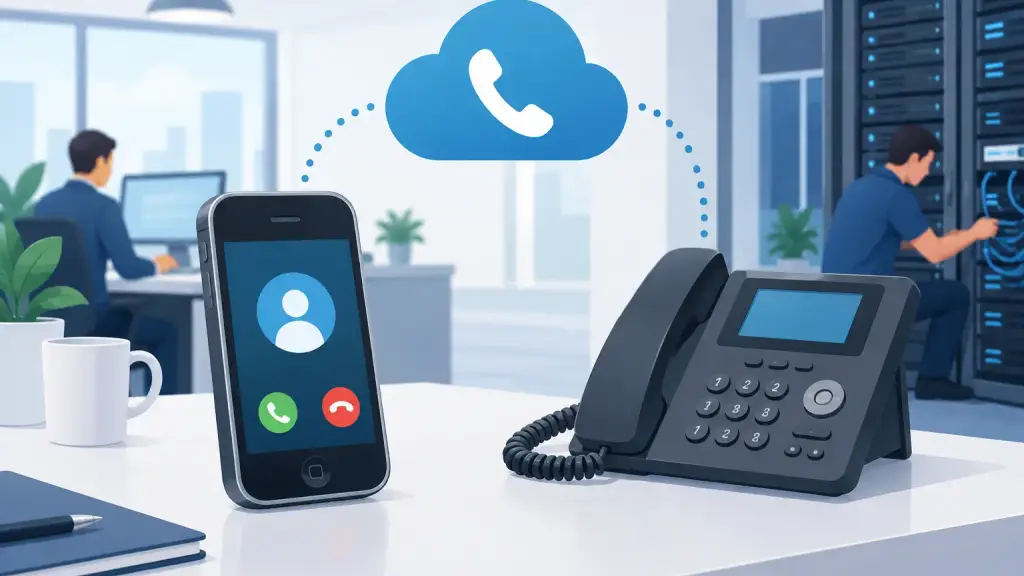
A working desk phone is not automatically ready for internet calling. Can old phones use VoIP? Sometimes, but the answer depends on what type of phone it is, how it connects to your current PBX, and whether your business needs to preserve existing features such as extensions, paging, door phones, call coverage, and voicemail.
For businesses with legacy systems, the wrong assumption can create unnecessary downtime. Replacing every phone may not be required. On the other hand, plugging an older proprietary handset into a network port will not turn it into a VoIP phone. A proper assessment identifies what can remain, what requires an adapter or gateway, and what should be replaced as part of a planned upgrade.
Can Old Phones Use VoIP Without Being Replaced?
The first distinction is between the telephone set and the phone system behind it. VoIP is a method of carrying calls over an IP network or internet connection. It does not describe one specific type of handset.
Many older business phones were designed to communicate with a particular PBX cabinet. A Panasonic, Nortel, Avaya, Vodavi, or NEC digital handset may use a proprietary signaling method and wiring arrangement. Those phones generally cannot register directly to a hosted VoIP service, even if the building has excellent internet service. They need their compatible PBX to interpret the signals.
That does not mean the phones are obsolete. If the PBX is reliable and appropriately maintained, a business may be able to retain its existing handsets while moving its outside calling to VoIP through a compatible gateway or SIP trunk configuration. The phones still operate through the on-site PBX, while the PBX connects to the VoIP service for incoming and outgoing calls.
This approach can be a practical bridge for an office with functioning equipment, trained staff, and a need to avoid disruption. It can also preserve familiar extension dialing and established call-handling procedures while the organization plans a larger modernization project.
Which Old Business Phones Can Work With VoIP?
Compatibility comes down to the connection type. Old phones usually fall into three categories: analog phones, proprietary digital phones, and IP phones.
Analog telephones
Standard analog sets can often work with VoIP by using an analog telephone adapter, sometimes called an ATA. The adapter converts the analog phone signal to a VoIP-compatible connection. Analog devices are common in conference rooms, fax applications, elevators, alarm panels, credit card terminals, cordless phone bases, and emergency lines.
An adapter can be useful, but it is not a universal fix. Older analog equipment may have limited audio quality, and special functions can require configuration or testing. Faxing, for example, can be sensitive to network conditions and codec settings. Life-safety and alarm equipment should always be evaluated carefully to confirm it meets the operational and regulatory requirements of the site.
Proprietary digital PBX handsets
Digital phones made for a specific PBX are different. They may look like ordinary desk phones, but they are programmed to work with one family of control equipment. Their display keys, message lamps, call appearance buttons, intercom functions, and other features rely on the PBX.
These phones can often remain in place if the business keeps the PBX and connects it to VoIP through a properly designed solution. They typically cannot be reused as direct hosted VoIP endpoints. Trying to force that connection can result in no dial tone, missing features, or damage caused by using the wrong power or wiring arrangement.
Older IP phones
Some older business handsets are already IP phones. In that case, they may be able to work with a new VoIP platform, but compatibility still is not guaranteed. The handset must support the provider's provisioning method, security requirements, codecs, firmware level, and feature set.
A phone that can make a call is not necessarily a good long-term choice. If it cannot receive security updates, support modern encryption, or reliably provide features your users need, replacement may be the safer operational decision.
Keeping a Legacy PBX and Adding VoIP
For many established offices, the most sensible answer is neither "replace everything" nor "do nothing." A legacy PBX can often be retained and integrated with VoIP service, giving the business a controlled transition rather than a rushed cutover.
This model is especially useful when the existing system supports numerous physical extensions, paging equipment, door access phones, warehouse locations, or specialized call routing. Replacing these components all at once can introduce risk and training demands that are out of proportion to the immediate benefit.
A qualified technician evaluates the PBX model, software level, line cards, available ports, cabling, current call volume, and the type of VoIP connection being considered. The goal is to confirm that the system can communicate reliably with the new service and that the design will preserve critical calling functions.
There are trade-offs. Maintaining an older PBX may be appropriate when the equipment is stable and parts remain available. It may be less attractive when failures are increasing, expansion is difficult, or the system cannot support the mobility, multi-location administration, and reporting requirements of the business.
When Replacing Old Phones Makes More Sense
A full hosted VoIP migration is often the better long-term route when an organization needs easier growth, remote-user support, centralized management, or a consistent system across several locations. New IP handsets are designed for that environment and can provide better visibility, feature support, and maintainability.
Replacement is also worth considering when legacy phone sets are failing, display screens are dim, buttons are worn, or replacement inventory has become difficult to source. A single failing handset may be manageable. Repeated equipment failures across departments are a signal that the business should build a migration plan before an emergency forces one.
Before making that decision, review more than the phones themselves. The network must support voice traffic with adequate bandwidth, quality of service, reliable switching, and backup power where needed. A VoIP system depends on the local network and internet connection, so the project should include an assessment of those components rather than treating the handsets as a stand-alone purchase.
Questions to Answer Before You Make a Change
Before deciding whether old phones should stay or go, business leaders should document how the current system is actually used. The following questions prevent surprises during a repair or migration:
- Which phones are analog, proprietary digital, or already IP-based?
- What features are essential for reception, sales, customer service, and operations?
- Are there fax lines, alarms, elevator phones, paging systems, door phones, or other special devices connected to the phone system?
- Does the office need support for remote staff, additional locations, or frequent changes in staffing?
- Is the existing PBX dependable, serviceable, and capable of meeting the business's needs for the next several years?
These answers determine whether an adapter, a PBX-to-VoIP integration, targeted repairs, or a complete hosted VoIP deployment is the right choice. They also help define a migration sequence that keeps departments reachable while work is performed.
Avoid the “Plug It In and See” Approach
Phone infrastructure affects customer calls, emergency procedures, scheduling, and internal coordination. An untested change can leave users unable to transfer calls, reach voicemail, receive inbound calls, or use a critical overhead paging feature.
Any VoIP transition should include call-flow testing before the final cutover. Test inbound and outbound calling, extension dialing, transfer methods, caller ID, voicemail, auto-attendant behavior, fax or special equipment, and failover procedures. If the business has a main number used by customers, verify porting and routing plans in advance so there is no gap in service.
For Chicago-area businesses operating older PBX systems, iTeleco can diagnose legacy equipment, repair and maintain compatible systems, and provide a practical path to hosted VoIP when it is the right fit. Fast-response technical support matters most when phone problems affect daily operations, not after a failed experiment has already interrupted service.
The right question is not simply whether an old phone can use VoIP. It is whether retaining that phone supports a dependable communication plan for your staff, customers, and business operations.