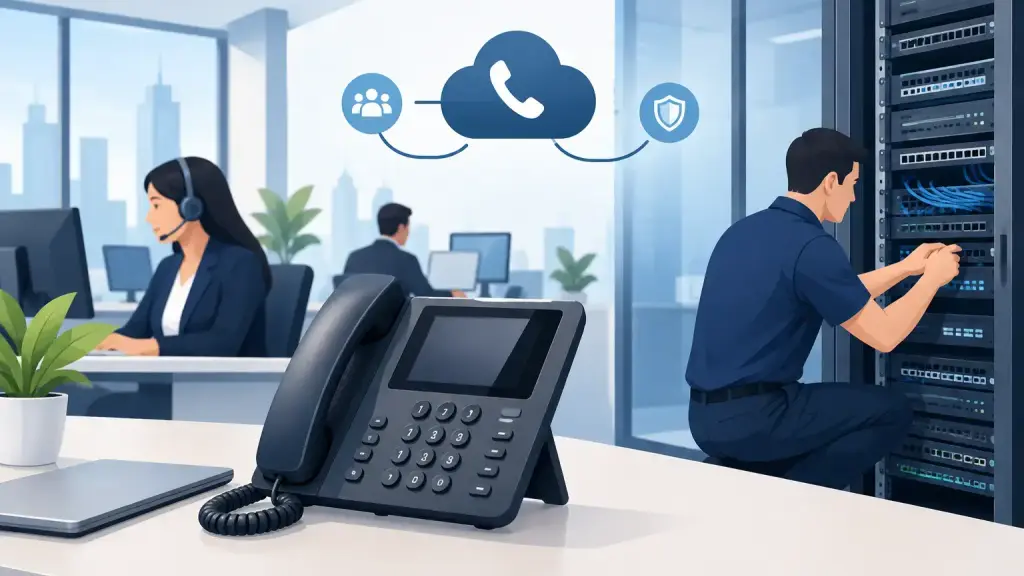
A phone system can appear to be working right up until a receptionist cannot transfer a customer, a department loses dial tone, or every incoming call lands on one extension. For businesses still relying on Avaya equipment, those interruptions are rarely minor. They affect sales, scheduling, customer service, and internal operations immediately.
This Avaya system guide is built for business owners, office managers, and IT teams who need a practical way to keep an existing Avaya PBX dependable. It covers the questions that matter most: what system you have, what routine care prevents outages, when basic troubleshooting is appropriate, and when a qualified technician should take over.
Start With the Avaya System You Actually Have
“Avaya system” can mean very different equipment. Some businesses operate an older IP Office platform with digital or IP desk phones. Others have legacy Partner, Merlin Magix, Definity, or Aura-related equipment. The right maintenance plan, replacement parts, programming method, and upgrade options depend on the specific platform.
Begin by documenting the system cabinet or control unit model, software release, phone model numbers, carrier circuits, voicemail equipment, and any network switches that support IP phones. Keep current programming records as well, including extension assignments, hunt groups, call coverage paths, auto attendant schedules, and emergency calling settings.
This documentation is not busywork. When an outage occurs, it helps a technician identify whether the problem is with the PBX, a handset, a line card, a carrier service, power, cabling, or network connectivity. It also prevents costly guesswork when an employee moves, a department expands, or a location is relocated.
The Core Parts That Keep Calls Moving
An Avaya phone system is not one device. It is a chain of components, and a failure anywhere in that chain can produce similar symptoms.
The control unit handles call processing and programming. Trunks connect the system to outside telephone service. Station ports and cabling connect user phones. Voicemail answers and routes calls after hours or when staff are unavailable. For IP-based configurations, network switches, power-over-Ethernet, routers, and internet connectivity may also be part of the call path.
That is why “the phones are down” is not enough information for a useful diagnosis. A better report identifies the scope of the issue. Is it one phone, one department, one floor, all inbound calls, all outbound calls, or only voicemail? Does the issue happen continuously or at a certain time of day? Clear symptoms shorten the repair process.
Routine Maintenance Prevents Avoidable Downtime
Legacy Avaya systems can remain productive for years when they are maintained correctly. Age alone does not require immediate replacement. The more useful question is whether the equipment remains stable, supportable, and appropriate for the way your business communicates.
A practical maintenance plan should include periodic inspection of power supplies, batteries, cards, connections, patch cables, and ventilation. Dust, heat, loose connections, failing backup batteries, and improvised cabling can all become service interruptions. Systems housed in closets without cooling or with limited access deserve particular attention.
Programming should be reviewed whenever there are staffing or operational changes. Old extensions, former employees’ voicemail boxes, outdated holiday greetings, and incorrect call forwarding are common sources of missed calls. If a main number forwards to a disconnected extension after hours, the system may technically be functioning while customers still cannot reach anyone.
Backups matter too. Current system programming and voicemail configuration can reduce recovery time after a hardware failure or major service event. For systems with limited remaining support options, keeping accurate records and maintaining access to compatible parts is especially valuable.
Common Avaya Problems and What They May Mean
A few simple checks can help your team provide useful information before requesting service. They should not replace professional repair, especially when the issue affects multiple users or outside calling.
No dial tone on one phone may point to a handset, line cord, wall jack, station port, or local cabling issue. If another known working phone also fails at the same jack, the problem is likely beyond the original handset.
A phone that will not power up may have a failed power adapter, damaged cable, inactive network switch port, or power-over-Ethernet issue. For digital sets, moving the phone to a known working extension can help isolate whether the phone or the station port is at fault.
If callers hear a busy signal, receive a recording, or cannot reach the main number, the issue may involve carrier service, trunks, auto attendant routing, or system programming. When all outgoing calls fail, do not assume the PBX has failed. Carrier trouble, circuit alarms, and service-provider issues can create the same result.
Poor audio, echo, static, or calls that drop can be caused by bad wiring, network congestion, failing equipment, or carrier conditions. On IP systems, voice quality depends heavily on network design. A data network that works acceptably for email and web browsing may still create poor call quality if voice traffic is not properly prioritized.
When to Call for Avaya Repair Immediately
Some issues should be treated as operational emergencies. Call for professional support when all or most phones lose service, inbound or outbound calling fails across the office, the control unit shows alarms, the system repeatedly reboots, or emergency calling could be affected.
You should also request service if the system has been exposed to water, electrical damage, overheating, or a power event. Repeatedly rebooting a PBX may temporarily restore service, but it can also erase useful diagnostic information and delay a proper repair.
Avoid moving cards, disconnecting system components, or changing unfamiliar programming during an active outage. A well-intended adjustment can take down additional stations or overwrite routing that was previously working. The priority is restoring communication while protecting the system configuration.
For Chicago-area businesses that cannot wait for standard business hours, iTeleco provides 24/7 emergency repair and on-site Avaya support. Fast response is particularly important for medical offices, service dispatch teams, property managers, manufacturers, and any organization where missed calls quickly become missed revenue or delayed service.
Repair, Maintain, or Move to Hosted VoIP?
An Avaya system does not have to be replaced simply because it is older. Repair and continued maintenance often make sense when the system is stable, replacement parts are available, users are comfortable with their phones, and the business does not need major changes in how calls are handled.
Modernization may be the better choice when hardware failures are becoming frequent, system capacity is exhausted, remote staff need easier connectivity, multiple sites need centralized call handling, or the existing platform cannot support current operational needs. Hosted VoIP can offer flexibility, but it also depends on reliable internet service, a properly prepared network, and thoughtful call-flow planning.
The best decision is often phased rather than abrupt. A business may maintain its existing Avaya system while planning a controlled migration for a future office move, contract change, or expansion. That approach protects continuity instead of forcing a rushed decision during an outage.
A Better Way to Manage Your Phone System
Assign ownership of your phone system, even if that person is not a telecom specialist. Keep vendor contacts, carrier account details, system records, and an escalation plan in one accessible place. Test key functions periodically, including main-number routing, voicemail, paging, after-hours greetings, and emergency calling.
Most importantly, do not wait for total failure to identify a service partner that understands both legacy PBX equipment and newer communication options. A technician who can repair the system you have today and provide a realistic path forward gives your business more control when the next issue occurs.
A dependable Avaya system is less about avoiding every problem and more about knowing exactly who can respond when a problem puts your business calls at risk.