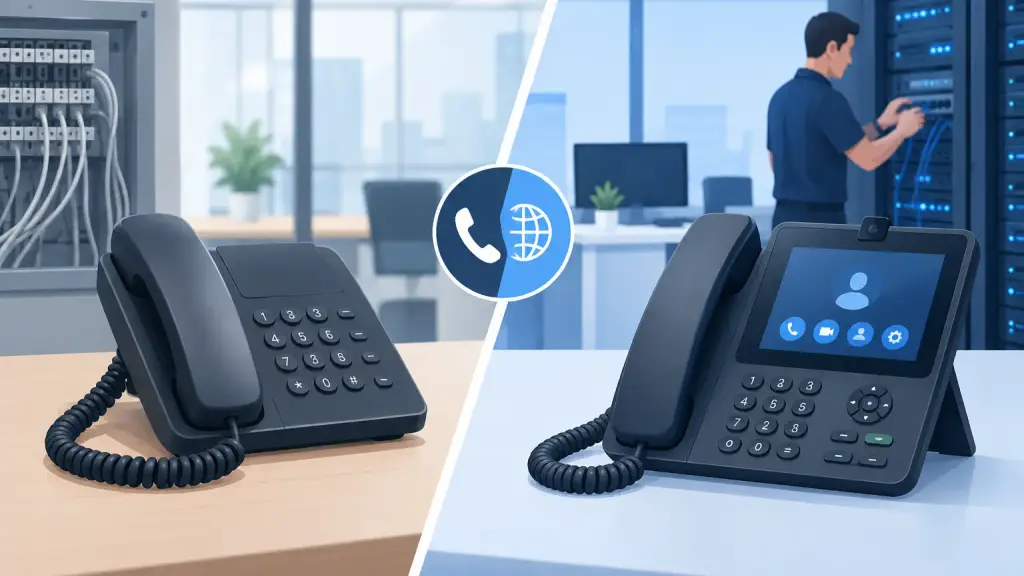
A missed call can mean a missed order, an unfilled appointment, or a customer who calls someone else. The analog phone versus IP phone decision is not just a technology choice. For a business, it affects reliability, daily workflows, expansion plans, and who can fix the system when something stops working.
The right answer depends on what you have today, how your office is wired, how much downtime your team can tolerate, and whether your current phone system is still meeting operational needs. An older PBX does not automatically need to be replaced. Likewise, a hosted IP phone platform is not always the best fit for every location or workflow.
Analog Phone Versus IP Phone: The Basic Difference
An analog business phone sends voice as an electrical signal over traditional phone wiring. In many offices, analog desk sets connect to an on-premises PBX through dedicated station cabling. The PBX controls extensions, voicemail, call transfers, paging, and other functions. Many established businesses still rely on systems from Panasonic, Nortel, Avaya, NEC, Vodavi, and other legacy manufacturers.
An IP phone converts voice into data packets and sends those packets across an Ethernet network or internet connection. IP phones may connect to an on-site IP-PBX or to a hosted VoIP platform managed through the cloud. Instead of relying primarily on traditional telephone cabling, they generally use structured data cabling, network switches, and internet service.
The distinction matters, but the terminology can cause confusion. A legacy PBX may use analog or digital station phones inside the building while connecting to different types of outside phone lines. An IP phone system may also retain analog devices such as fax machines, overhead paging adapters, alarm lines, or door phones through specialized interfaces. A proper evaluation starts with the actual equipment and wiring in place, not assumptions based on the age of the building.
When an Analog or Legacy PBX Still Makes Sense
A well-maintained legacy phone system can remain a practical business asset. If your staff knows the phones, the system supports the features you use, and replacement parts and service are available, there may be no operational reason to rush into a full migration.
This is especially true for businesses with substantial existing phone cabling, specialized handsets, paging systems, or workflows built around an established PBX. Replacing every phone and redesigning call flows can create unnecessary disruption if the current system is dependable and properly supported.
Legacy systems also provide a level of local control that some organizations prefer. Calls between extensions can continue within the office even when outside service is disrupted, depending on the system design. Many PBXs are built for straightforward, durable operation and do not depend on every desk phone having access to the public internet.
The trade-off is that older platforms can become harder to support as hardware ages. A recurring failure, limited expansion capacity, unavailable parts, or a move to a new office can change the equation. The question is not whether legacy equipment is old. It is whether it is stable, serviceable, and aligned with the business's next few years.
Repair First, Replace When the Business Case Is Clear
A failed power supply, bad card, damaged cable, programming issue, or defective handset does not necessarily justify replacing the entire system. A qualified technician can often diagnose and repair the specific problem, restoring service quickly while preserving a working investment.
However, replacement deserves serious consideration when the system creates repeated downtime, cannot support required features, or no longer fits the company’s operations. The best recommendation should be based on condition, risk, and business requirements rather than a blanket push toward the newest technology.
Where IP Phones Offer an Advantage
IP phone systems are designed for businesses that need more flexibility across locations, users, and devices. Because voice travels through the network, hosted VoIP can make it easier to support remote employees, add extensions at another office, and manage system settings from a central administration portal.
For a growing company, IP phones can reduce the limitations tied to a single physical PBX cabinet. Adding a user may be simpler when the network is ready and the provider can provision the extension remotely. Modern systems can also support features such as mobile applications, voicemail-to-email, automated attendants, call reporting, call queues, and flexible routing for multiple locations.
That flexibility depends on the network being properly prepared. An IP phone is only as dependable as the internet connection, firewall configuration, switches, power, and internal cabling that support it. Voice traffic needs to be planned alongside computers, wireless access points, security cameras, and other network devices. Poor network design can lead to choppy audio, delayed conversations, dropped calls, or phones that fail after a switch or power issue.
Power and Internet Planning Are Not Optional
Traditional analog-style phones may receive limited power from the PBX or phone line, depending on the equipment. IP desk phones commonly receive power through Power over Ethernet switches or local power adapters. If the switch loses power, the phones can lose service unless battery backup and proper power planning are in place.
Internet outages are equally important. A hosted IP phone system needs dependable connectivity for outside calling. Businesses that rely heavily on customer calls should discuss failover options, backup internet, emergency routing, and battery backup before migration. Technology alone does not prevent downtime. Good design and tested contingency planning do.
Cabling Can Influence the Decision More Than Expected
Cabling is frequently overlooked during phone system discussions. Yet it can determine whether an upgrade is straightforward or whether it requires additional on-site work.
An established office may have separate voice cabling to every desk but limited Cat5e or Cat6 network cabling. In that situation, moving to IP phones could require new cable runs, switch upgrades, electrical planning, and network configuration. If the office already has quality structured cabling and managed network equipment, the transition may be much easier.
A relocation is often the right time to evaluate these details. Before furniture arrives and walls are closed, a business can plan phone, data, wireless, and paging requirements together. That approach avoids running temporary cables across offices or discovering too late that a key workstation has no reliable connection.
Compare the Day-to-Day Operational Impact
The most useful analog phone versus IP phone comparison looks beyond specifications. Consider how your employees answer, transfer, park, page, and route calls during a busy day.
A local medical office, warehouse, professional services firm, or multi-location business may have very different needs. An organization that depends on overhead paging, reception coverage, shared lines, and established desk procedures may prioritize familiarity and local reliability. A company with distributed staff or frequent office changes may place greater value on hosted administration and location flexibility.
Security should also be part of the conversation. IP systems require attention to network access, passwords, firewall rules, software updates, and vendor configuration. Legacy PBX systems have their own security and maintenance considerations, including remote access controls, programming protection, and physical hardware condition. Neither approach is maintenance-free.
A Practical Decision Process
Start by documenting what must work every day: the main number, receptionist coverage, voicemail, call forwarding, paging, door access, faxing, conference rooms, and any specialized devices. Then identify current pain points, such as recurring failures, poor call quality, lack of remote access, unavailable parts, or difficulty adding users.
Next, inspect the infrastructure. This includes the PBX or existing phone equipment, cabling, network switches, internet service, power protection, and backup plans. A business should also review its plans for office moves, headcount changes, new locations, and remote work. These factors often matter more than the phone model itself.
Finally, decide whether the best path is repair, continued maintenance, a phased upgrade, or a full hosted VoIP migration. A phased approach can be useful when a business needs to protect continuity while modernizing selected functions over time.
Get a Recommendation Based on Your System, Not a Script
For Chicago-area businesses, iTeleco provides hands-on support for legacy PBX repair, maintenance, programming, cabling, relocations, and hosted VoIP transitions. The goal is to keep communications working, whether that means restoring an existing system or building a practical path forward.
Before replacing phones, have the current system evaluated by a technician who understands both legacy PBX equipment and IP platforms. A clear diagnosis can prevent an unnecessary replacement, and a well-planned upgrade can prevent the next emergency call from becoming a business interruption.