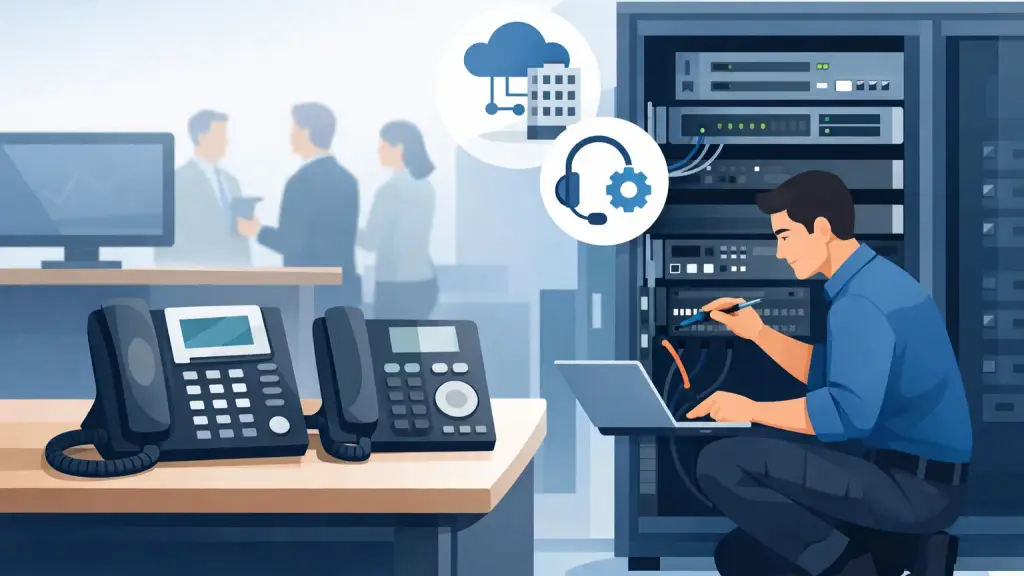
When a front desk says every outside call is failing but internal extensions still work, you do not need theory. You need a Panasonic PBX repair example that shows what actually happens during diagnosis, what can be fixed on-site, and when a larger upgrade discussion makes sense. For businesses that still rely on Panasonic phone systems every day, the difference between a quick repair and prolonged downtime usually comes down to methodical testing and brand-specific experience.
Legacy Panasonic PBX systems are still common in offices, warehouses, clinics, professional firms, and multi-location businesses because they have done the job reliably for years. The challenge is that when a fault appears, it rarely announces itself clearly. Users report symptoms. The system reveals causes only after someone checks trunk status, card behavior, power conditions, programming, and cabling in the right order.
A real-world Panasonic PBX repair example
Consider a mid-sized office that opens at 8 a.m. and depends on incoming calls for scheduling and customer service. Staff arrive and find that desk phones can call each other, hold works, and paging still functions, but incoming calls do not ring through and outbound calls return fast busy. At first glance, users assume the entire phone system is down. In reality, the extensions are healthy. The failure is more likely sitting between the PBX and the carrier connection.
In this Panasonic PBX repair example, the first step is not replacing hardware. It is isolating the fault. A technician starts by confirming the scope of the issue. Are all extensions affected or only some? Are both inbound and outbound calls failing? Is voicemail answering? Are there alarms on the cabinet? Has there been a recent power event, storm, office move, or carrier change?
Those questions matter because they narrow the fault path fast. If internal calling still works, the control processor is at least partially functional. If all outside lines fail at once, attention shifts toward trunks, line cards, smart jacks, patch fields, surge damage, or programming corruption. If only a few numbers are affected, the issue may be limited to a specific circuit, gateway, or card port.
How the repair process usually works
A proper repair begins with physical inspection before software assumptions. On older Panasonic systems, loose cross-connects, damaged station cabling, and aging line cards are not rare. Power supplies also deserve attention, especially after outages or building electrical work. A visual check can reveal a failed card indicator, improper seating, heat damage, dust buildup, or a backup battery problem that has already started affecting stability.
From there, testing moves to line presence and trunk activity. If the carrier handoff is dead, the PBX may be blamed for a service provider issue. If dial tone is present before the system but not after the line card, then the line interface becomes the more likely fault. Good technicians do not guess here. They test the path step by step so the customer is not paying for avoidable part swaps.
Programming is the next checkpoint. Panasonic systems are reliable, but changes made during carrier migrations, office reconfigurations, or previous service visits can create conflicts. Incoming call routing may point to the wrong group. Trunk access codes may be misassigned. A card replacement done in the past might not have been fully matched in system programming. These are not dramatic failures, but they can stop business traffic just as effectively as bad hardware.
In the example above, the actual fault turned out to be a trunk card issue after a power fluctuation. The cabinet still supported internal extension traffic, which made the outage look confusing to office staff. The repair involved confirming carrier service at the demarcation point, reseating and testing the affected card, validating programming, and restoring line functionality with a known-good replacement. Once calls were flowing again, the final step was not simply closing the ticket. It was checking why the fault happened and whether the power protection in place was adequate.
Why Panasonic PBX failures are often misread
Business users tend to describe impact, not failure type. That is normal. An office manager reports that phones are down because customers cannot get through. An IT manager may say the PBX is failing because some sets are behaving strangely after a restart. Both observations are useful, but neither identifies the root cause on its own.
That is where experience with Panasonic matters. Some issues look like major system failure but are limited to one card, one cabinet module, one programming table, or one cabling segment. Other issues look small at first and point to a broader reliability problem. Intermittent ringing, dropped call paths, random extension resets, and line seizure problems can all come from very different sources.
The trade-off is straightforward. Quick fixes can restore service fast, but if no one checks the underlying condition, the same outage may return. On the other hand, not every repair justifies a full replacement discussion. A good service partner knows the difference between a clean component-level repair and a system that is becoming too unstable or too unsupported to trust.
When repair is the right call
Repair is usually the right move when the system is otherwise stable, parts are available, and the failure is isolated. That often includes bad station cards, trunk card faults, failed power components, programming errors, cabinet connection issues, and damaged handsets or expansion modules. If the business depends on its current call flow and the platform is still serving operations well, repair protects continuity with minimal disruption.
For many companies, that matters more than chasing the newest platform. Staff already know how to use the phones. Auto attendant behavior is familiar. Paging, door phone integration, and overhead features are already tied into daily workflow. In those cases, a targeted Panasonic repair is a business decision, not just a technical one.
When a bigger conversation is justified
Some Panasonic PBX repair example cases end with a successful fix and a recommendation to keep the system. Others reveal a pattern: repeated outages, limited parts availability, unsupported expansion needs, or a business that now requires remote flexibility the old platform cannot support well. If repairs are becoming frequent or if every incident creates a scramble, then it may be time to plan beyond the next service call.
That does not mean forcing a rushed migration. It means using the repair event to assess risk. How old is the cabinet? Are spare parts still accessible? Is there documentation? Have there been power issues in the building? Are there enough working ports for growth? Is there one single failure point that could stop the office again next month?
A practical service partner should be able to repair the legacy system now and advise on next steps later. That is a far better position for most businesses than being told they must replace everything immediately.
What businesses should do before calling for service
A few details can speed up diagnosis. Know whether the outage affects all phones or only certain departments. Check whether internal extension-to-extension calling still works. Note any recent electrical events, internet or carrier changes, office construction, or moves. If the PBX cabinet shows alarms or unusual lights, that information helps too.
It is also useful to know your model family if possible, though an experienced technician can often identify the platform on arrival. What matters most is accurate symptom reporting. Saying "we cannot make outside calls but internal phones still work" is more helpful than "everything is broken," even if the disruption feels the same.
For businesses in Chicago and surrounding suburbs, response time matters as much as technical skill. Phone issues affect revenue, service levels, scheduling, and internal coordination almost immediately. That is why many companies keep a local partner available for emergency PBX support rather than waiting until the next outage to search for help.
The value of a methodical repair partner
A strong Panasonic repair process is not about swapping random parts until the phones come back. It is about reducing downtime without creating new problems. That means testing the carrier side, the cabinet, the cards, the programming, and the cabling in a logical sequence. It also means documenting what failed, what was restored, and what should be watched going forward.
For organizations still running legacy Panasonic systems, that level of discipline keeps communication stable and avoids unnecessary replacement decisions. Companies like iTeleco support exactly this kind of environment - where fast-response repair, on-site troubleshooting, and practical guidance matter more than generic advice.
A good repair visit should leave you with more than dial tone. It should leave you with a clearer picture of whether your current system is dependable, what the weak points are, and what to do next before the next busy Monday morning tests it again.