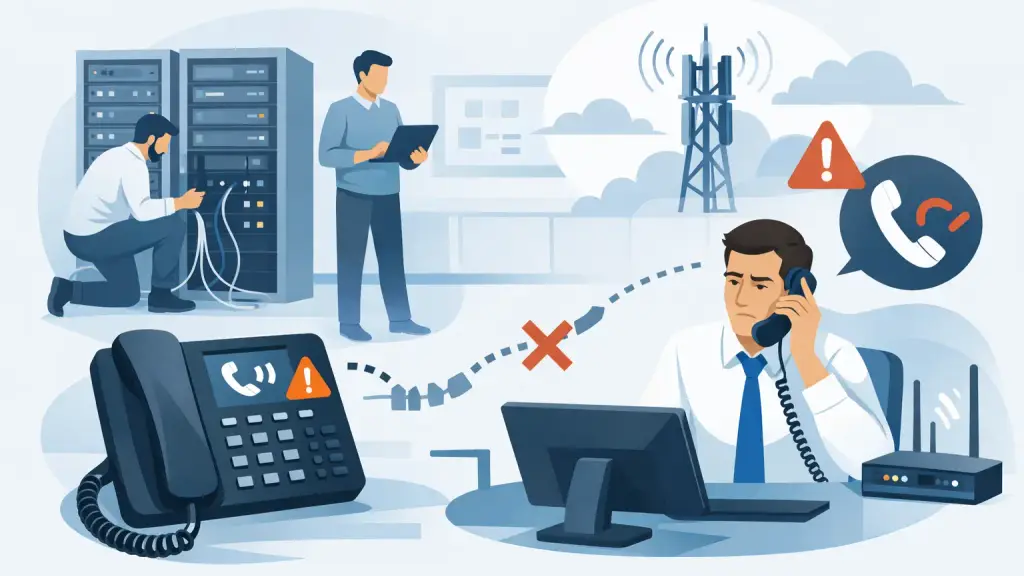
A dropped call during a customer order, service dispatch, or internal transfer usually gets blamed on "the phones." In reality, when business owners ask why do office phones drop calls, the answer is rarely just one thing. Call drops usually point to a problem somewhere in the full chain - carrier service, cabling, PBX hardware, handset condition, programming, network performance, or power stability.
For offices that rely on phones all day, that distinction matters. If the real issue is a failing station card, replacing handsets will not fix it. If the root cause is network congestion on a hosted VoIP system, a PBX reset may only waste time. The fastest way to stop repeat disruptions is to understand where calls are failing and what that failure pattern is telling you.
Why do office phones drop calls in the first place?
Office phones drop calls when the connection between one endpoint and another is interrupted long enough that the system cannot maintain the call. That interruption may last only a moment, but it is enough to end the conversation. On a legacy PBX, the problem may be tied to trunks, cards, cross-connects, punch-down fields, handsets, or power events. On a newer IP-based system, the cause may involve bandwidth, packet loss, jitter, firewall behavior, or misconfigured QoS.
The practical issue for most businesses is this - dropped calls are symptoms, not diagnoses. Two offices can experience the same complaint for completely different reasons. One may have old inside wiring that intermittently opens under load. Another may have stable wiring but poor SIP call handling during peak traffic. Looking at the pattern of failure is what separates guesswork from repair.
The most common reasons office phones drop calls
Aging PBX hardware and failing components
Many businesses still depend on reliable legacy systems from brands like Panasonic, Nortel, Avaya, NEC, and Vodavi. These platforms can run for years, but age eventually affects cards, ports, power supplies, and connectors. A trunk card that is beginning to fail may not stop all calling at once. Instead, it can cause intermittent disconnects on certain lines, at certain times, or only during transfers.
This is one reason dropped-call complaints are often hard to pin down internally. The system may seem fine for part of the day, while specific users keep reporting the same issue. If the problem follows a port, extension, or trunk path, hardware testing becomes more important than broad resets.
Damaged or degraded cabling
Bad cabling is easy to overlook because it often causes inconsistent symptoms. A phone line with worn terminations, moisture exposure, poor splices, or physical damage may carry dial tone and still fail during active use. The same applies to network cabling on IP systems. A marginal cable run can introduce instability that shows up as clipped audio, one-way speech, or dropped calls.
Moves, adds, and office reconfigurations often create this kind of issue. When desks get relocated, patching gets changed, and temporary fixes become permanent. Over time, those shortcuts start affecting call reliability.
Carrier or trunk service problems
Sometimes the office phone system is working correctly and the issue sits outside the building. PRI circuits, SIP trunks, and other carrier-provided services can all create call drop conditions. In some cases, calls disconnect at nearly the same duration, which may point to session timer or trunk configuration issues. In others, inbound calls fail more than outbound calls, or only calls to certain numbers drop.
That pattern matters because it helps determine whether the trouble is local equipment or carrier-side provisioning. Without that distinction, businesses can spend too much time troubleshooting the wrong layer.
Network instability on VoIP systems
If your office uses hosted VoIP or an on-premises IP phone platform, the data network becomes part of the phone system. Phones need consistent, prioritized traffic. When the network is congested, voice packets arrive late, out of order, or not at all. Once packet loss and jitter cross a certain threshold, the call may become unusable or disconnect entirely.
This often happens when voice and data compete on the same network without proper segmentation or QoS. Large file transfers, backups, camera traffic, and guest Wi-Fi usage can all affect call quality if the network is not designed with business voice in mind.
Power issues and improper reboot cycles
Phone systems are sensitive to power quality. Short outages, brownouts, failing UPS units, or unstable power supplies can trigger resets that interrupt active calls and create lingering system issues afterward. Legacy PBX cabinets may recover differently than IP systems, and some components may not restart cleanly without proper sequence.
If phones have started dropping calls after storms, electrical work, or frequent brief outages, power should be investigated early. It is a common factor and often gets missed because the building appears otherwise operational.
Programming and configuration errors
Not every dropped call points to broken hardware. Incorrect system programming can also create disconnect behavior. Timer settings, transfer programming, trunk access configuration, call routing rules, SIP registration settings, and session parameters can all affect whether a call stays connected.
This is especially common after partial system changes. A business may add new lines, replace a router, reassign extensions, or connect a legacy PBX to newer service without fully validating the programming. The phones work most of the time, but specific call types start failing.
How to tell where the problem is happening
The fastest diagnostic step is to stop treating all dropped calls as one issue. Start by narrowing the pattern. Are all users affected, or only a few? Does the problem happen on inbound calls, outbound calls, or both? Does it occur on one floor, one department, one handset model, or one carrier path?
Timing also matters. If calls drop mostly during busy business hours, network load or trunk capacity may be involved. If they fail randomly throughout the day on specific extensions, station hardware or wiring becomes more likely. If transfers fail but direct calls do not, the issue may sit in programming or feature interaction rather than line quality.
Businesses often lose time by replacing desk phones first because that feels simple. In practice, handset failure is only one possible cause, and not the most common one. Useful troubleshooting comes from identifying whether the issue follows the user, the phone, the port, the line, or the call type.
What your team can check before calling for service
A few practical checks can help confirm the scope of the problem. Have affected users note the time of each dropped call, whether it was inbound or outbound, and whether the call disconnected during hold, transfer, conference, or regular conversation. That information is much more useful than a general report that calls are dropping "all the time."
It also helps to test a known-good handset on the same port, and then move the original handset to a different working port. If the problem stays with the location, look at cabling or port issues. If it follows the handset, the set itself may be failing. On VoIP systems, review whether call drops line up with heavy internet usage, remote access sessions, or firewall changes.
What should not happen is repeated random rebooting. Unplanned resets can erase patterns that matter and, in some cases, create new issues. A business phone system should be tested methodically, especially when the office depends on continuous availability.
When dropped calls point to a bigger system problem
Sometimes a dropped call issue is isolated. A bad patch cable, defective phone, or single programming error can be corrected quickly. Other times, dropped calls are the first visible sign that the system is under strain overall.
That is often true in older environments where the PBX is still essential, but parts are aging, documentation is incomplete, and years of adds and changes have made the setup harder to support. It can also happen in offices that moved to VoIP without fully preparing the network or preserving dependable failover. In both cases, the symptom is the same - conversations end unexpectedly - but the long-term answer may involve broader repair, cleanup, or modernization.
For businesses in Chicago and the surrounding suburbs, this is where an experienced telecom partner matters. iTeleco supports both legacy PBX repair and newer hosted VoIP environments, which is important when the real issue sits between old infrastructure and newer service expectations. A company that understands only one side of that equation can miss the actual cause.
Why quick fixes often fail
Dropped calls create urgency, and that urgency leads many offices to try the fastest available fix. They replace a few phones, restart the system, switch ports, or ask the carrier to "refresh" service. Sometimes that helps temporarily. Often it does not, because the underlying fault was never isolated.
A practical repair approach looks at the whole call path. It verifies carrier service, examines trunk performance, checks system alarms and programming, tests ports and handsets, reviews power health, and evaluates network conditions where IP voice is involved. That kind of structured diagnosis is what prevents the same complaint from coming back next week.
If your office phones are dropping calls, treat it as an operational issue, not a minor annoyance. Phones are still the front door for sales, service, scheduling, and internal coordination. The sooner you identify whether the fault is in the carrier, cabling, PBX, network, or configuration, the sooner your team gets back to stable communication without guesswork.