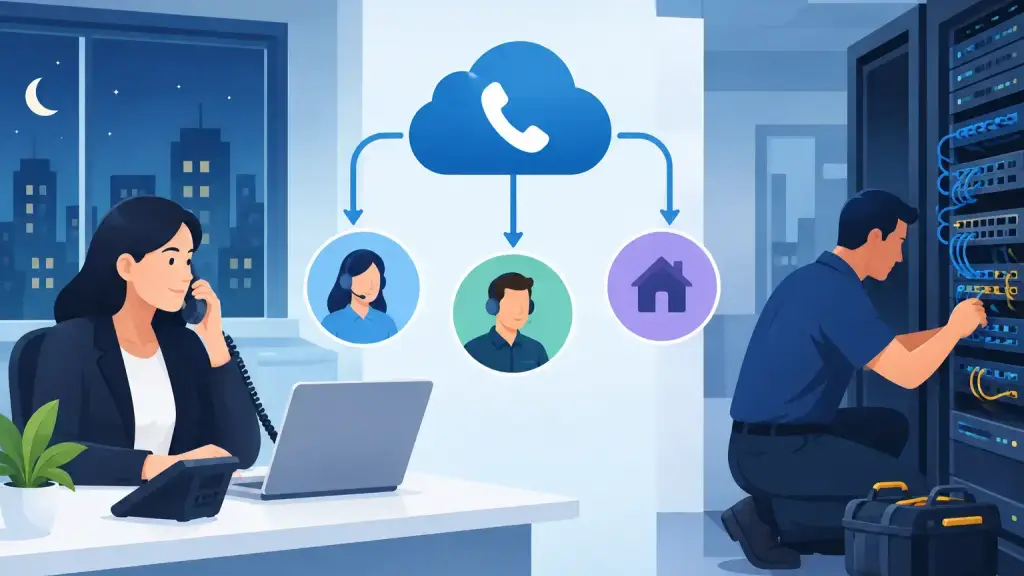
A customer calling at 6:30 p.m. does not care whether your office is closed, your receptionist has left, or your phone system is 15 years old. They need a clear answer, a way to leave a message, or a path to the right person. When you route after hours calls correctly, you protect customer service, reduce missed opportunities, and make sure urgent issues reach the people responsible for handling them.
For Chicago-area businesses using a legacy PBX, a newer hosted VoIP platform, or a mix of both, after-hours call routing should be treated as an operating procedure, not a one-time phone setting. A small programming error can send calls to an unattended extension, ring a former employee, or leave callers hearing endless ringing when they need help most.
Start With the Calls That Cannot Wait
Not every call deserves the same after-hours response. A property manager reporting an access problem, a medical office receiving an urgent patient call, a service company responding to an equipment failure, or a law office handling a time-sensitive client matter may need a live response. A routine sales inquiry can usually wait until the next business day.
The first step is to define which calls are urgent and who owns each response. This decision should come from operations leadership, not from an assumption made during phone-system programming. Your telecom provider can build the routing, but your business must establish the rules.
A practical call plan often separates callers into three groups: urgent callers who reach an on-call employee or answering service, general callers who hear an informative greeting and can leave a message, and callers seeking a specific department or extension. Each group should have a clear, tested destination.
Avoid a common mistake: sending every after-hours call to one employee's mobile number. That may work for a small office, but it creates a single point of failure. If that person is unavailable, on vacation, or simply misses the call, the customer has no backup path.
How to Route After Hours Calls on a Business System
The exact programming method depends on the phone system. Older Panasonic, Nortel, Avaya, NEC, Vodavi, and other PBX platforms may use a night-service button, scheduled service mode, alternate ringing assignment, or automated attendant programming. Hosted VoIP systems generally use time conditions, call flows, ring groups, and on-call schedules.
The technology is different, but the goal is the same: move calls automatically from daytime handling to the appropriate evening, weekend, or holiday treatment.
Use schedules, not manual changes
A manual night-mode switch can be useful for unusual closures, but it should not be your primary plan. Someone has to remember to activate it, and someone has to remember to turn it off. If they do not, calls may be routed incorrectly for hours or days.
Set a recurring schedule for normal office hours and create separate rules for weekends and recognized holidays. If your business has different department hours, those differences should be reflected in the call plan. For example, a service department may need an emergency option long after the administrative office has closed.
Give callers a direct, useful message
An after-hours greeting should do more than say the office is closed. It should tell callers what happens next. If they can leave a message, state when they can expect a response. If emergency support is available, clearly explain which option to select and what qualifies as urgent.
Keep the greeting concise. Callers should not have to listen to a long menu to report a serious issue or leave a simple message. Use plain language, confirm the business name, and repeat key choices once if necessary.
A typical approach might be: “You have reached our office after regular business hours. For urgent service, press 1. To leave a message for the next business day, press 2.” The right wording depends on your operation, but clarity matters more than cleverness.
Build escalation into the call path
Urgent calls should not dead-end when the first person does not answer. Program a sequence that rings the primary on-call contact, then a secondary contact, then a final backup or answering service. Set reasonable ring times so callers are not waiting through multiple long attempts before reaching help.
Escalation can also include voicemail-to-email notifications, text alerts, or a monitored mailbox. These tools are useful, but they should support a defined response process. An alert sent to an inbox nobody checks overnight is not emergency coverage.
For businesses that need live response, an answering service can screen calls and follow an approved escalation script. This works best when the script is specific: who should be contacted, what information must be collected, and when the caller should be told to seek another emergency resource.
Protect Your Main Number and Your Team
Your main business number is an asset. It appears on signage, invoices, search listings, and customer records. After-hours routing should preserve that number while directing calls intelligently behind the scenes.
Do not publish individual employee numbers as a substitute for a proper call plan. Employees change roles, leave the company, and need personal boundaries. A business-controlled routing structure lets you update the destination without retraining every customer or changing public-facing information.
There is also a security and accountability benefit. When call routing is managed through the PBX or hosted platform, you can document who receives emergency calls, update permissions, and remove outdated destinations. This is especially important for multi-location offices, shared reception teams, and organizations with frequent staffing changes.
Test the Call Flow Like a Customer Would
A routing plan is only reliable after real-world testing. Make test calls from an outside number after hours, on weekends, and during a simulated holiday schedule. Calling internally from an office extension may not reveal the same routing behavior as a customer calling the main number.
Check the entire experience. Does the daytime greeting switch at the correct time? Does the auto attendant answer promptly? Are menu options understandable? Does the urgent option ring the correct on-call person? Does the second contact receive the call if the first does not answer? Can callers leave a message, and does the message reach the intended team?
Testing should also include failure scenarios. If an on-call employee's mobile phone is off, what happens? If an internet connection fails at one location, can calls be redirected? If a legacy PBX loses a line card or programming becomes corrupted, is there a technician who can diagnose the issue quickly?
Document the results and assign ownership for future updates. Any time an employee leaves, departments change, office hours shift, or a new location opens, review the after-hours routing plan. Phone systems often keep old extensions and forwarding rules long after they stop serving the business.
Know When Your Legacy PBX Needs Attention
A well-maintained legacy phone system can handle after-hours routing effectively. Night service, overflow ringing, automated attendants, and paging integrations are common capabilities on many established PBX platforms. The issue is usually not that the system is old. The issue is that the programming is undocumented, the voicemail unit is failing, or no qualified technician is available when the routing stops working.
If your system has inconsistent night mode, extensions that do not ring as expected, poor voicemail performance, or settings that only one former employee understands, it is time for an assessment. In some cases, targeted PBX repair or programming is the most practical fix. In others, a hosted VoIP configuration may provide easier schedule management, remote updates, and broader failover options.
The right choice depends on your current equipment, call volume, staffing model, and tolerance for disruption. Replacing a system is not automatically the answer, and keeping every legacy component is not always the safest choice either. A qualified telecom specialist should be able to explain both paths without forcing a premature change.
Keep Emergency Support Separate From Routine Voicemail
The phrase “after hours” covers very different situations. A customer requesting a callback tomorrow is not the same as a business losing its primary phone service at night. Your call routing should reflect that distinction.
For your own organization, have a documented procedure for telecom emergencies. Keep current contacts for the phone-system provider, internet carrier, alarm vendor where applicable, and internal decision-makers. Make sure the person responsible for opening the office or managing operations knows how to report a PBX, voicemail, or carrier issue without guessing who to call.
iTeleco provides 24/7 emergency support for business phone-system issues in Chicago and surrounding suburbs, including legacy PBX repair, programming, and modern hosted VoIP support. When phones are part of your daily operations, fast technical response matters as much as the initial installation.
A caller who reaches the right person after closing time sees a business that is organized and dependable. A caller who reaches a dead line may call someone else. Review your after-hours routing before the next urgent call tests it for you.