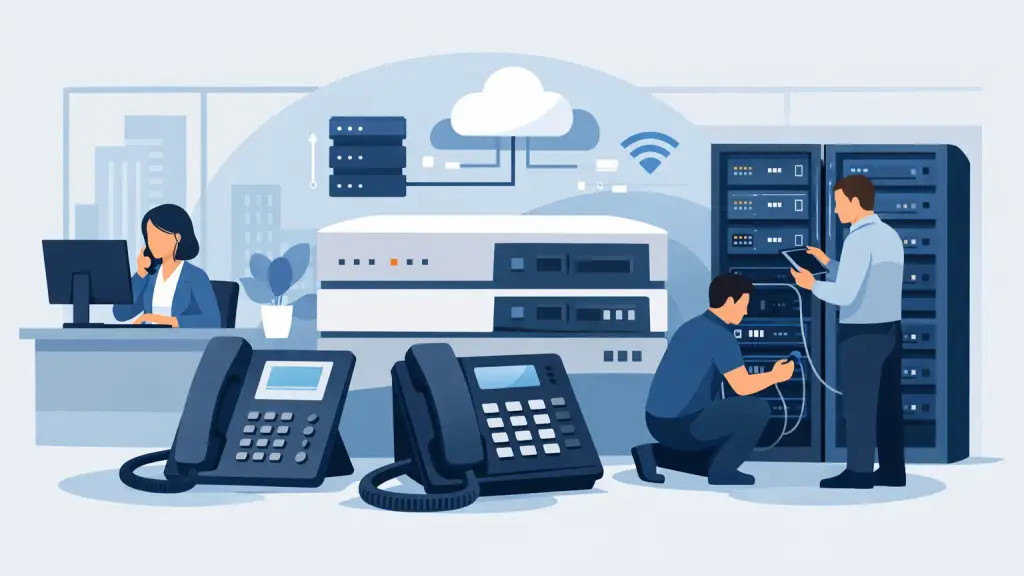
When your phones start dropping calls at 8:15 on a Monday, you do not need theory. You need a practical NEC PBX support guide that helps you identify the problem fast, protect business continuity, and know when to bring in an experienced technician.
Many businesses still rely on NEC phone systems because they have been dependable for years. That is the upside. The downside is that aging hardware, older programming, and limited in-house telecom knowledge can turn a small issue into a full interruption. If your front desk cannot transfer calls, your warehouse cannot reach purchasing, or your locations cannot dial between sites, the problem is no longer technical - it is operational.
What this NEC PBX support guide covers
This NEC PBX support guide is written for office managers, IT staff, operations leaders, and business owners who need clear next steps. The goal is not to turn you into a PBX programmer. The goal is to help you separate simple fixes from real service issues so you can restore phone service quickly and avoid making the situation worse.
NEC systems vary by model and age, so support is never one-size-fits-all. Some businesses are running platforms that are still stable with routine maintenance. Others are dealing with discontinued parts, old voicemail hardware, or programming that only one former vendor understood. That difference matters because the right support approach depends on whether the issue is isolated, recurring, or a sign that the system itself is reaching a breaking point.
Start with the symptom, not the hardware
A common mistake is jumping straight to the cabinet or assuming the PBX has failed. In many cases, the symptom gives you a better starting point than the equipment label.
If one phone is down, the problem may be the handset, the station port, the cabling, or the cross-connect. If an entire department is affected, the issue could be card-related, programming-related, or tied to a shared power or cabling point. If inbound calls are failing but internal calling still works, the PBX may be fine and the fault may sit with trunks, carrier handoff, or interface cards.
This is why experienced support starts with scope. Ask three quick questions. Is the issue affecting one user, one area, or the entire business? Did it start after a storm, power event, construction work, or phone company change? Is the failure complete, or are some functions still working?
Those answers save time. They also help you avoid unnecessary downtime caused by random reboots or trial-and-error changes.
The first checks that are worth doing
Before calling for service, there are a few checks that make sense if you can perform them without risk. Confirm that the impacted phone has power if it requires local power. Swap the handset with a known working set if the model allows it. Check whether voicemail, auto attendant, paging, and internal extension dialing still function. Look for alarms, error lights, or unusual messages on the PBX cabinet or connected applications.
You should also verify whether the issue is tied to the building environment. A tripped circuit, failed battery backup, damaged patch cable, or recent office move causes more telecom trouble than many businesses expect. In multi-tenant buildings, carrier demarc issues can also be mistaken for PBX failure.
What you should not do is change programming without documentation, unplug random station cards, or factory reset anything. That is where small outages become long outages.
Common NEC PBX problems and what they usually mean
No dial tone is one of the most urgent complaints, but it does not always point to the same cause. On a single extension, it often suggests a handset, jack, patching, or port issue. Across multiple phones, it may indicate a broader station card fault, system issue, or trunk-related failure if outside calling is the only function affected.
Busy signals on outbound calls can point to unavailable trunk resources, carrier trouble, or dialing plan problems. If users can call internally but not externally, support should focus on line access and trunking before blaming the handsets.
Poor audio quality is another issue that depends on the environment. Static, echo, or one-way audio can come from bad wiring, failing hardware, external carrier conditions, or interface mismatches with newer services. If the problem appears after moving to a different circuit type or integrating new telecom equipment, the root cause may not be the NEC system alone.
Voicemail failures are often treated as separate from the PBX, but they are tightly related in daily operation. Message waiting lamp problems, missing transfers to voicemail, or auto attendant misroutes can come from programming conflicts, integration issues, or voicemail hardware and software faults.
After a power outage, NEC systems may come back with partial functionality. One card may fail to initialize, voicemail may remain offline, or clock and schedule settings may drift. This is where methodical diagnostics matter. The system may not be fully down, but it is not healthy either.
When remote support is enough and when it is not
Some NEC support issues can be handled remotely, especially if the system is reachable and the problem is programming-related. Changes to call routing, hunt groups, extension behavior, voicemail flow, time schedules, and certain diagnostics can often be addressed without an on-site visit.
But hardware problems usually need hands-on service. If a card has failed, a station block is damaged, a cabinet has power irregularities, or cabling has been compromised, remote support will only take you so far. The same is true when nobody on site can safely identify ports, extensions, or cross-connect fields.
For businesses with older NEC equipment, this is where a local field service partner matters. Fast response is not just about arriving quickly. It is about arriving prepared with the right experience, likely replacement components, and a clear plan for isolating the fault.
Maintenance matters more on legacy NEC systems
Older PBX systems rarely fail all at once without warning. More often, they degrade in ways that get ignored until a major interruption happens. A few dead buttons here, a voicemail complaint there, a line that occasionally does not ring - these are often early signs of larger reliability issues.
Routine maintenance helps extend useful life, but it also helps businesses make better timing decisions. Cleaning up programming, checking backups, inspecting batteries, reviewing line status, and confirming hardware condition can reveal whether the system is stable enough to keep supporting or whether you are operating too close to the edge.
There is a trade-off here. Some organizations want to preserve an NEC platform as long as possible because it still fits the business and users know it well. That can be a sound decision if parts availability, call volume, and support access still make sense. But if every issue requires a scramble, if moves and changes are becoming difficult, or if downtime risk is rising, support should include a modernization discussion rather than another temporary patch.
How to decide between repair and upgrade
This is usually the real question behind any NEC PBX support guide. Not whether the system can be repaired, but whether it should be.
If the fault is isolated and the rest of the system is in good condition, repair is often the right move. If your NEC PBX still handles your business call flow reliably and your users are comfortable with it, there is no reason to replace it just because it is old.
If the system has recurring hardware issues, limited parts availability, outdated voicemail, unsupported integrations, or no clear documentation, the decision gets more complicated. In that case, ongoing support may still be possible, but the business should evaluate risk honestly. Every additional outage costs staff time, customer confidence, and internal productivity.
A good support partner does not force one answer. They help you stabilize what you have, explain the remaining life expectancy as clearly as possible, and show you what a transition path could look like if you decide to move later.
What to have ready before you call for NEC support
You can speed up service significantly if you gather a few details first. Have the system model if known, the phone model at affected desks, a description of what changed before the issue started, and a list of which functions still work. If the outage affects only some users, note whether they are located in the same area. If error messages appear, write them down exactly.
It also helps to know whether your business depends on special programming such as ring groups, call coverage, door phones, paging, cordless extensions, or multi-site dialing. These details matter during troubleshooting because they point to specific hardware and programming paths.
For businesses in Chicago and the surrounding suburbs, local NEC support can be the difference between a same-day recovery and a prolonged outage waiting on the wrong resource. iTeleco works with legacy business phone systems every day, including emergency repair, maintenance, programming, and on-site service when remote support is not enough.
The best support plan is the one that reduces surprises
NEC systems can continue delivering value long after newer platforms would have been replaced, but only when they are supported with realistic expectations. That means quick troubleshooting when something breaks, disciplined maintenance before it does, and a clear backup plan for the day repair stops being the smart choice.
If your phones are central to how your business sells, schedules, dispatches, or serves customers, treat NEC support as an operations priority rather than a side task. The less guesswork involved, the faster you get back to business.