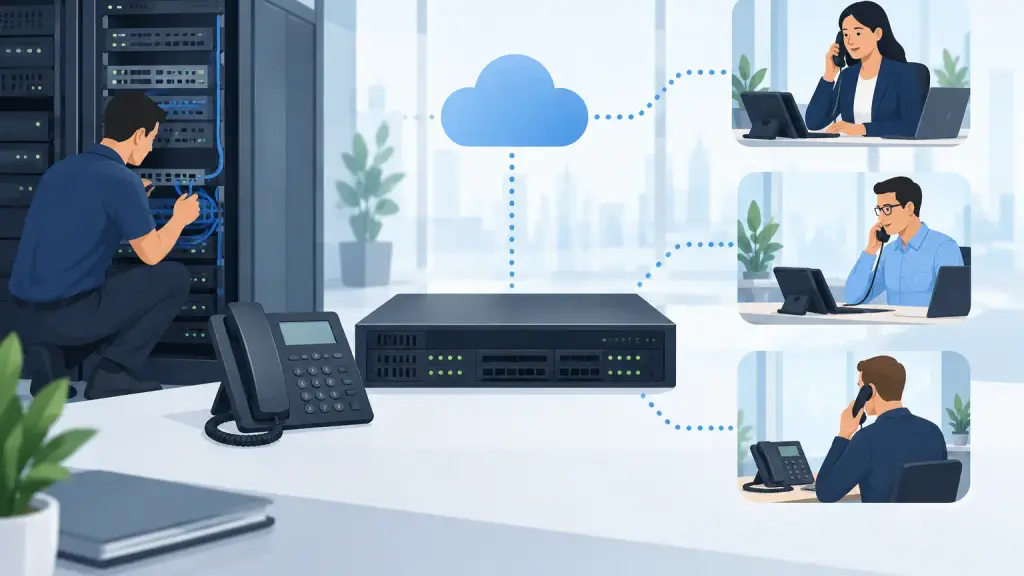
A remote extension should feel like it is sitting inside the main office: the employee can answer calls, transfer to coworkers, use voicemail, and receive the same reliable service they would at their desk. That is the goal when learning how to configure remote extensions. The method, however, depends heavily on the phone system, the connection between sites, and how much risk your business can accept if internet service fails.
For Chicago-area businesses still operating a legacy PBX, remote extension work is not simply a matter of plugging in a phone somewhere else. Older systems were designed around physical station ports, on-premises cabling, and local carrier lines. They can often support remote users, but the design must protect call quality, security, emergency calling, and the stability of the existing system.
Start by Defining What “Remote Extension” Means
The phrase can describe several different setups. An employee may work from a branch office connected to the main PBX. A phone may be located in a warehouse, detached building, or tenant suite. It may also mean an off-site employee who needs to answer company calls from home.
These scenarios are not interchangeable. Extending an analog or digital station over long-distance cabling is very different from registering an IP phone through a secure internet connection. A multi-location business may need a site-to-site connection, while a handful of remote staff may be better served by hosted VoIP or softphone access.
Before making changes, document what the remote user must be able to do. Determine whether they need direct inward dialing, transferred calls, shared voicemail, paging access, call recording, hunt group membership, or only occasional outbound calling. A clear requirement prevents a costly configuration that solves the wrong problem.
Assess the Existing PBX and Network First
Remote extensions must match the capabilities of the phone system. Identify the PBX manufacturer, model, software version, installed cards, available station ports, and current programming. Also confirm whether the system supports IP endpoints, remote cabinets, networking between systems, or only local digital and analog stations.
This step matters most with legacy platforms. A phone that looks compatible may require a particular digital station card, firmware release, licensing option, or proprietary protocol. Attempting to place a proprietary digital telephone across an unsupported network can result in intermittent registration, one-way audio, dropped calls, or a phone that does not function at all.
Review the network at both locations as well. Remote voice traffic needs adequate bandwidth, stable latency, low packet loss, and properly configured quality-of-service rules. A connection that works well for email and web browsing can still produce poor voice quality during busy periods.
For any internet-based deployment, verify the firewall, router, virtual private network, and power backup. Voice service depends on each of these components. If the remote router loses power or the internet connection goes down, the extension may be unavailable even when the main PBX remains operational.
Choose the Right Remote Extension Method
There is no one correct way to configure remote extensions. The practical choice depends on the PBX, distance, number of users, and business continuity requirements.
A remote cabinet or expansion module can work well for a nearby building or branch location when supported by the phone system. It keeps the extensions tied to the existing PBX and can preserve familiar features. The trade-off is that it may require specialized hardware, dedicated connectivity, and on-site installation.
A site-to-site network connection may be appropriate when two offices need multiple extensions and consistent access to shared resources. In this model, phones or a connected PBX at the secondary site communicate with the primary system over a properly designed private connection. This approach can be effective, but it requires disciplined network configuration and ongoing monitoring.
For individual off-site employees, an IP phone, secure softphone, or hosted VoIP extension may be the better answer. Hosted VoIP can give staff the flexibility to work from different locations without stretching an older PBX beyond its intended design. It also creates a practical modernization path for organizations that want to retain certain legacy functions while moving remote users to a newer platform.
How to Configure Remote Extensions Without Disrupting Service
Once the design is selected, configure the new extension in a controlled sequence. Do not make programming changes during the busiest time of day, especially in offices where every incoming call supports scheduling, sales, dispatch, or customer service.
Create and Program the Extension
Begin with the extension record in the PBX or hosted administration portal. Assign the extension number, user name, class of service, voicemail profile, caller ID presentation, and appropriate call permissions. Match the permissions to the user’s role rather than duplicating unrestricted access from another phone.
For example, a remote receptionist may need access to incoming call groups, intercom, and transfer functions. A warehouse phone may only need internal dialing and limited outside calling. Over-permissioning extensions can create unnecessary toll, security, and administrative issues.
If the user needs a direct phone number, assign the correct inbound routing. Confirm that calls to the main number, direct number, and department line behave as intended. When extension mobility or simultaneous ringing is enabled, establish clear rules so calls do not ring indefinitely or route to an unmonitored device.
Configure the Phone or Endpoint
For an IP endpoint, enter the approved server address, extension credentials, provisioning details, and network settings. Avoid using default passwords or exposing phone management interfaces directly to the public internet. Use secure authentication and encrypted signaling and media whenever the platform supports it.
For legacy analog or digital equipment, follow the manufacturer-supported station wiring and distance requirements. Cable type, pair assignment, power requirements, and environmental conditions all matter. A telephone may appear to work initially but develop intermittent problems if the cable run exceeds limits or shares a pathway with electrical interference.
Label the phone, port, patch-panel location, network switch port, and assigned extension. Accurate labeling reduces downtime later, particularly when a technician must diagnose a problem after hours.
Protect Voice Quality on the Network
Voice traffic should receive priority over less time-sensitive traffic. Configure quality-of-service policies on managed switches and routers, separating voice devices from general office traffic where appropriate. Do not rely on a basic home-grade router for a business-critical remote site without evaluating its ability to handle voice traffic consistently.
Test calls while the network is under normal load. Listen for choppy audio, delay, echo, and one-way audio. Test inbound, outbound, internal, transfer, hold, conference, voicemail, and after-hours routing. A simple dial tone test is not enough.
Plan for Security and Emergency Calling
A remote extension extends your communications environment beyond the main office, which increases the need for security controls. Change default credentials, restrict administrative access, keep firmware current when possible, and remove access promptly when an employee leaves or a device is retired.
Emergency calling deserves separate attention. Confirm the physical location associated with each remote extension and verify how emergency calls are routed. A phone at a branch office, warehouse, or employee workspace must not be assumed to report the main office address. Emergency location requirements and system behavior vary by platform and deployment type, so this should be verified before the extension is placed into regular use.
Create a fallback plan for internet or power outages. This may include call forwarding to an approved alternate number, battery backup for network equipment, or a designated procedure for staff when remote phones are unavailable. The right backup plan depends on the business, but no critical phone function should depend on an untested assumption.
Know When a Legacy PBX Needs a Different Approach
Many older PBX systems remain dependable inside the building they were designed to serve. Problems often start when a business asks them to support mobile staff, multiple branches, cloud applications, and internet-based phones without the necessary hardware or programming.
That does not automatically mean the PBX must be replaced. In some cases, a supported remote module, properly installed cabling, or a networked solution will meet the need. In other cases, placing remote users on hosted VoIP while maintaining the existing PBX for on-site operations is less disruptive and easier to support.
The decision should be based on call volume, existing equipment condition, remote-user count, network reliability, and the business consequences of downtime. A qualified telecom technician can identify whether the issue is a programming limitation, a network limitation, or a sign that the system needs a staged upgrade.
Test, Document, and Support the Setup
After configuration, test the remote extension with the actual user. Confirm their calling workflow, voicemail access, transfers, caller ID, and any department-specific features. Ask them to place calls during the times they normally work, not only during a quiet test window.
Document the configuration, extension assignment, endpoint location, network requirements, and recovery procedure. Keep this information with the PBX records so future changes do not become guesswork. For businesses that depend on every call being answered, professional support is especially valuable when remote extensions connect older phone infrastructure to newer networks.
A properly configured remote extension gives employees flexibility without making the phone system harder to manage. If your PBX is aging, your office is expanding, or remote calls are already unreliable, address the design before a small extension change becomes a service interruption. iTeleco provides fast-response PBX and VoIP support for businesses throughout Chicago and the surrounding suburbs, including 24/7 emergency repair when communications cannot wait.